
How do I install WordPress?
How to install WordPress is the most common question, but the answer could never be simpler. One click installation itself.
How to install WordPress is the most common question, but the answer could never be simpler. One click installation itself.
You worked on the site on localhost on your computer because it was easier for you, but then you realized that everything should be transferred to hosting, and that's where the problem arose. You thought it was basically a copy paste solution, but the problem is much bigger. Especially for beginners this can seem overwhelming
How to transfer site from localhost to cPanel hosting Read more »
You can download MailBird at this link: MailBird Email client After installation, a window will appear as in the picture below. In the first field Your name, enter your name if it is a personal email or the name of your company if it is a company email. In the second field Email, enter your email address that you previously created in cPanel and
You can download the Mozilla Thunderbird email client from this link: https://www.mozilla.org/en-US/thunderbird/ After installation, you need to open Account Settings, which you can find on the three dashes just below the x where you close the program. Three dashes > options > Account Settings When the window opens, click on Account in the lower left corner of that window
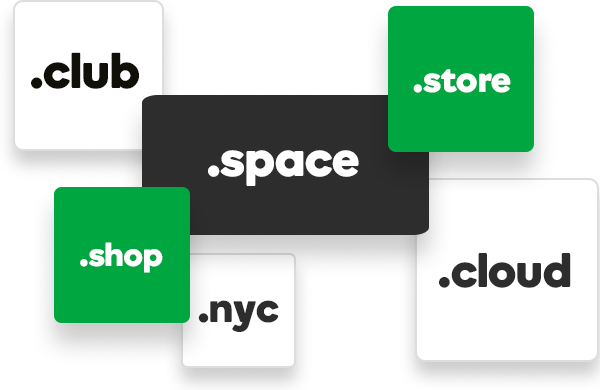
There is no difference in the technical sense. The answer is NO to questions like: Will the site load faster if it is .com or .rs Will the site display differently if the domain is .win or .net Does the domain have to be purchased at the same place as the hosting? The answer is again NO. The domain […]
The difference between a domain of 250 dinars and one of 2000 dinars Read more »
For WordPress First of all, let's answer the question of whether a site with www or without www is better, the answer is simple, everything is a matter of choice and there is no better or worse, it is a matter of choice. But if you start using one, don't mix it up, i.e. links to www and others without www. In order to prevent such mistakes
For WordPress First step. These days since everyone started giving free SSL en masse enabled by cPanel and Lets Encrypt a new problem has appeared. Redirection to https and to www. Why is it important to redirect visitors, the simple reason is always the same, because of better searches on search engines, especially on Google. Google

The eternal question of beginners is how to get to the first position on Google. The answer is not at all simple and the solution is far from a few steps. In most texts, you will get an answer of no. Which is pretty true. For the first position, first of all, technical knowledge is needed, secondly, experience, if you don't have at least one of these two, then you're on your own
As easy as it seems to us to manage WordPress with all its options, sometimes it's quite difficult to coordinate everything and make it look just the way you want it to. Site Building plugins allow you to easily overcome the problem of design and all editing with a simple drag-and-drop system. The Divi Builder Although the most connected
High-resolution images look great, but they're also larger in terms of MB, which results in longer site page load times. If your site has even one large (MB) image, it will slow down your site in ways you can't imagine. In that waiting, you will lose visits without even realizing it.