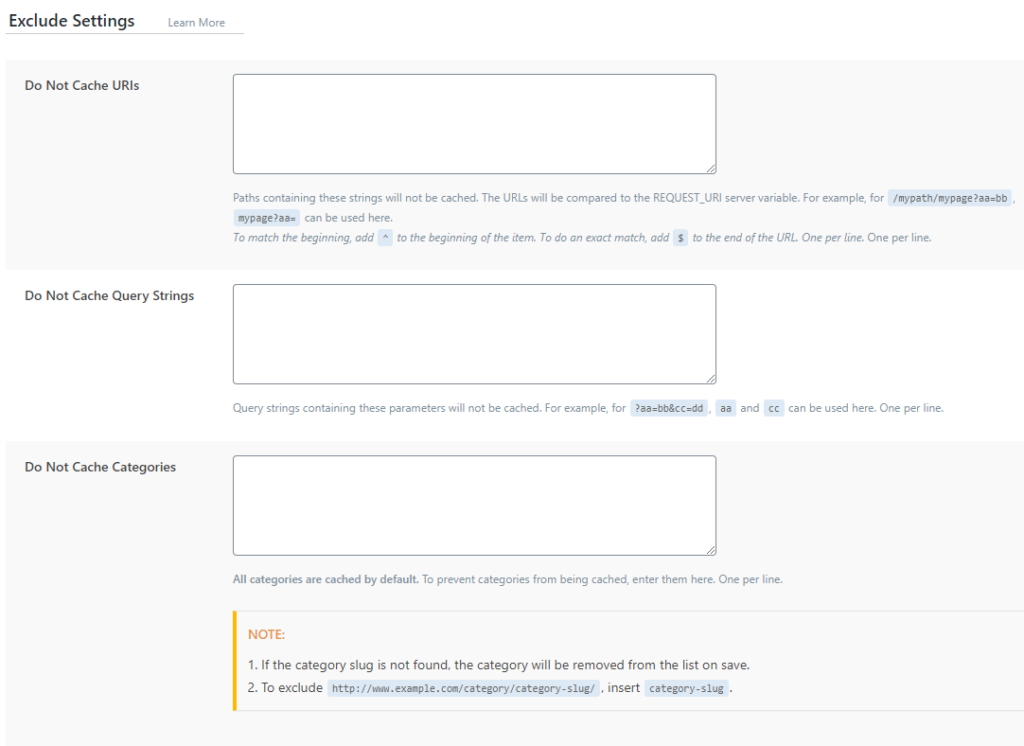
If you want not to cache certain pages on your site, you can set it here.
Do Not Cache URL: in each line you add one url that you don't want to be cached on your site
Do Not Cache Query Strings: enter parameters that will not be cached
Do Not Cache Categories: if you need to uncache a category on your site, then you can add the whole category here. This can be useful if you change this category often, and in that case, in order not to purge the cache often, it is better to put the url here until everything is finished.
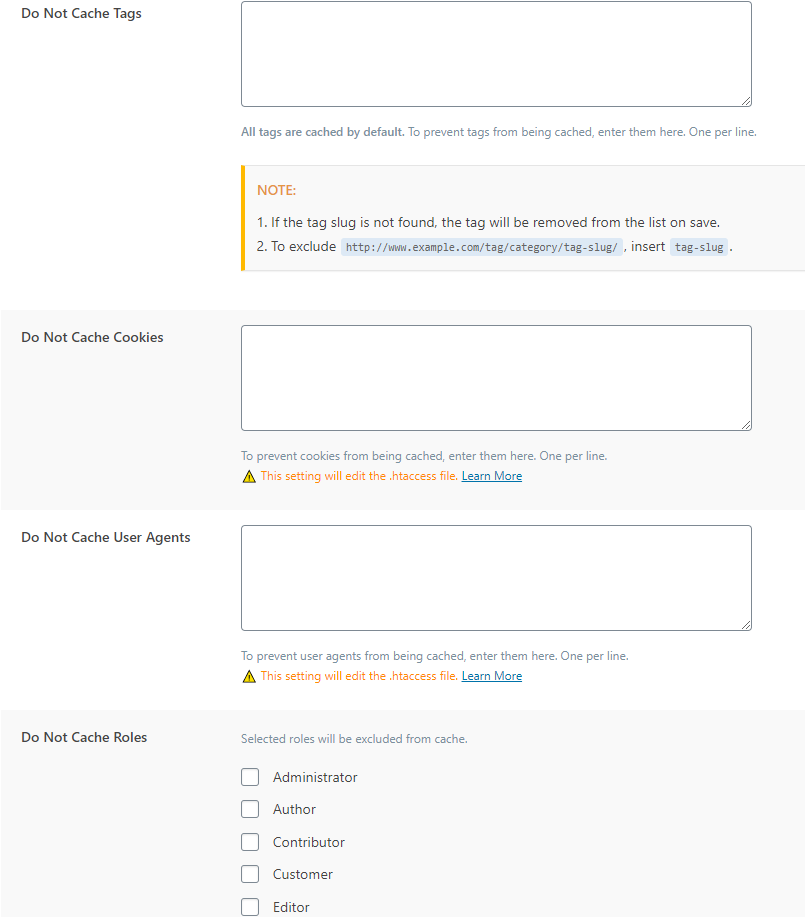
Do Not Cache Tags: same as with category.
Do Not Cache Cookies: if you want some cookies not to be cached, then you can specify them in that field.
Do Not Cache User Agents: If you want non-cached pages to be displayed when a visitor visits through a specific agent, then you can specify here.
Do Not Cache Roles: this is a good option if you are testing and to see how everything works if you tick as administrator and you are logged in as administrator the server will not show you cached pages but dynamic ones.