Like any store, when placing an order, you as the seller usually receive an email about the new order, and the customer receives a notification that he has made a purchase. It is also possible here.
We go to change our store as we usually do, we go to the pen at our store.
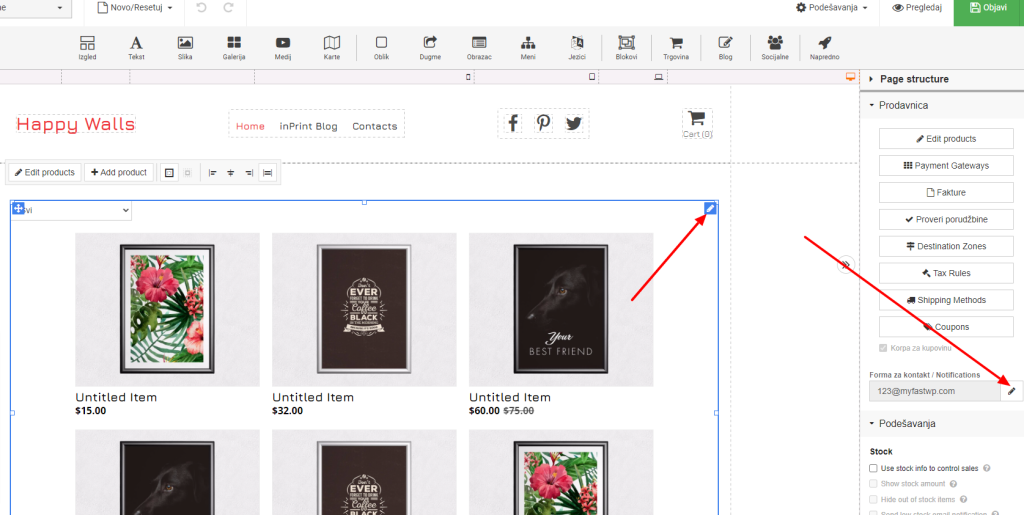
When we click on the pencil to change the notification and contact form, we get a settings window as in the following screenshot.
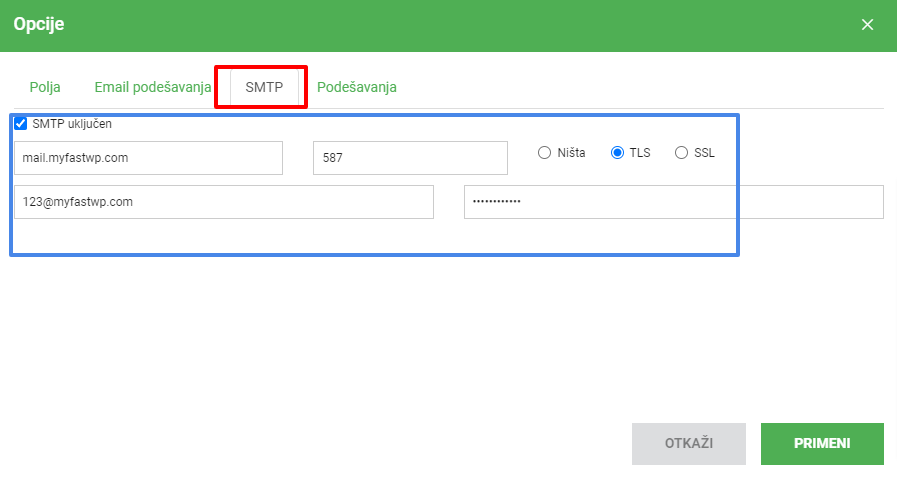
Here we select the SMTP option where we tick SMTP on and set our data. In this example, myfastwp.com domain is used as an example. In your case:
in the first field instead of mail.myfastwp.com you enter mail.vasdomen.tld
587 remains as is and TLS remains checked.
Below 123@myfastwp.com is actually your email address that you created and on the right is the password from that email address
After entering, go to APPLY and you have successfully set up order notifications for you and the customer.