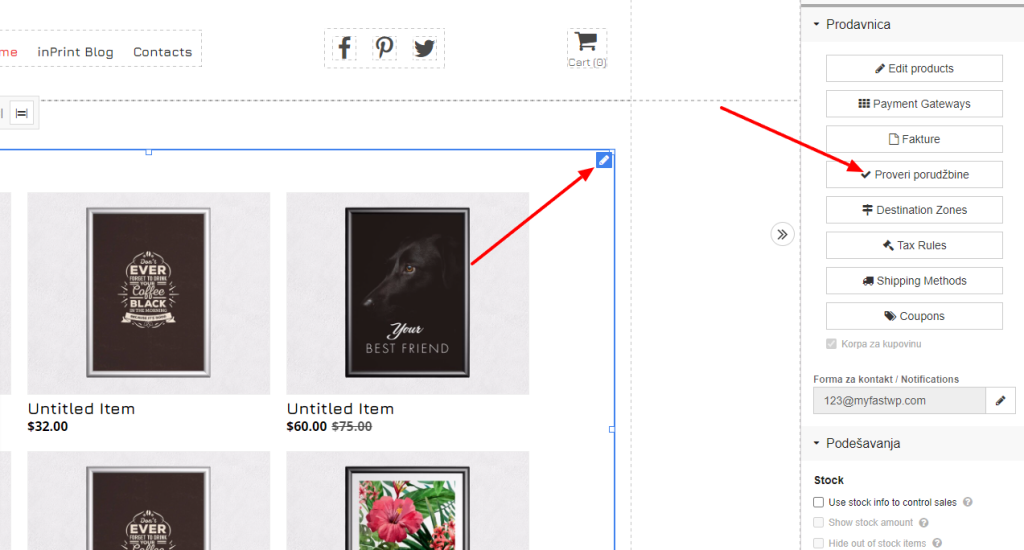
In order to check the orders on the website, go to our store, then to the pen of our store and then the option to check orders.
After that, the order list will open. If you have only completed orders selected, then you can change pending orders or see all orders as in the picture below.
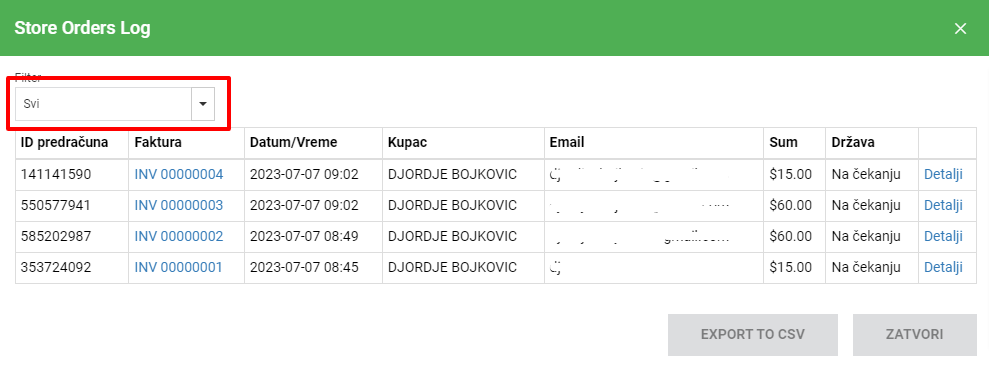
With this we see all the orders and when we go to Details then we can see the details of the order to download the pdf or delete the order or change its status.
Change order status
Order status first go to the list of orders and then to Details.
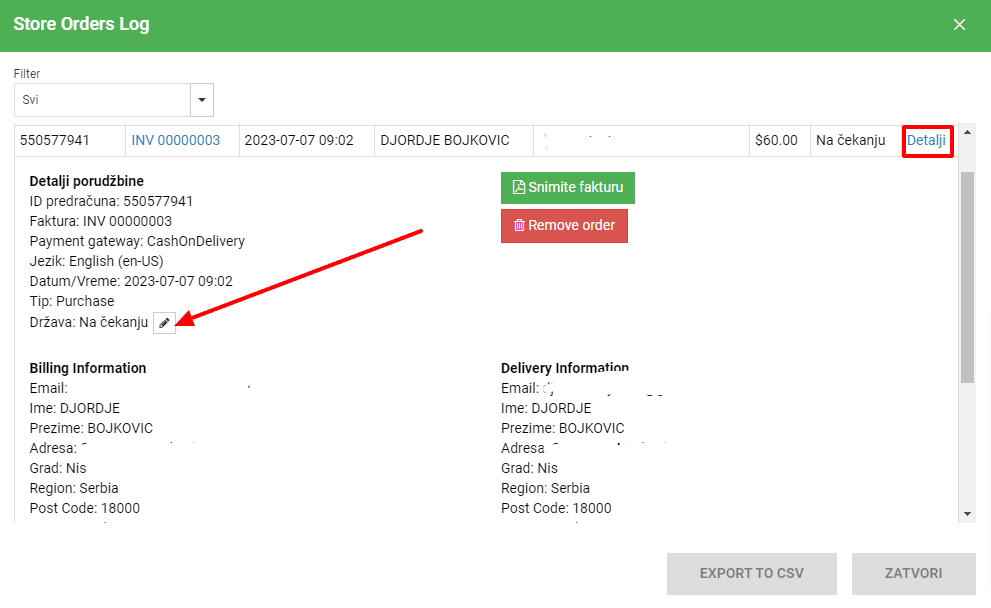
As we can see here it says In progress where we can change according to the status of our order. When you change it will be automatically saved and we go to jail and that's it.