
Contents
Thank you for using this guide because it frees up support to help someone who has no option or needs other help.
Changing the NameServer is necessary if you are changing the hosting for your site or maybe you want to use a service like CloudFlare.
Changing the NameServer is done where you registered the domain.
Login to the client panel
With us, the nameserver is changed as follows:
Log in to the client panel https://cp.webhostingsrbija.rs/
NameServer change
You click on "Edit" next to the domain right on the first page or if you have multiple domains you will see "see all" and then click on the domain.
Click on "Edit" at the nameserver„
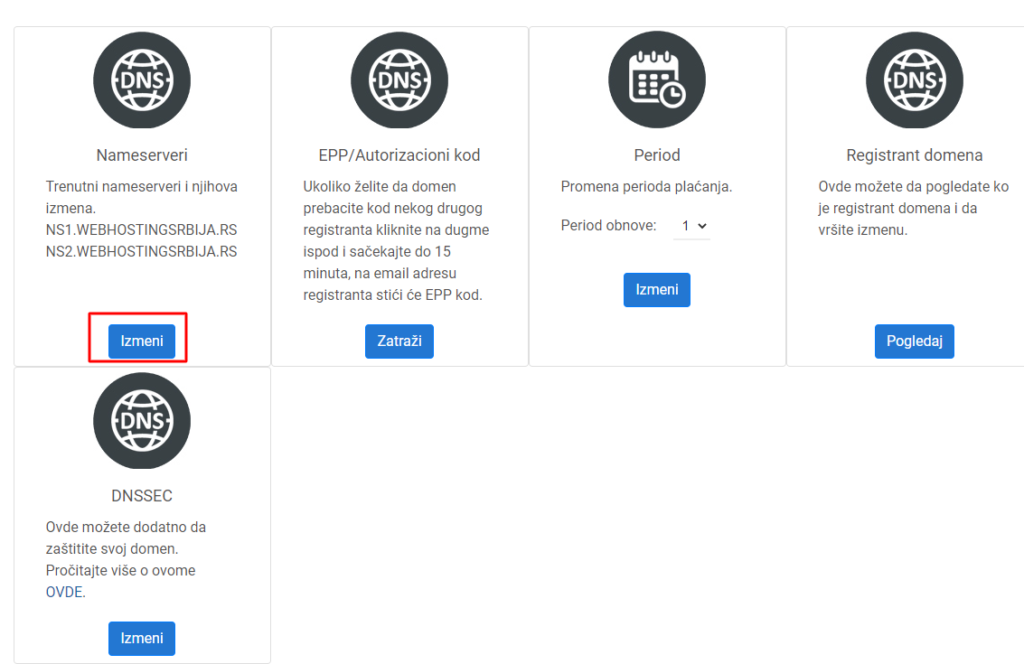
Here you have two options to enter the nameservers yourself and the second option is to choose the hosting package you have with us and set the nameservers automatically.
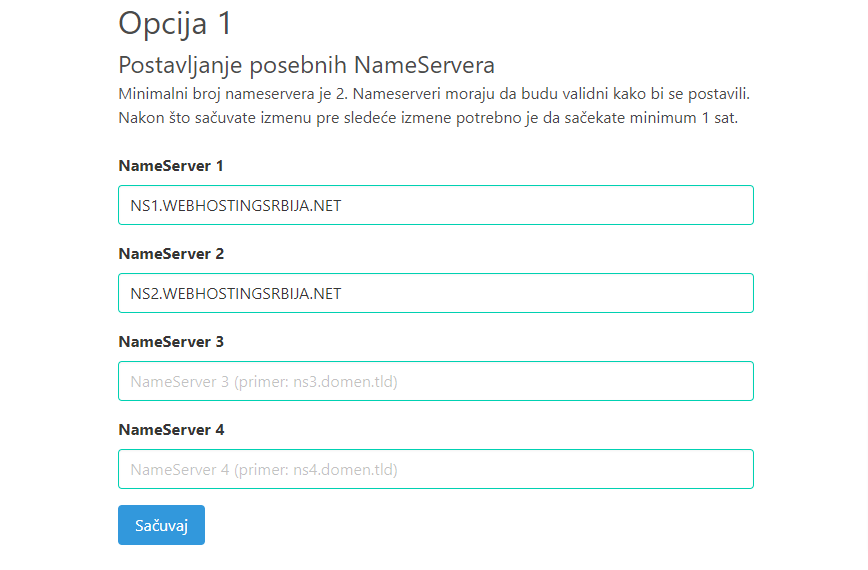
Change NameServer option 1
In this first part, you manually enter the NameServers you received from your hosting provider.
NameServers are not links and cannot be IP addresses.
Inexhaustible NS: http://ns1.nekidomen.tld/
Correct NS: ns1.nekidomen.tld
Change NameServer option2
You use this option if you bought a domain from us and have hosting with us on the same client panel account. The list of hosting accounts will be listed in the list of Hosting accounts, if you have one then it will be only that one.
The domains in the Hosting accounts list are the main domains on the hosting.
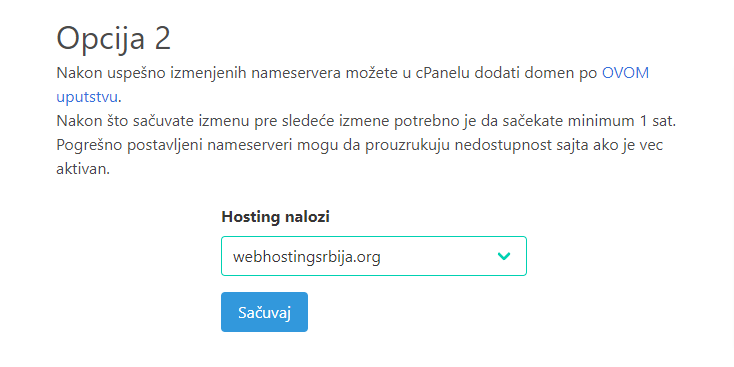
After clicking on "save" under the option you are using, the nameservers will be saved as well. Every DNS change is slow and after the change you need to wait at least 1h for it to be visible.
Each change lasts from 1 minute to 48 hours after the change. And in that period, nothing can be done to speed it up except to wait patiently.
That's all.
Change NameServer to GoDaddy:
1. Log in
2. Click on Domains
3. Manage DNS
4. Where NameServers is, click Change
5. Choose your new nameserver type and set it to Custom
6. Edit the nameservers and click Save