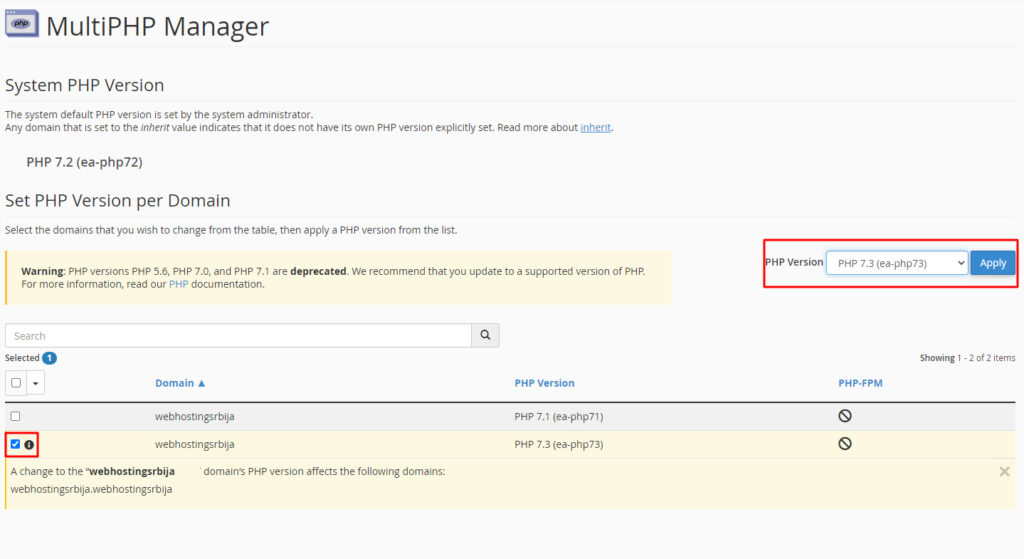
The PHP version for the site is changed from cPanel.
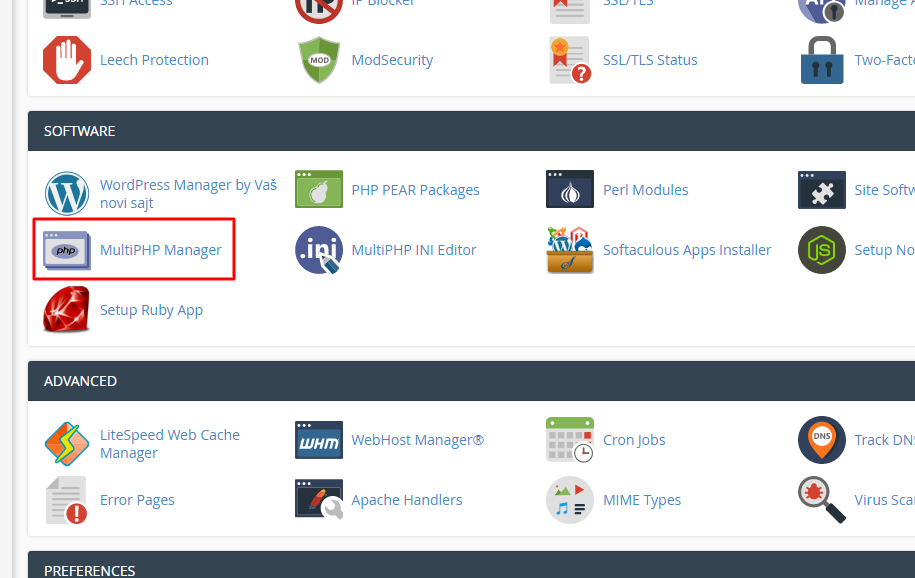
Once you have accessed cPanel find the option as in the image called MultiPHP Manager
When you click there, the following option will open and you need to first check the domain for which you want to change the version (even if there is only one domain). And then select the version you want from the drop-down list on the right and then click the Apply button.