
You probably like emails that come to you as promotions, where it looks nice like a mini-site, with various thumbnails in the header, text, company logo, company information and the like.
And you receive such emails even during normal registration and not just plain and dry text.
This is important because such an email is more professional, instills more confidence in your visitors, customers or customers. You can more easily emphasize what you want to say.
The advantages are numerous so that we could not list them, and you are aware of this as soon as you asked for something like this and want to do it yourself.
Of course, for this we will use a very light and beautiful plugin called WP Better Emails.
First we need to find our email design how we want every email that comes from your site to look like.
It takes a bit of googling, here's our recommendation:
https://www.google.rs/search?q=create+free+email+template+responsive
then the first link already gives a free option and there are paid ones also no registration is even required https://beefree.io/
great thing, you create the email you want and download it to your computer. Remember to create as simple an email as possible because it will be a universal email for registration for notifications, forgotten password and the like.
Here's what our email looks like:
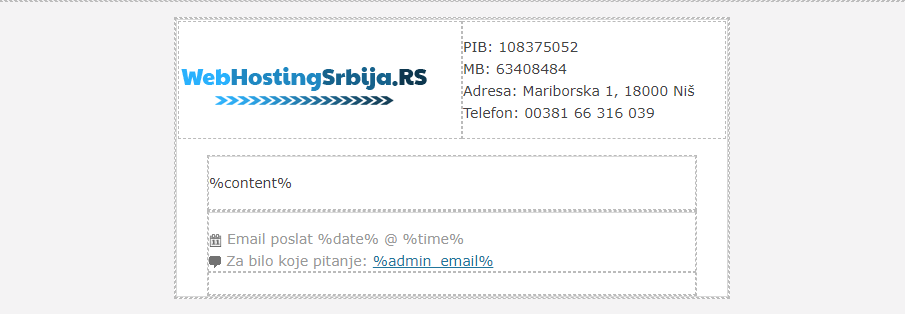
That is to mention a simple html file. That is, the only thing you really need.
Open the tile html file via notepad and select everything and go to copy.
Then return to the plugin page of your wordpress site and find the WP Better Emails plugin installed and active
when the settings page of that plugin opens, you will see something like the picture:
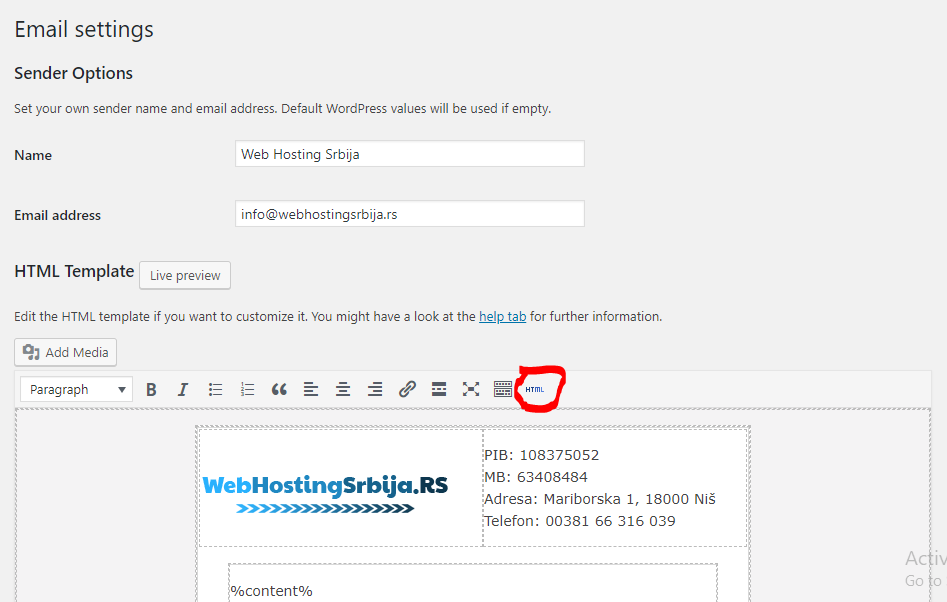
What you need to do here is next to the two fields above, which are quite logical, to click on the button marked in black and to paste what you previously copied in notepad instead of the code that appeared to you. So delete that one and install this one.
Now that you have done that the next thing goes, either in html or without html you need to set the most important key variable in your email which is %content% means percent content percent. This actually means that wherever you place it in your html template, all the text from the email will be there. It should look like the example you saw above in the center of the email.
Of course, there can be a few more things:
- %content% : this replaces the entire content of the email. If you do not set this in your email, the plugin will not work
- %blog_url% : where you place this will set the url to the page
- %home_url% : this shows your domain
- %blog_name% : the name of the site that you put in settings general in wordpress
- %blog_description% : the description of the site that you put in settings general in wordpress
- %admin_email% : the main email on wordpress that you also put in settings general
- %date% : the current date when the email was sent
- %time% : time the email was sent
When you've finished that, you have another Plain-text template field below. This is where you put how your email will look without fancy things, ie HTML, but only plain text because of applications that do not support or block HTML, this is very important to put.
Finally, you have to enter an email address and test how your email looks like.
Definitely DO NOT FORGET to set up SMTP for your wordpress instruction you have on this same site where you are reading this text.

