There are two settings in this part, that is when you set up QUIC.cloud and when you set up CloudFlare.
What is better, QUIC.cloud or CloudFlare, the answer cannot be concrete and precise because it depends a lot on your site.
In the following text, the setting for both QUIC.cloud and CloudFlare is written, choose what is better for you.
Quic.CLOUD setup
Note that quic.cloud is still in beta at the time of this writing.
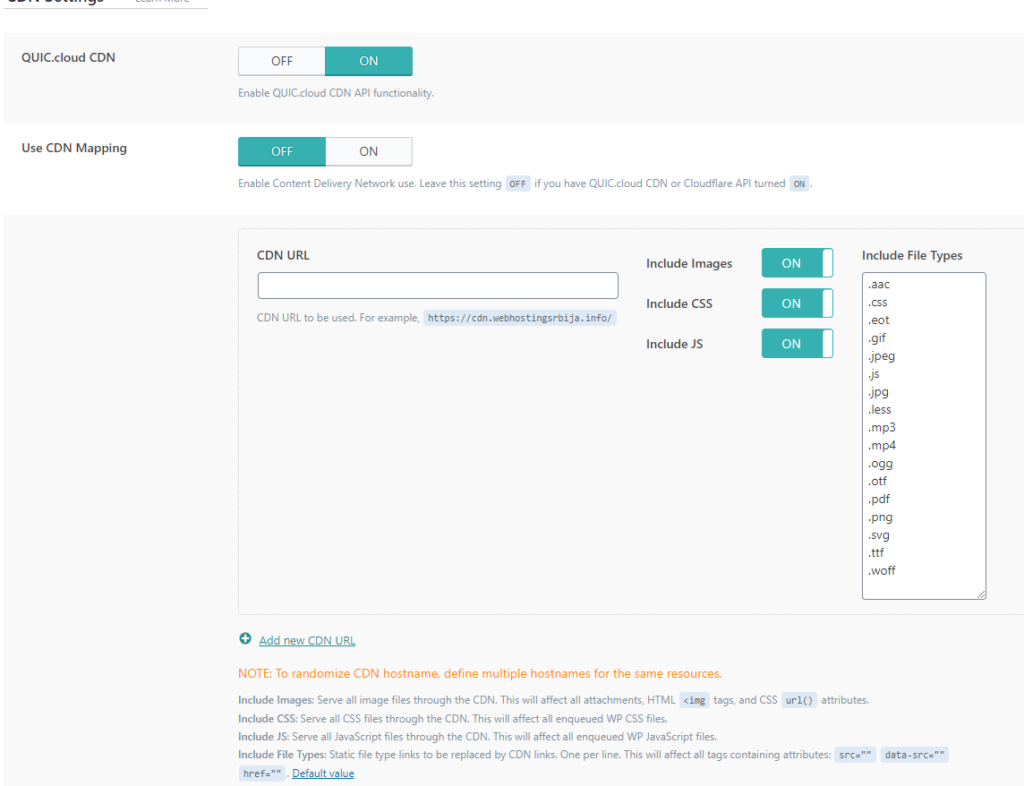
Let's set the first option to ON. Use CDN mapping we skip.
Below we also skip the options and leave them as they are already set.
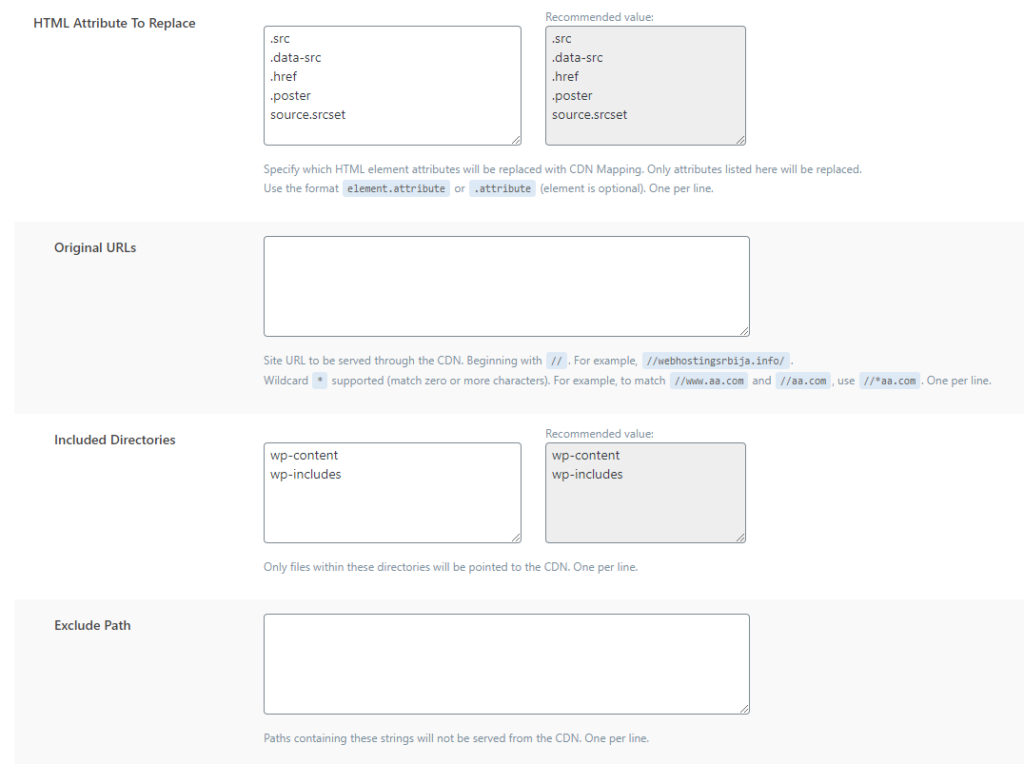
In the following, we still do not change the options.
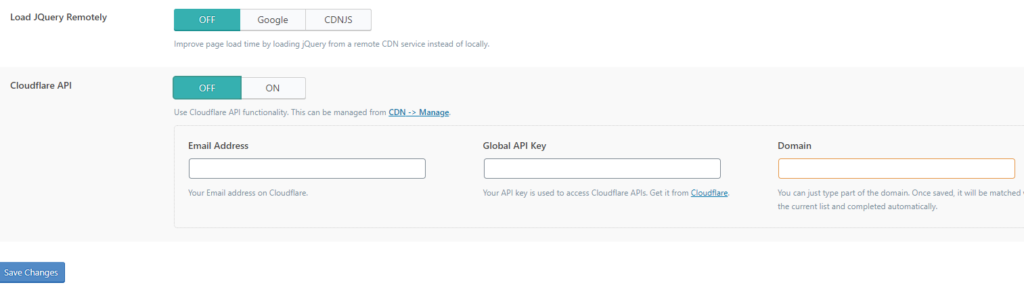
Load JQuery Remotely: you can try this to put CDNJS but note that you need to test the site after this to make sure it works this is very important.
Setup on the quic.cloud site
Setting up CloudFlare CDN
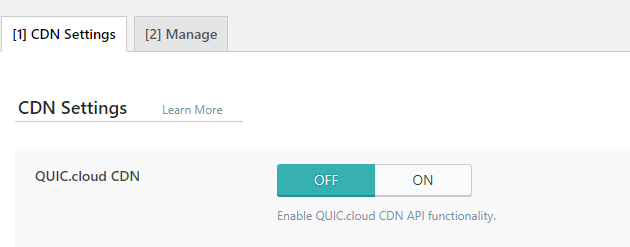
The first thing is to leave the CDN option of QUIC.cloud CDN to OFF because we will use CloudFlare.
Here we go OFF.
CloudFlare API here we go ON.

In the first Email Address field, enter the email address you used to log in to CloudFlare.
We can see the Global API Key at the link: https://dash.cloudflare.com/profile/api-tokens you need to be logged in to cloudflare.com beforehand.
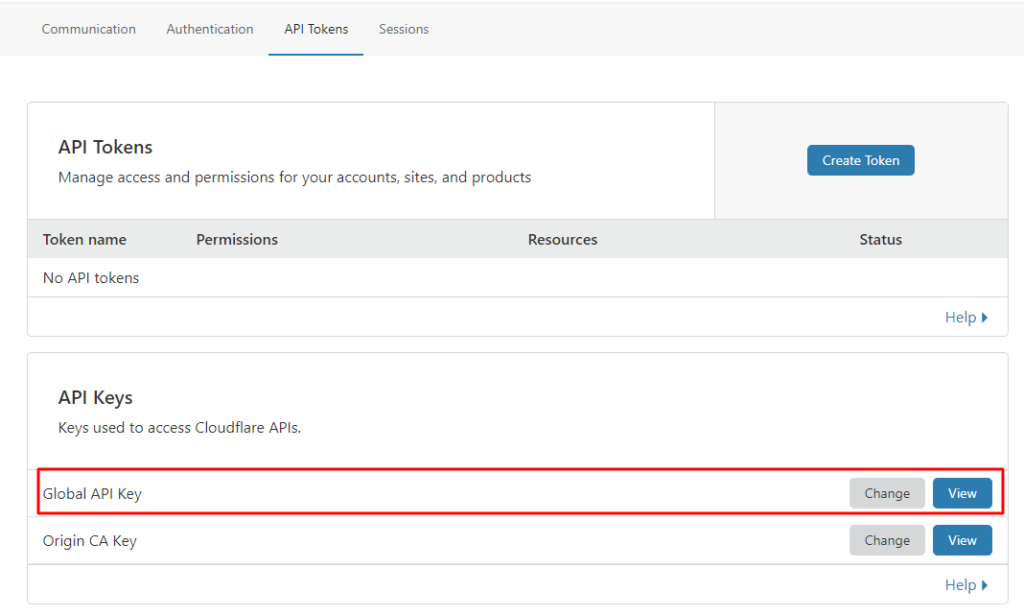
When you click View, a popup will appear asking you to enter your password and solve a recapcha to verify that it's you.
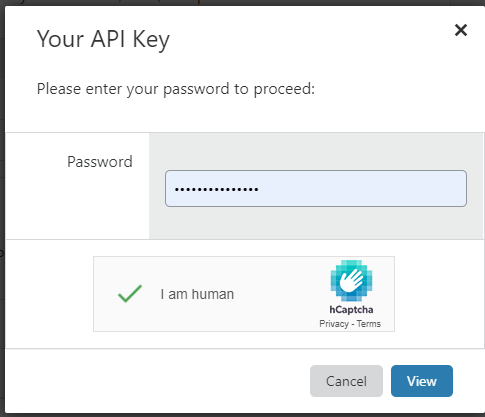
After you click View again, you will see the key that you copy and paste on your site
After that, click on save changes and you have connected CloudFlare.
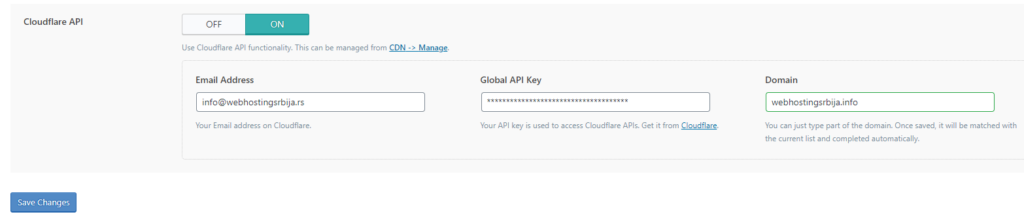
After that, when we click on Manage in the CDN option, we will get as in the picture below.
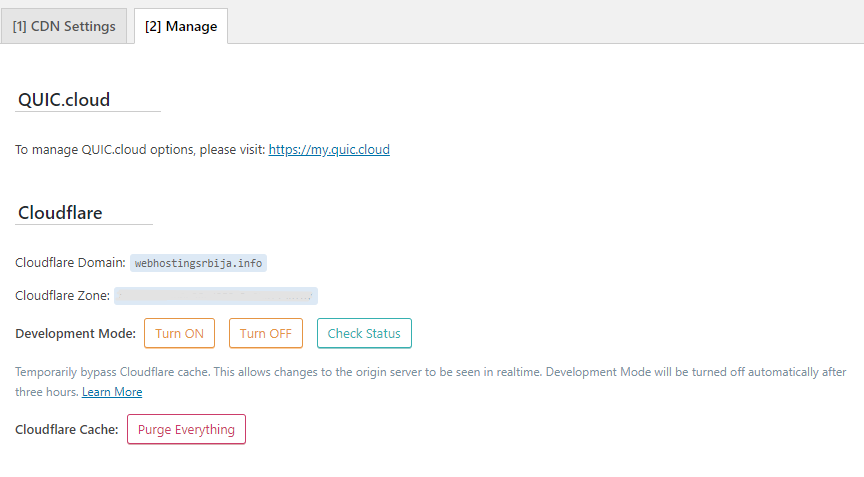
Here you can clean the entire cache with CloudFlare by clicking on Purge Everything if you have been doing something on the site and turn on Development Mode if you are working on the site and do not want it to be cached while you are working on the site.