
Each site must be registered in google search console or webmaster tools.
https://search.google.com/search-console/about
Open the link, click start now, a field for logging in with a gmail account will appear. Log in.
If you are opening it for the first time, two windows will appear
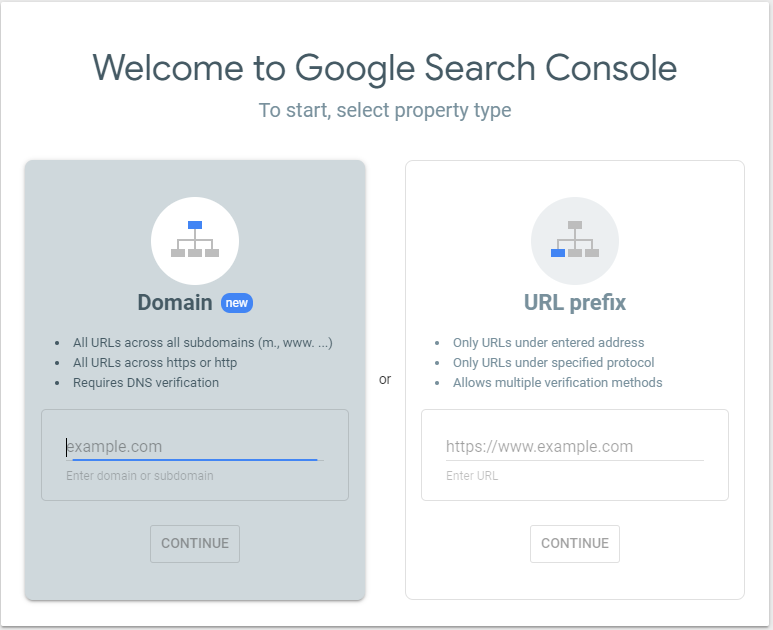
Select Domain and enter your domain followed by:
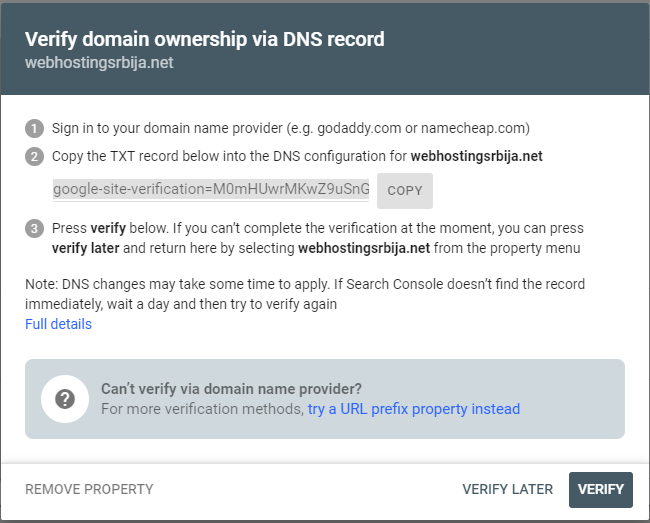
Now at this point you need to login to your cPanel and find the Zone editor option
You will see the following.
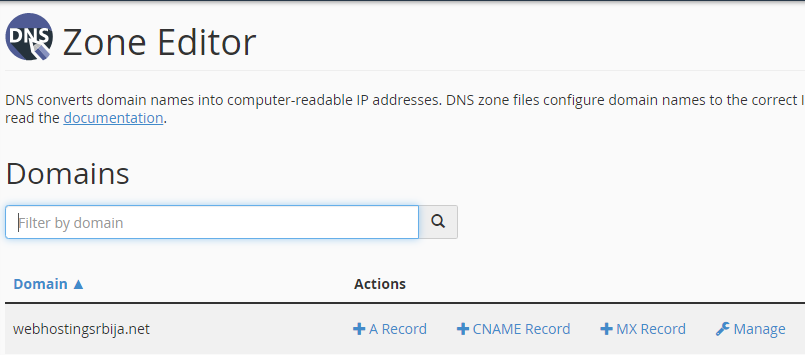
In this step click on "Manage" then on the arrow next to "+Add Record" and click on "Add TXT record"„
Then enter the code from the google search console that set you up and your domain as in the image below

Add Record and then go back to the google search console and verify.
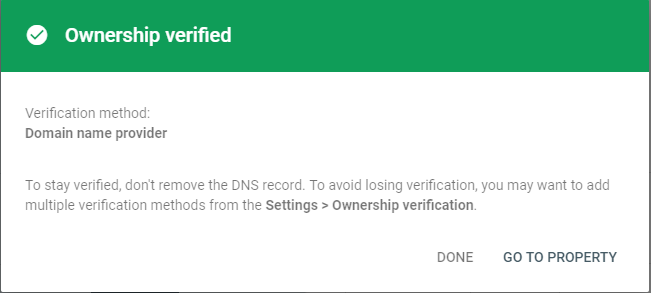
You have now verified ownership of the domain. Now click "Go to property".
In this step, we first need to create a sitemap file. We can do this with online tools, there are really many of them, here is one that is free for sites up to 500 links. https://mysitemapgenerator.com/en/start/free.html
You enter the domain, capcha and start, the site will run itself and offer you a file to download. You download that file and name it "sitemap".
Then you need to upload that file to your hosting account.
cPanel > File Manager > public_html Now that you are in the public_html folder, click on upload and upload the sitemap.xml file that you downloaded a little while ago. That's all.
We return to the google search console and click on the three lines in the upper left corner and then on the sitemap, then on the left side we enter the address of your sitemap file, which will be "https://vassajt/sitemap.xml" (without quotes), then click on submit and the process is over.
Google needs some time to process and if it notices some errors it will write how many errors there are and what they are. You need to correct any errors that exist. Errors must not be in the sitemap file. You have completed a very important job with this.
WordPress users
If you are a wordpress user, you have a huge number of plugins that create sitemaps themselves (one of the most popular is certainly the yoast plugin) and you add the url to the sitemap file that that plugin showed you in the search console and that's it.
If your plugin creates multiple sitemap files, for example sitemaps for posts, categories, pages and so on, add each of those files to the search console and thus have multiple sitemap files.

