
Hello, anyone who has worked with wordpress has had to adapt the theme to their site in some way. Because there is always at least one thing they would change. And then we find on the Internet how to change it and find style.css or functions.php and of course copy paste some code from some forum and insert the theme.
However, it all works fine and then a theme update happens and what was working great for us suddenly disappeared. Hair pulling starts, the owner of the site calls and says that it is not working as you agreed and you do not know what happened, where to start and what to look for.
The reason for this is that when updating a theme, new files from that theme are copied over the existing ones and all your changes are lost. It's basically an update that works for everything, including wordpress themes.
How to save the changes and not lose them after updating the theme and for the site to continue to function as you intended.
You simply create a child theme, the main theme, and make all changes to the child.
For now, let's first define the name of the main topic that is currently active and on which we want to create a child.
The theme is of course called "webhostingsrbija" (without quotes).
Now we want a child theme, the webhostingsrbija theme.
Open cPanel, go to File Manager, click on public_html, then on wp-content and then on themes and a list of themes that we have will open.
It should look like this:
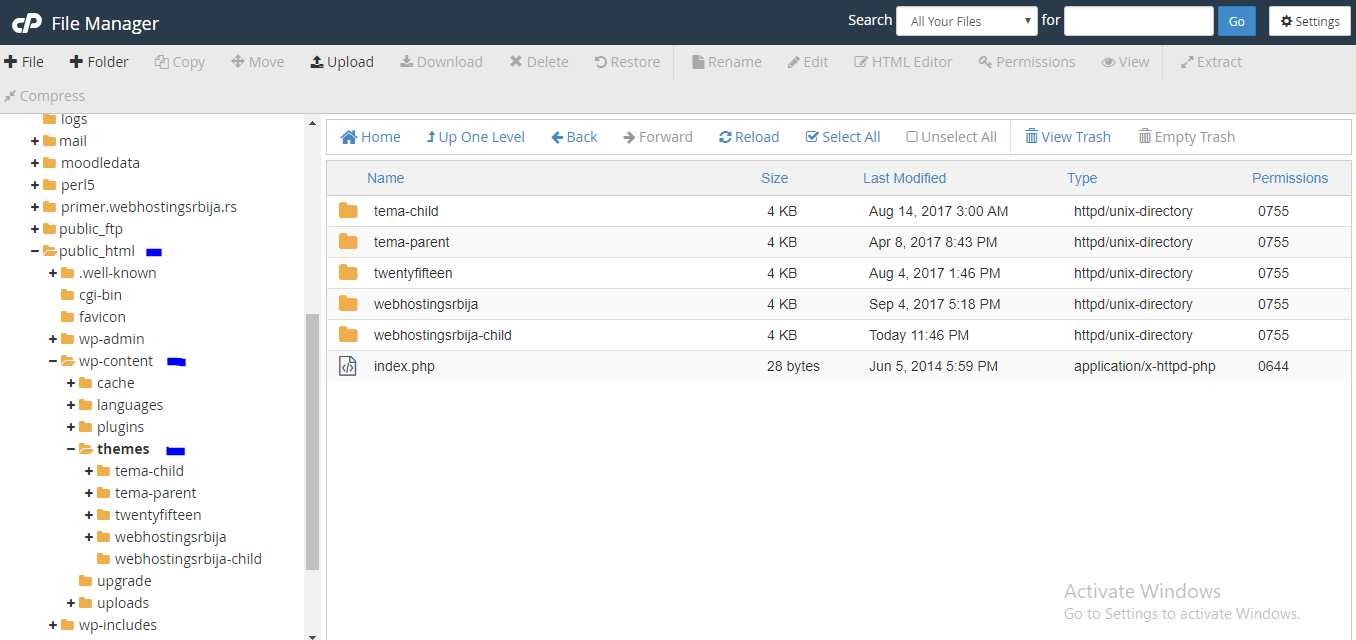
As you can see on the right side there is a list of topics and our main topic webhostingsrbija and a child folder that I created, which is webhosingsrbija-child. That's how you do it, create a child fodler of your main theme and make sure it is hyphen and child.
So it is INCORRECT: webhostingsrbija child, webhostingsrbija_child, webhostingsrbijachild
It is correct: webhostingsrbija-child
Since we have finished creating the folder, now the files are going in our newly created folder.
Let's open the child folder (in our example webhostingsrbija-child) and it is of course empty.
We create 2 files. One is style.css and the other is functions.php. How do we create those two files? You simply have File in the upper left corner, click there and then a popup window for creation will appear.
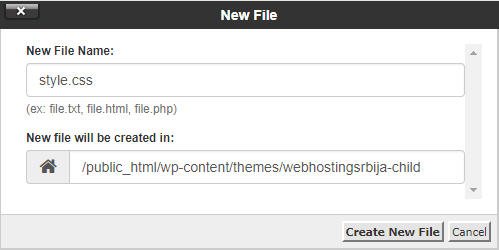
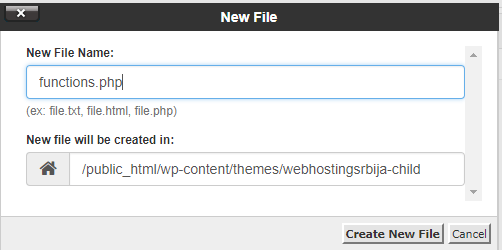
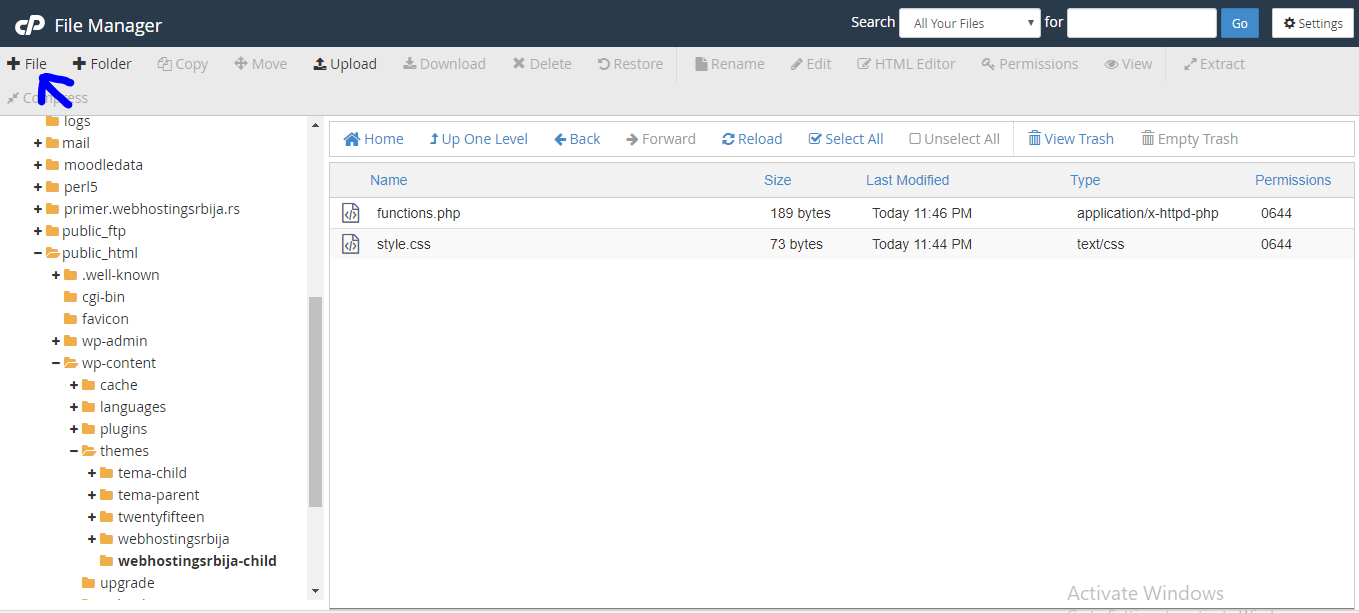
And then we get two files in that one folder.
Now open style.css (right click and edit).
It is of course empty, what we enter is:
/*
Theme Name: Web Hosting Serbia Child
Template: webhostingsrbija
*/
First, Theme Name, you can call the theme whatever you want, but it must contain Child at the end.
And the template must be exactly the same as the folder of the main theme and not otherwise.
When we have entered this, i.e. changed it, then save it (upper right corner).
Now open functions.php (right click on the file and then edit).
The functions.php file is also empty and what should be in that file is:
<?php
add_action( 'wp_enqueue_scripts', 'enqueue_parent_styles' );
function enqueue_parent_styles() {
wp_enqueue_style( 'parent-style', get_template_directory_uri().'/style.css' );
}
?>
Use copy paste to avoid typos.
Save that file (upper right corner of save).
That's all. Now we have to activate the child theme from wp admin and that's it.
Here is our example:
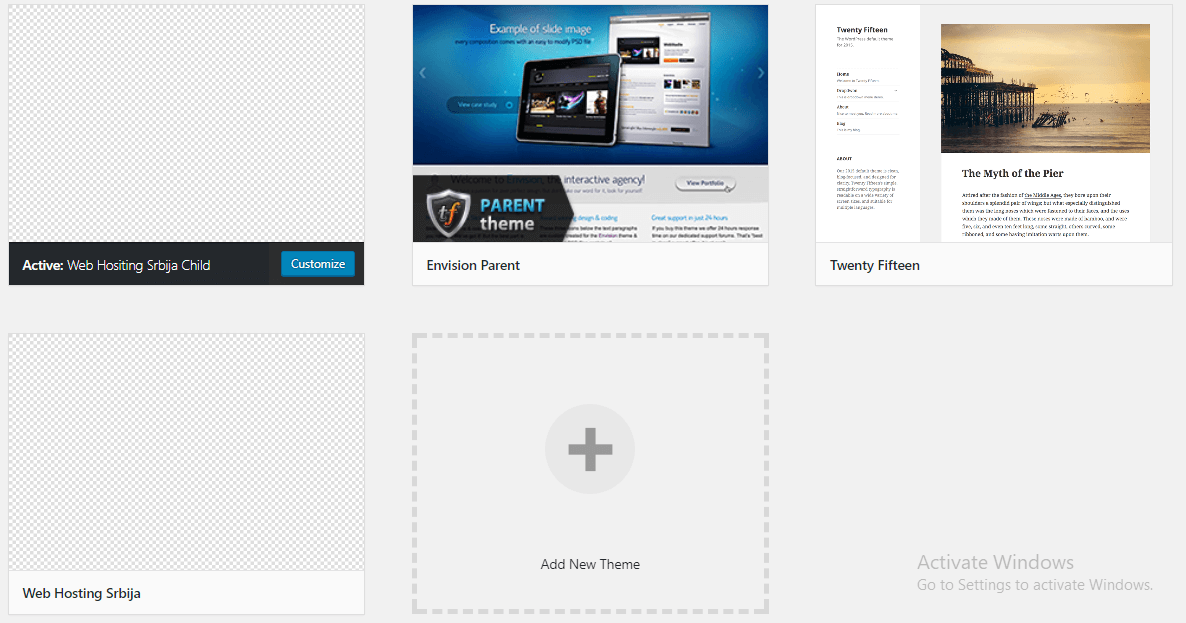
Now you make all changes in the webhostingsrbija-child folder and change the css file to the one in webhostingsrbija-child and not in webhostingsrbija, as well as the additional functions you add are those in functions.php which is in the child folder and not in the main one.
This is the only way your entire work will be saved after the update.
Important note:
If someone thought "this is too much work, I'm just not going to update the theme", that's where they made the biggest mistake, because there is a huge probability that their site will be hacked and an even bigger problem will arise due to such a decision.
And if you thought "who is going to hack me, little website" in another article that was written it was explained that it is not done by planned people but by automated bots that look for loopholes and try it on all websites, so wherever it goes, it goes.

