
If you don't have access to the wp-admin part, you need to reset your password, but what if you don't have access to the email on your account or you simply don't know which email it is?
In a few steps, you can easily change your email address and thus regain access to the admin part of wordpress.
First of all login to your cPanel.
Then click on the „phpmyadmin“ icon“
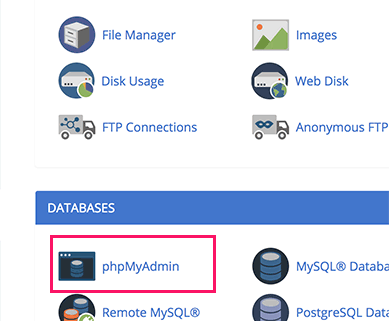
After this, phpmyadmin will open for you in a new tab.
On your left you will have bases that you currently have one or more on your account. As in the picture below where one base is shown.
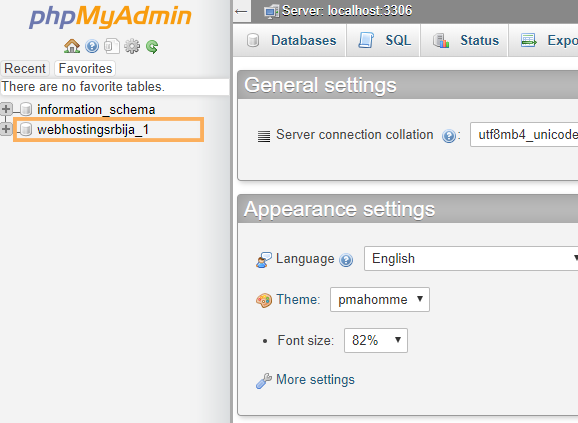
You need to click on the database, i.e. the orange box in this case, where all the tables in the database will be opened in the same place.
If you have more than one database, the next step will tell you which site this database is from.
So you clicked on the base, the tables appeared, then click on prefix_options and on the left side "siteurl" is the url of the site whose base is.
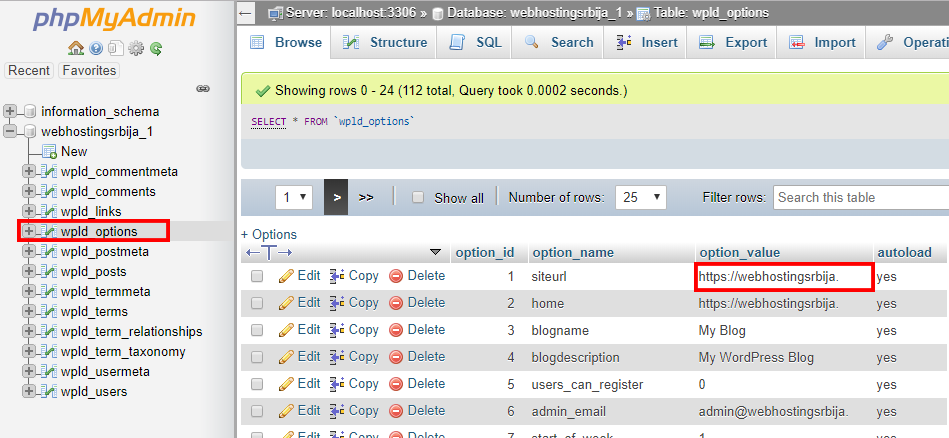
OK now that we have established that we need to click on prefix_users in the same database as in the image below.
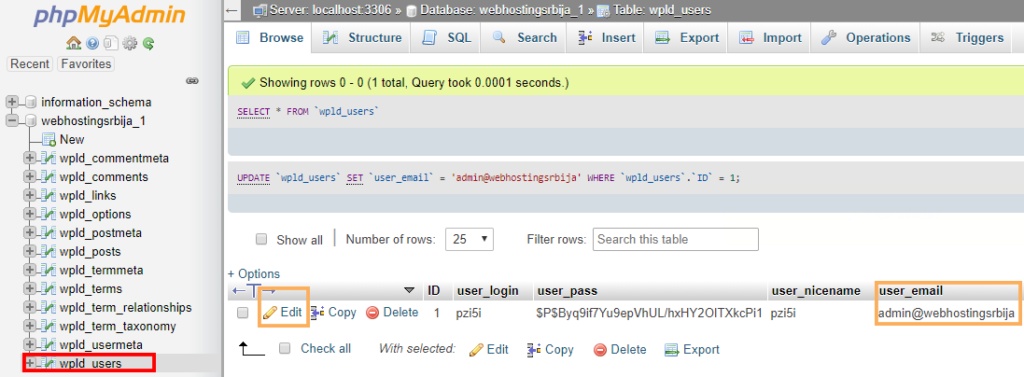
The picture above shows exactly what the email address of the main administrator is. If it's your real active address, then you don't need to do anything, just enter that email address in the forgotten password field.
And if it was placed as in this example via the autoinstaller admin@domen.tld, then you can change it by clicking on edit.
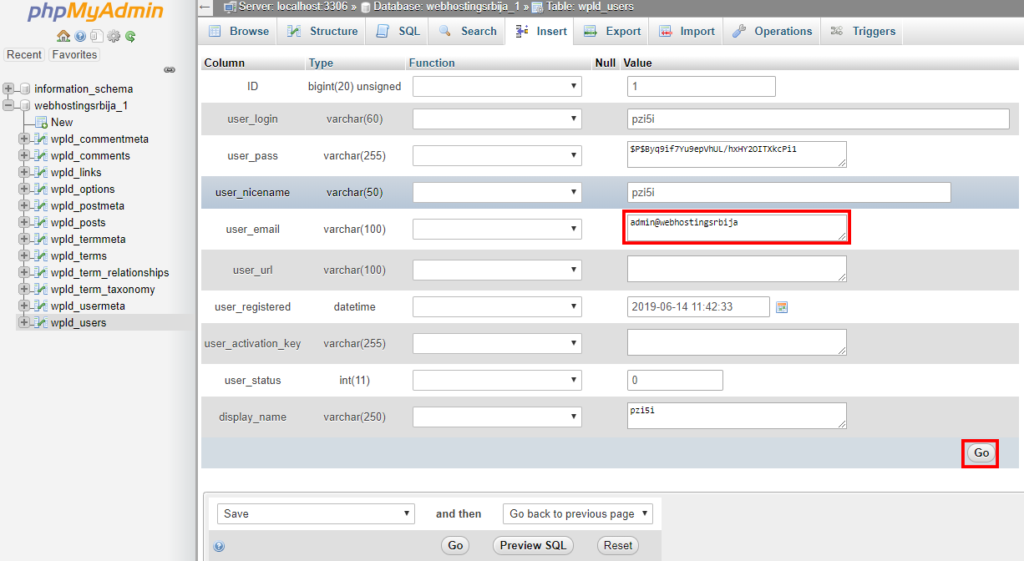
Now you need to replace the email address with your active one that you have access to and then click "Go".
With that, you have completed the change of email address and now you can go to the forgotten password on your site and enter the new email address that you have changed.

