Contents
In the digital age, the security of your online accounts is of utmost importance. That is why changing passwords regularly is one of the most effective methods of protection against potential hacker attacks. In this step-by-step guide, we'll go through the steps required to change the password for your email address using cPanel, a popular web hosting management platform.
Preparing for Password Change
Before we get into the detailed steps, it's important to make sure you can access your cPanel account. If you do not know how to do this, we recommend that you visit ours cPanel access instructions. This will help you reset your cPanel password or automatically login to your cPanel.
Managing Email Accounts in cPanel
- Log in to cPanel: To start the process, first login to cPanel using your username and password.
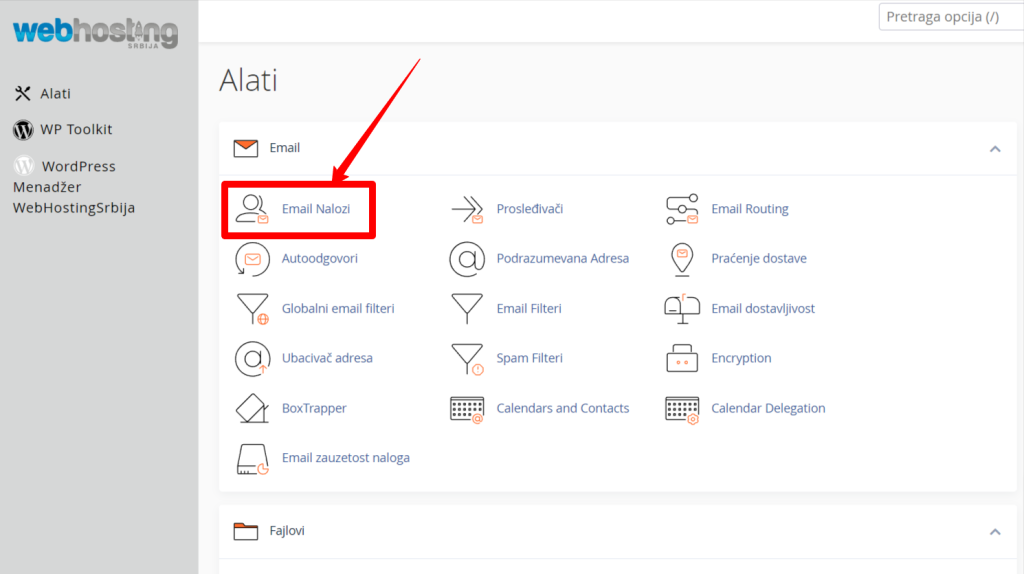
- Find the 'Email' section‘: After logging in, look at the main menu and look for the section labeled 'Email'.
Change Email Account Password
- Open 'Email Accounts'‘: Within the 'Email' section, look for and click on 'Email Accounts'. (as in the picture above)
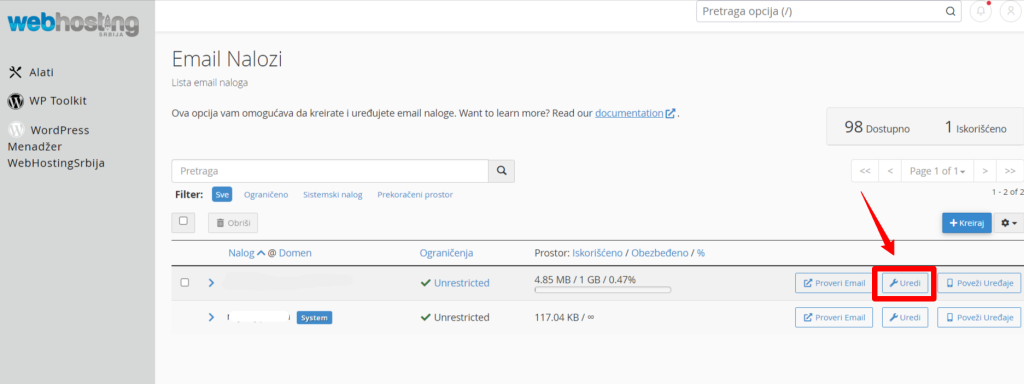
- Find your email address: On the next page, 'Email Accounts', find the email address whose password you want to change.
- Go to 'Edit'‘: Next to the email address, there is an 'Edit' button. Click on it to open the settings for that email address.
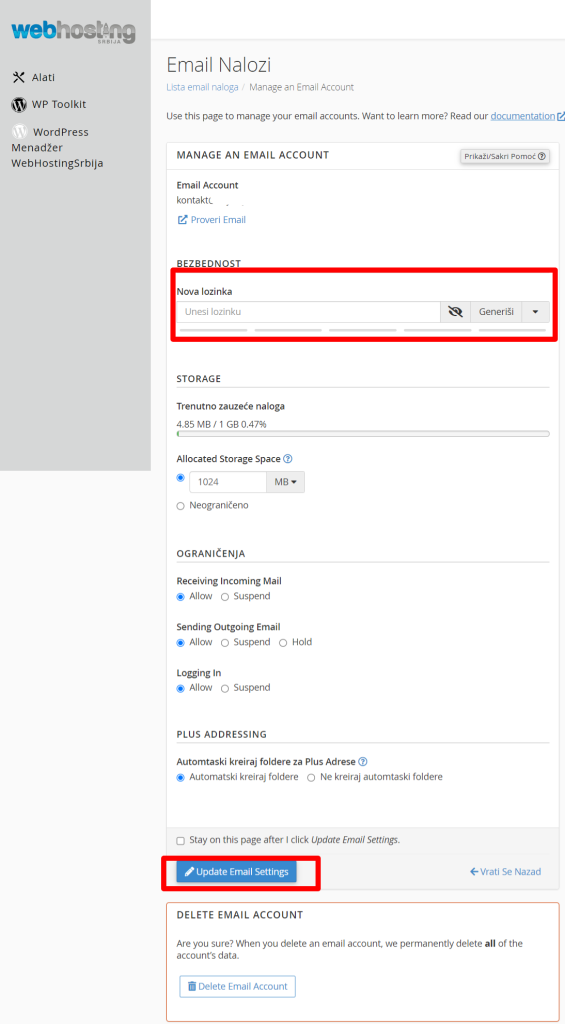
- Enter new password: You are now on the page for managing the selected email address. Find the 'Security' section and enter the new password in the input fields.
- Confirm the change.: After entering your new password, click 'Update Email Settings' to save your changes.
Access Email Via Webmail
After successfully changing your password, you can access your email account through the webmail interface. Simply type "domain.tld/webmail" into the browser (replacing 'domain.tld' with your actual domain) and sign in with your email address and new password.
Conclusion
Keeping your email account secure is essential to protecting your personal and business information. Now that you know how to change the password for your email address in cPanel, you can be sure to keep your data safe and secure. Changing passwords regularly is one of the best practices we recommend to all users.