In order to test any cache plugin at all, it is necessary to know the basic thing, which is that the page cache should be created first.
The plugin works by caching the page, i.e. optimizing it and saving it as a separate file, and when visiting, it displays that separate file to the visitor.
Without caching, all this happens during the visit and individual pages are not saved.
This is how every plugin works. So after each setting you need to clear all the cache and then visit that page you are testing let's say the home page refresh it a few times to create the cache and then you can test with some tool like gtmetrix or similar.
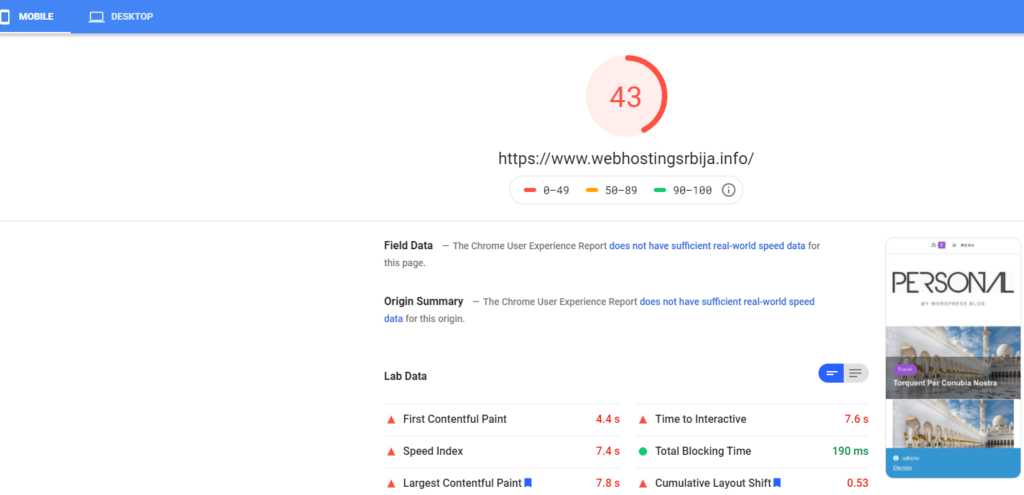
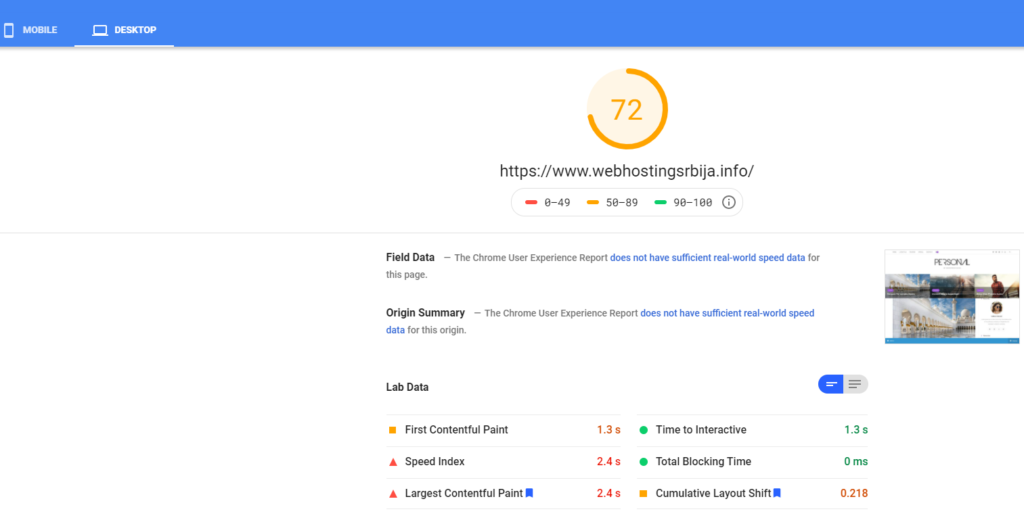
OceanWP theme with demo import was taken for testing and first it was tested on GTmetrix, pingdom tools and PageSpeed Insights without caching and then with caching on.
This is a clean wordpress with a clean theme, so the load is minimal.
No caching unoptimized version:
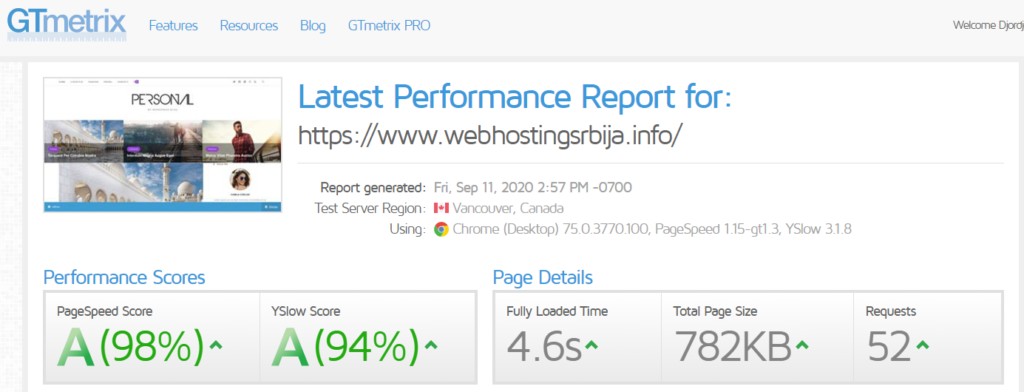
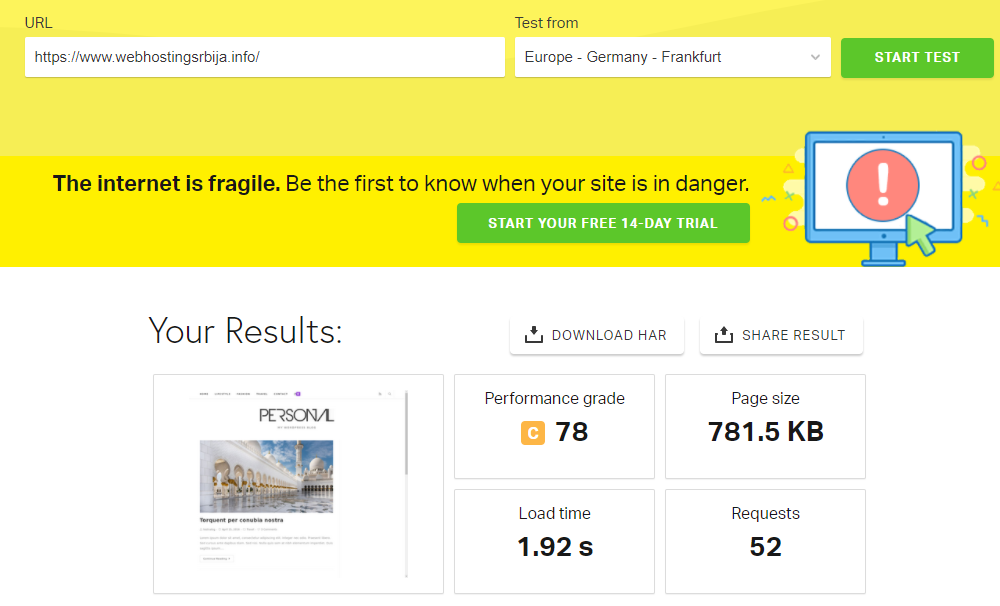
Cached optimized version:
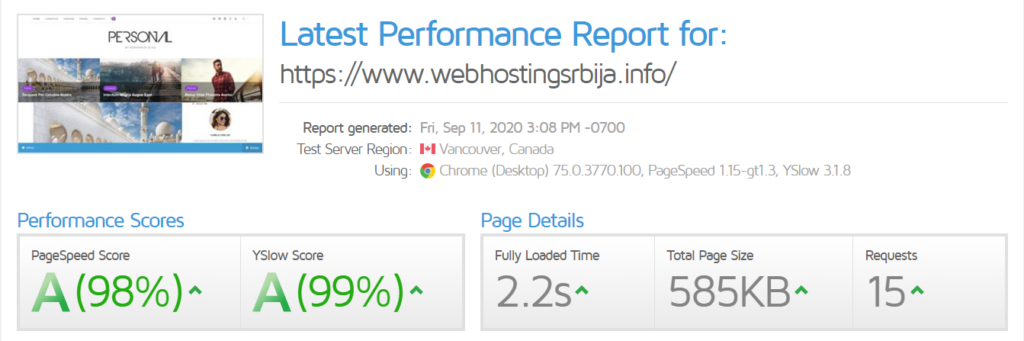

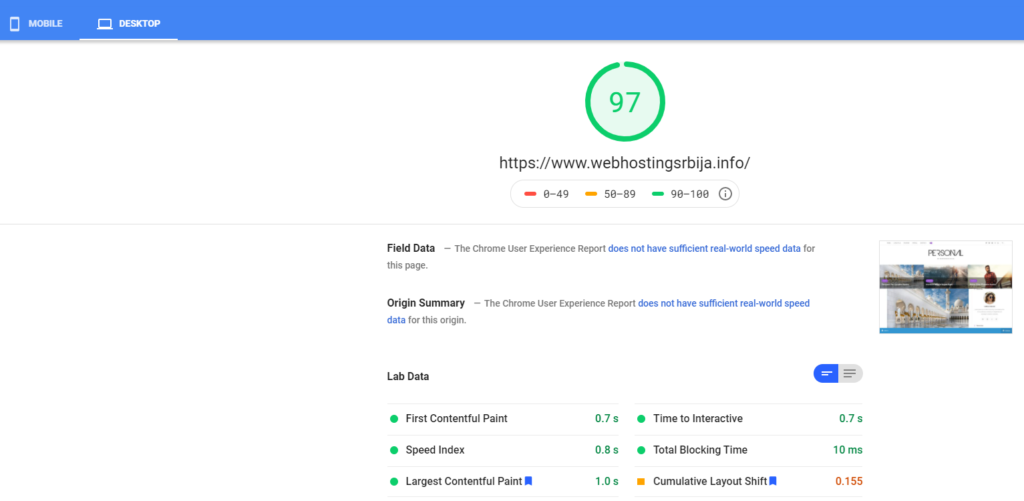
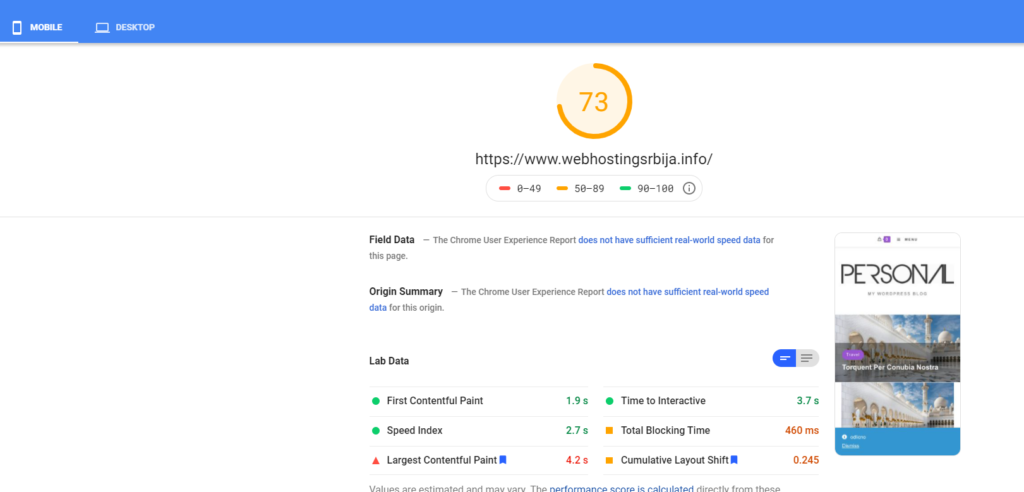
As you can see the results are stunning. Please note that this is a demo version of the theme that has literally no plugins installed or content. This is a pure theme with pure wordpress.
Which means that when the right site is set up with the right content and with the right images, the difference between optimized and non-optimized will be even greater, especially where no care was taken to optimize the images when inserting them.
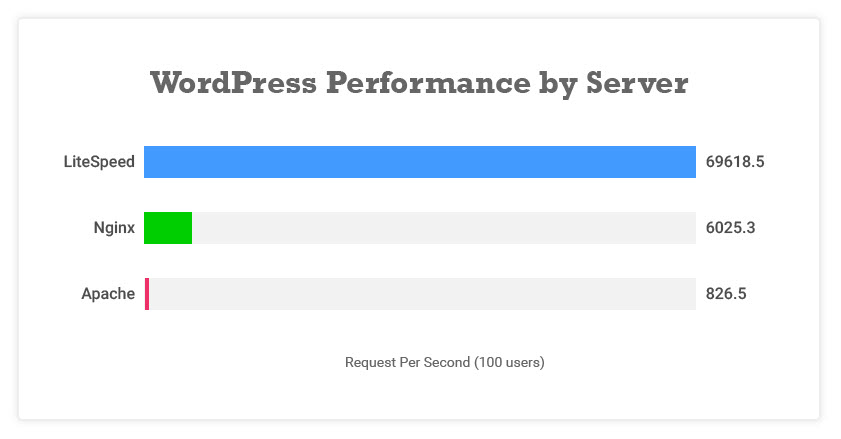
The best results can be obtained by turning on all options, but on some sites this is not possible. Therefore, be careful with the options so that the site is not accessible.
Also these are just numbers. What is realistic is that even with the naked eye you can see the difference in loading speed. With this plugin you can have twice as many visits on the same package.