When setting this part, we mean the entire Page Optimization. It can prevent your site from loading if an error occurs because there are quite a few changes to your site's code.
After each change, you need to do Purge ALL in order to clean the old cache and to test the site by opening the pages several times (because the first time the cache is created by opening it and only then it is loaded from the cached page).
It is very important to test after these options. They significantly speed up the site, but as the plugin makes changes, a test is necessary. Especially sites that use page builder plugins.
Here, if possible, enable as many options as possible. Each option further speeds up the site.
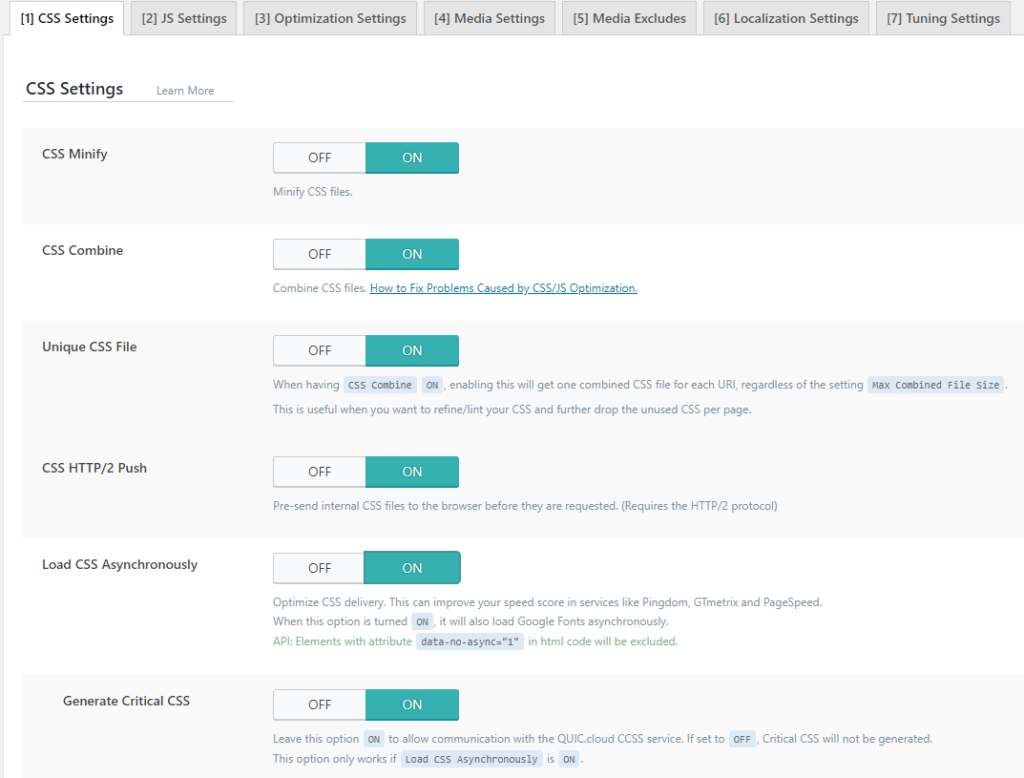
CSS Minify: With this option, your css files that exist on your site are reduced and spaces and comments are deleted so that the file size is as small as possible. Believe it or not even space takes up space, so when all the spaces are added up it's the same as a particular piece of code.
CSS Combine: This is a good option where it combines all the CSS files you have into one css file.
Unique CSS File: In this case each side generates its own CSS file that is served.
CSS HTTP/2 Push: the css file will be sent to the browser even before it is requested
Load CSS Asynchronously: With this option turned off, the HTML from which the CSS file was requested to be loaded is loaded first. And when this option is turned on, HTML and CSS are loaded simultaneously.
A note about this can happen when refreshing, that the site seems to blink for a few milliseconds during loading or that html appears without css and then everything appears normally. This is faster than the blink of an eye, but there is a possibility of it happening.
Generate Critical CSS: this option is activated immediately, but it only works if you turn on Load CSS Asynchronously. The option is actually to generate minimal CSS in order for the page to load. This option sends a request to the QUIC.cloud service to generate minimal CSS and send back to the server. Of course this can take time when creating, but the following option solves this.
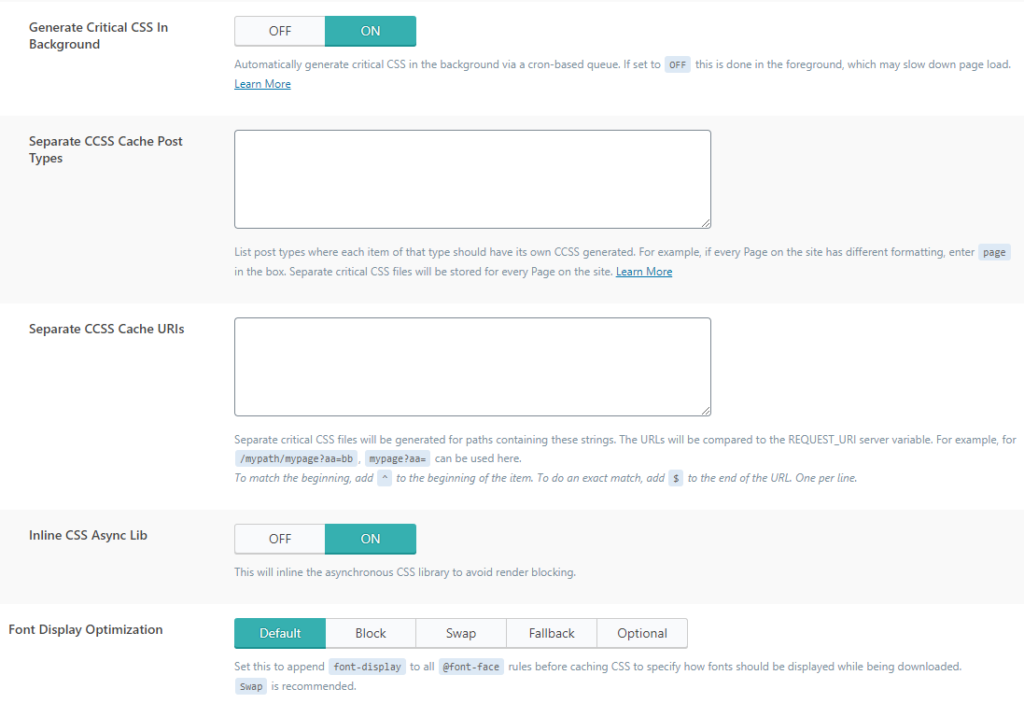
Generate Critical CSS in Background: This option allows you to create the minified CSS from the previous option in the background automatically. If the previous option is on and this one is off, visitors who first access the site will have a slightly slower site because css will be generated after their visit.
Separate CCSS Cache Post Types and option Separate CCSS Cache URIs are almost never used. In case you need them to generate separate css examples you have here.
Inline CSS Async Lib: this option reduces render blocking by loading css inline. (it is important if you want to have the highest possible score on website acceleration tests such as gtmetrix).
Font Display Optimization: This option adds font-display wherever @font-face is before caching the CSS to know which font is being used while the font is being stripped in the meantime.