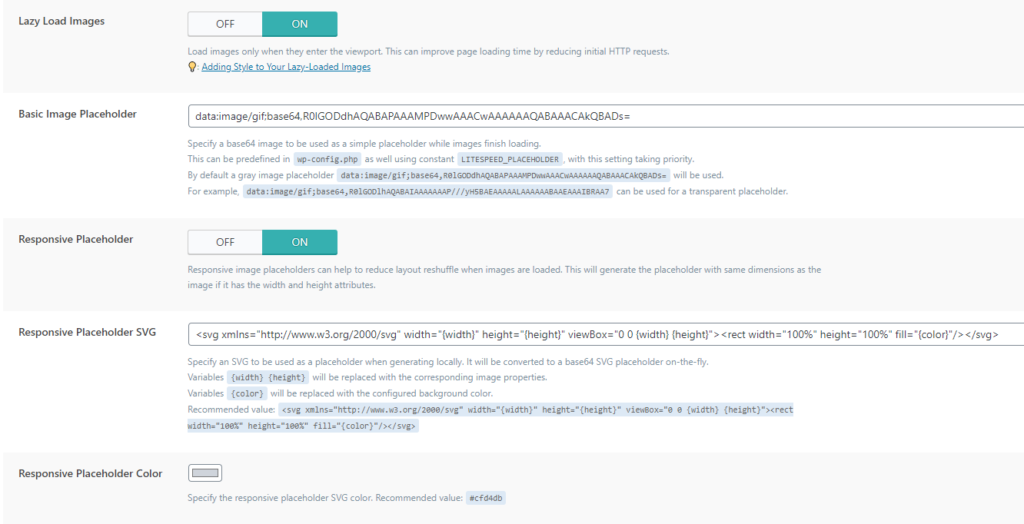
Lazy Load Images: Loads images when they are actually visible on the screen. Without this option, the images are loaded completely on the entire site, regardless of whether the user sees them at the time or not. In this option, only the images that are visible on the user's screen are loaded, thus significantly reducing the loading time.
Basic Image Placeholder: This places a blank image in place of the image to be loaded. In order not to leave an empty place. Note that this is only a few moments before the image is actually loaded. You have an example entry in the description of this option.
Responsive Placeholder: placing a blank image that will be in place to be responsive based on screen size.
Responsive Placeholder SVG: Generates an SVG placeholder on the fly that can be placed locally.
Responsive Placeholder Color: You choose a color.
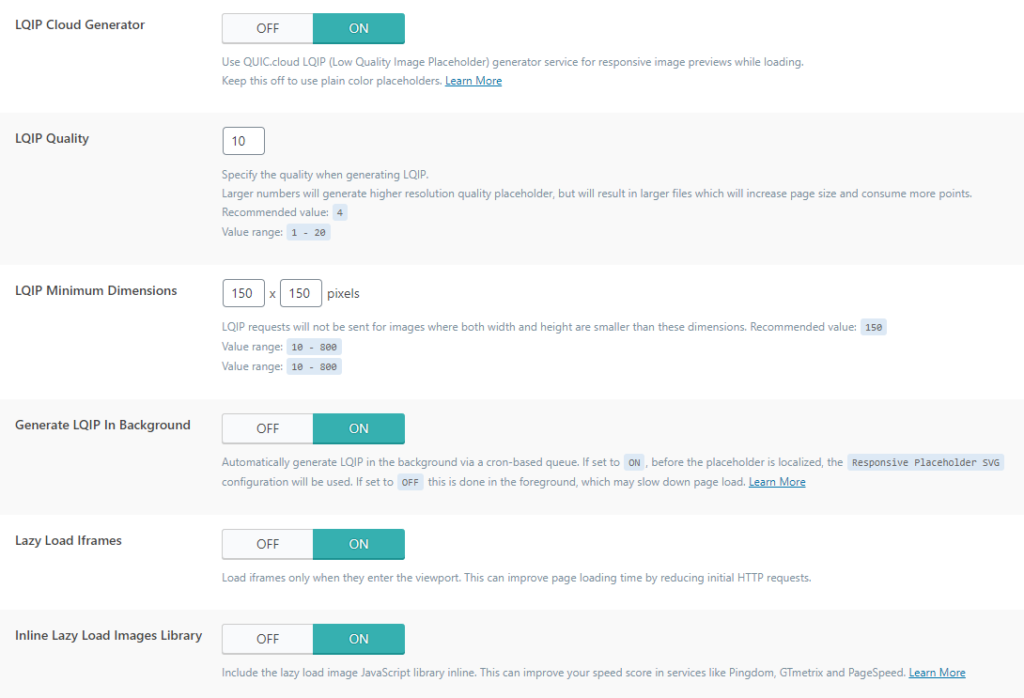
LQIP Cloud Generator: This is another advantage of the QUIC.cloud option we introduced at the very beginning where the plugin sends the image to the QUIC service where a smaller and blurred image of the original image is generated to be displayed before the high resolution image is actually loaded. You may have noticed something like this on Instagram when your picture didn't load and a blurry version of that picture appeared.
LQIP Quality: Number of image quality from 1 to 20. Higher numbers will create higher quality images, but the page will be larger and if you set the highest one, then the image optimization itself and this somewhat loses functionality. So be moderate and test and choose what suits you.
LQIP Minimum Dimensions: Images smaller than these dimensions will not be submitted for LQIP optimization because they are inherently small.
Generate LQIP In Background: An excellent option if they use the LQIP Cloud Generator to process the images in the background and not when the user visits, so that you can immediately have ready and optimized images when the user visits.
Lazy Load Iframes: Same option as for images except this is for iframes. It only loads when it appears on the visitor's screen, not before.
Inline Lazy Load Images Library: In order for lazy load to work, it requires JS biolitek. If this option is OFF then this library is loaded as a separate request and when it is ON then it is loaded inline.