With these options you can find if something is not working.
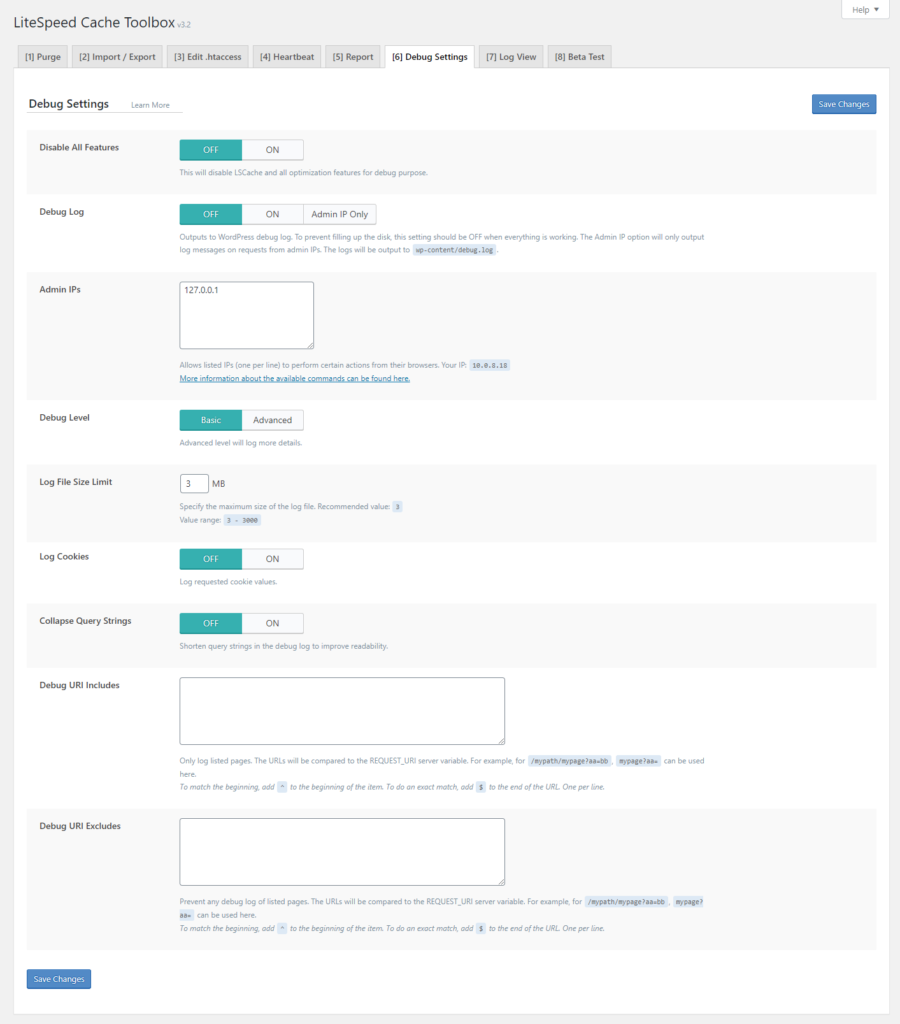
Disable All Features: will turn off all optimization options.
Debug Log: Displays the wordpress log. If you choose Admin IP only, you need to enter the admin ip address so that the errors are displayed to the person from that ip address, i.e. the administrator.
Debug Level: You choose how detailed the debug log will be.
Log File Size Limit: this prevents the log file from being huge and taking up too much space.
Log Cookies: logging of cookies used
Collapse Query Strings: shows abbreviated parameters to make it easier to read
Debug URI Includes: Debug to work for these pages you enter.
Debug URI Excludes: Exclude URL pages for which you are debugging.
The next option is log view, where you can see the log that was created.