Thank you for using this guide because it frees up support to help someone who has no option or needs other help.
If you have a large number of visits and have exceeded the current flow, or perhaps you need more space or want to add more sites to that account, you can switch to a larger package very easily and simply.
No data is lost during the transfer. During the transfer, nothing changes except your account package. Everything else remains the same.
If you switch to a larger package, you will only pay the difference between the package you are currently using and the desired larger package.
Package change:
- Log in to this site by clicking on the client panel login in the upper right corner. cp.webhostingsrbija.rs
- Click on "edit" under hosting.
(If you have more than 5 hosting accounts, a link will appear see all and when you click it will list all the hosting accounts you have and then click on the domain of the hosting account you want to upgrade.)
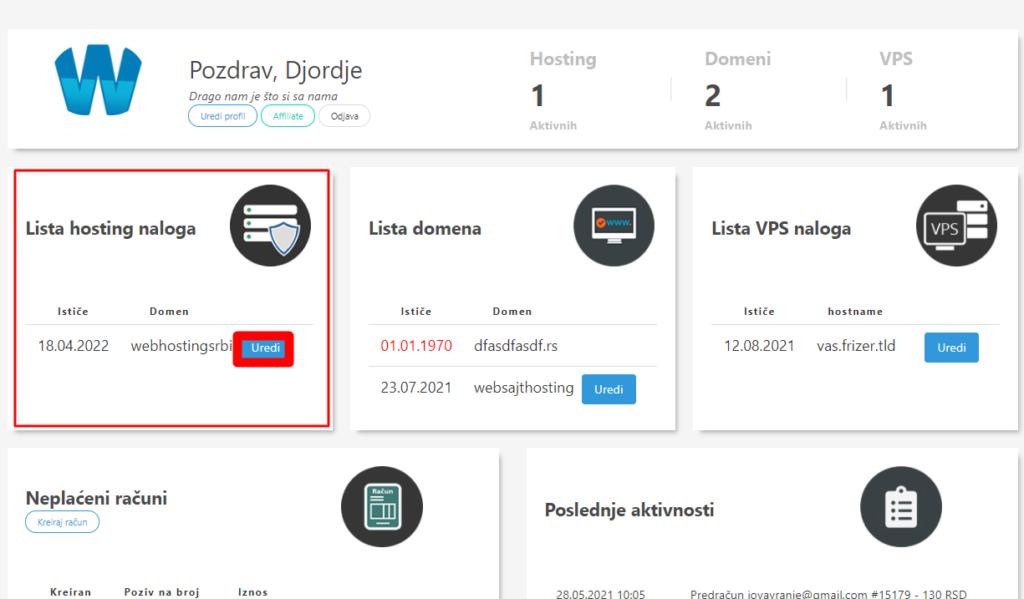
- After you have selected a hosting account, clicking on edit or on the main domain will show you options, among them is the package upgrade.
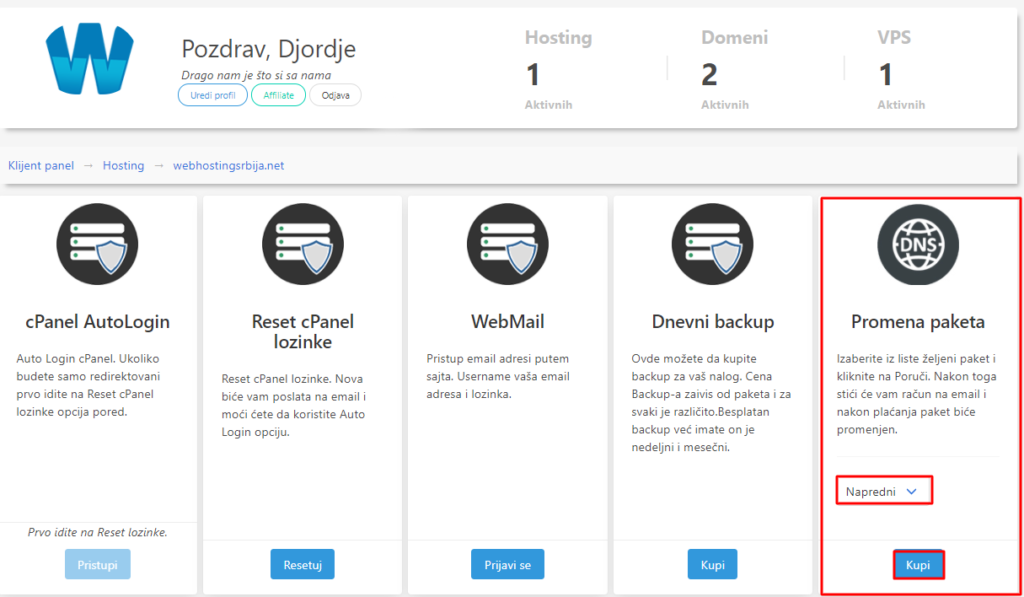
- After the selected package, click on "Buy" and then it will take you to the confirmation page.
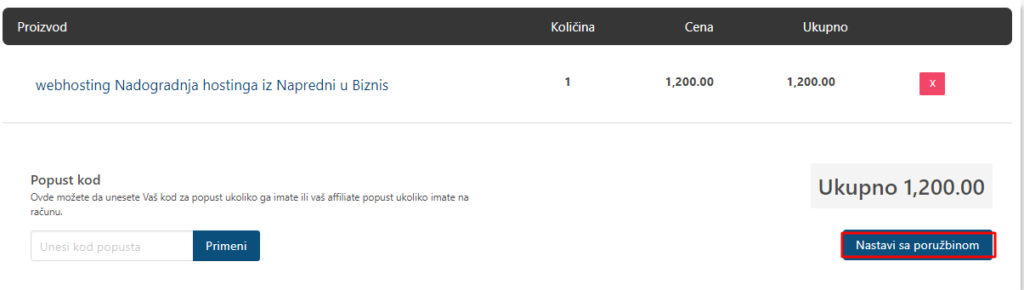
- If that is what you have chosen go to Continue with your order. and it will take you to the step where you fill in the information about the payer of that account
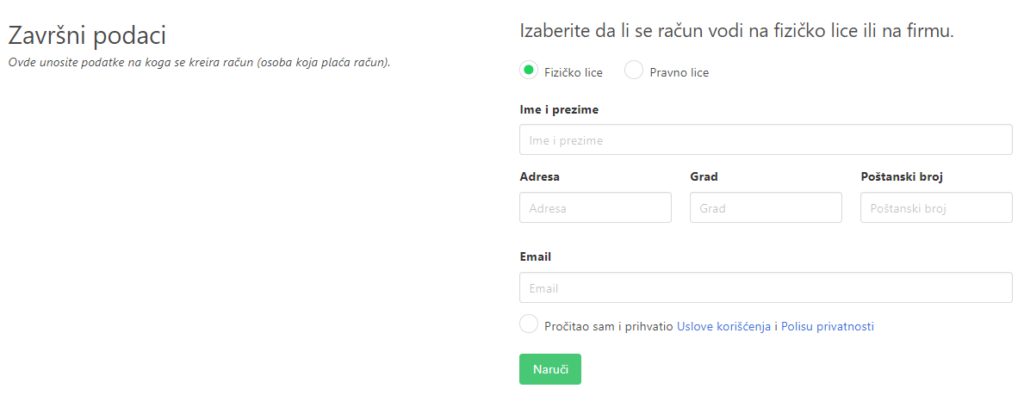
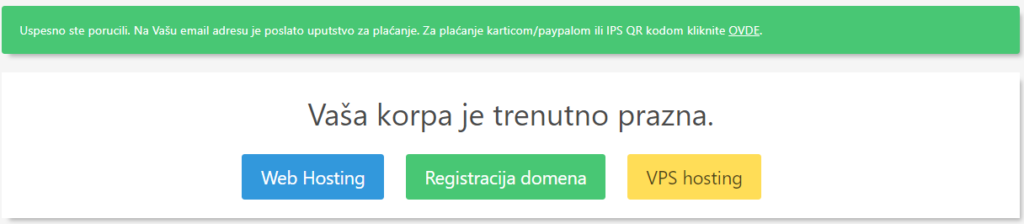
- After you fill in, you will get a page like in the picture below, where an email with a proforma invoice and payment information is automatically sent to your email address.
If you have any doubts, feel free to contact us.