Thank you for using this guide because it frees up support to help someone who has no option or needs other help.
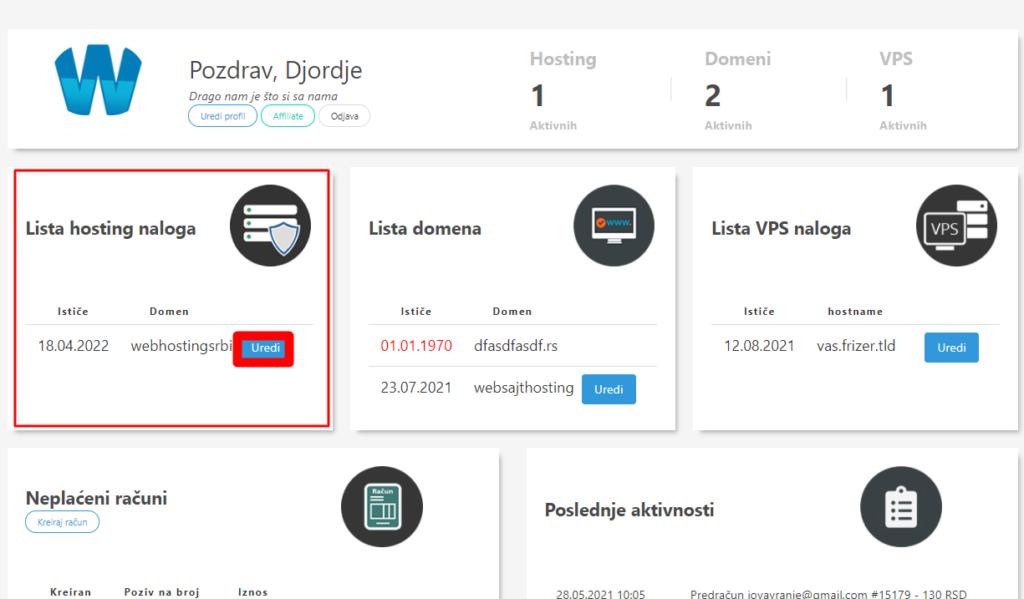
- Log in to the client panel https://cp.webhostingsrbija.rs/ (if you have forgotten access, go to forgotten password).
- Click edit at your hosting account
- After that, options will appear and one of them is reset cpanel password to get a new password for cPanel or enable the AutoLogin option.
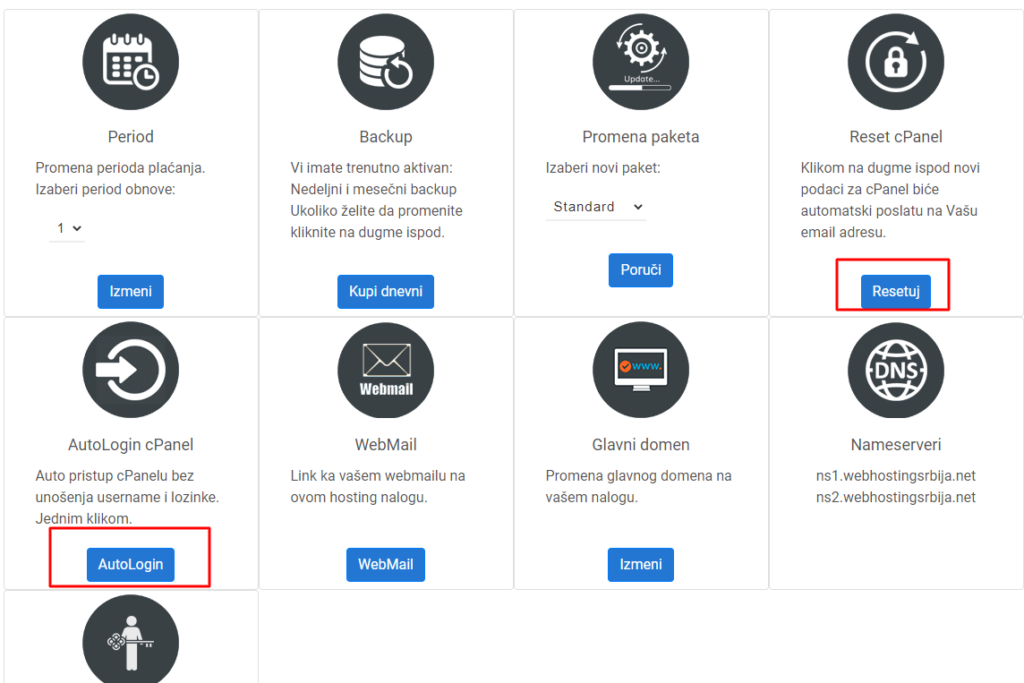
If you choose Reset cPanel, you will receive a new password by email with which you can log in to your site/cpanel, and if you choose Auto Login, you will automatically be logged in to your cPanel for that hosting account, but on the condition that you have not changed the password in cPanel before.
If you want to use the Auto Login option, you can click on reset cPanel password and do not change it in cPanel and the Auto Login option will work.
Just refresh the page?
If you click on AutoLogin and it just refreshes the page, then first click on Reset in the Reset cPanel option and then on AutoLogin.