
Popular these days is how to host your free github.io site on cPanel and connect cPanel in general with github.
First of all you need to have the Git option enabled in cPanel.
After which let's assume that you already have a repository created on github that is ready to be uploaded to cPanel itself.
Go to your github repository and then click on "Clone or download" a window will appear with the link you copy, as in the picture below.
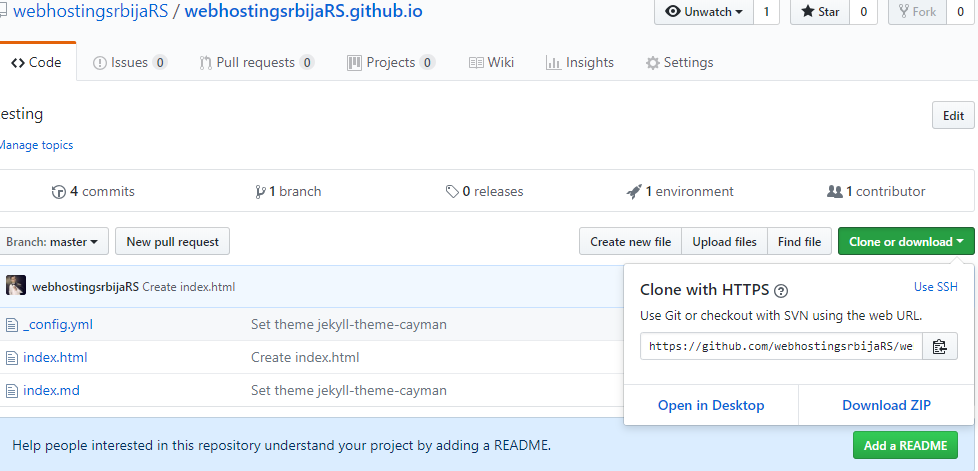
That link you copied (in our case it is: https://github.com/webhostingsrbijaRS/we…) you need to insert in cPanel.
Open cPanel then find the option "Git Version control" and then click "Create" (blue button). As in the picture below.
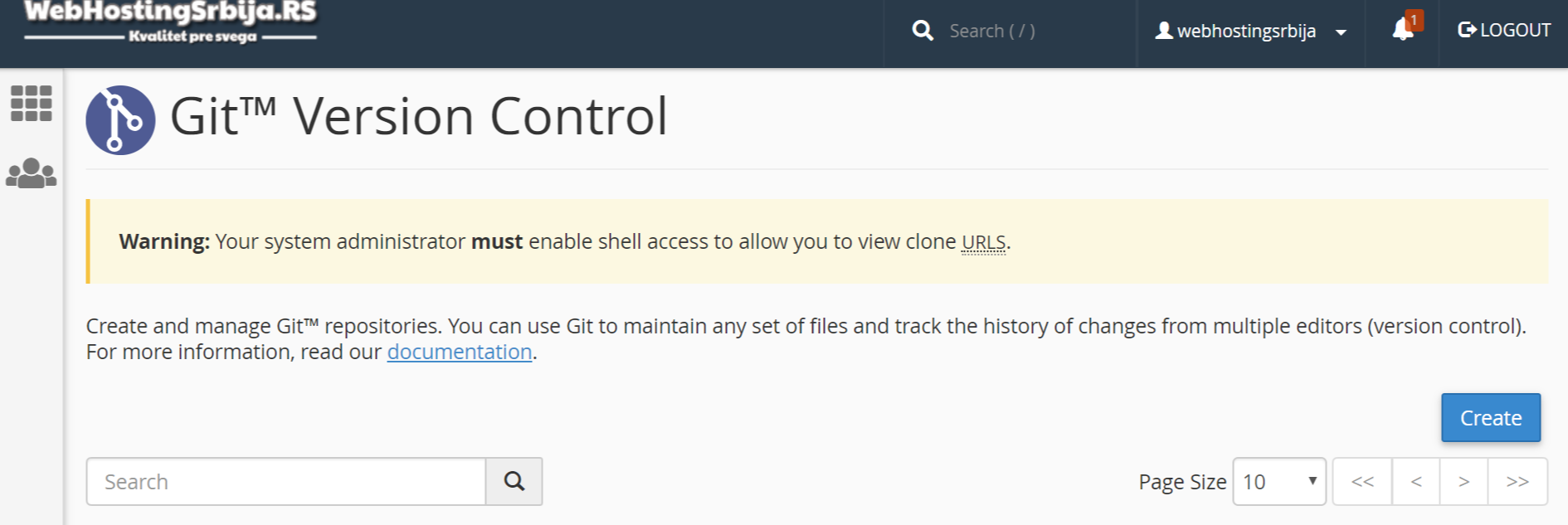
After which the following window will appear:
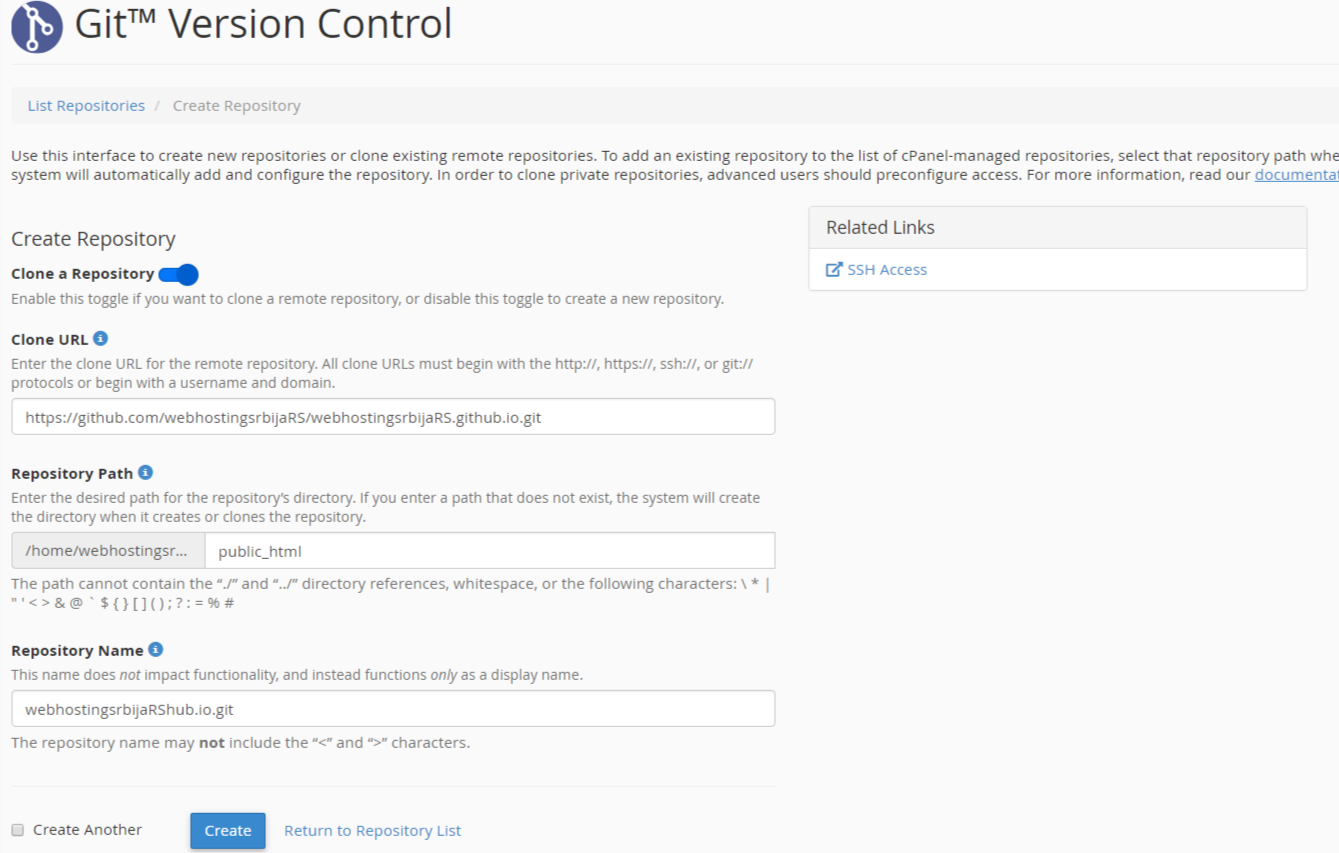
In the "Clone URL" field„ enter the url you copied from github
In the "repository path"„ they will set an automatic path for you and you set the path for that repository, public_html should definitely be there, but an additional folder can be (for example: public_html/test) if, like us in the example, you created a free site on pages.github.io, then enter only public_html.
In "repository name"„ you don't need to enter anything leave it as it is and click the button below "Create".
If everything is fine, you will receive a message in the upper right corner:
Information:The system successfully initiated the clone process for the "webhostingsrbijaRShub.io.git" repository. The system may require more time to clone large remote repositories.
As it says everything went fine and you need to wait for some time (it depends on a lot of things and there is no approximate, you just have to be patient and wait) and it will appear on that page.
That's it, you're done.

