
In this article, we will do a mini-optimization of the database that can speed up the loading of the admin part of wordpress.
Revisions
The first thing we're going to do is we're going to delete the revision of the posts, that's actually to look at the changes you've made in wordpress. We did a little mini-research with our customers and even the 70% didn't know it had it, the other 30%s did but no one even looked at a single change back.
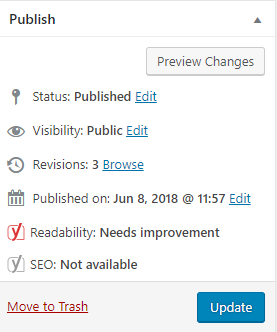
This is a really useful option provided by wordpress so that if any mistake happens, it can be looked back and corrected. However, this only applies to those who do not use that option.
Actually every change you make and save with "update" the previous copy is saved as the original post.
We will turn off that option by adding in the wp-config.php file:
define(''WP_POST_REVISIONS'', false);
You can add anywhere. This will turn off any revisions on wordpress, however if you need that option you can define how many versions it will keep with the following code:
define(''WP_POST_REVISIONS'', 3);
With this you have limited the number to 3 which is perhaps even a better option because you never know when you will need to review the previous version. But if you are sure that you have no need for this, simply turn it off, which will greatly reduce the weight of the base.
Autosave
One option that will help reduce the usage on your hosting account and thereby speed up the site is to increase the autosave when writing a post.
Autosave is now set to 60 seconds as the default time, this means that your post is saved every 60 seconds and that means it is written to the database every 60 seconds and that plus visitor visits and if there are more editors working, it is really a lot of writing and reading from the database which raises the CPU on the hosting and because of which you can have problems on hostings where the CPU is limited by CloudLinux.
In order to define autosave, you need to add the following to the wp-config.php file:
define('AUTOSAVE_INTERVAL', 300 );
With this you have defined that the autosave is moved to 300 seconds instead of the default 60.
Delete revision
After we have restricted or disabled new writing and duplicating, now we need to delete the previous ones. We will do this by logging in to phpmyadmin (log in to cPanel (vasdomen.rs/cpanel) then you have the phpmyadmin icon) it will open in a new tab and the database will appear on the left, click on it with the left click.
After that, a table will be listed on the left side in the gray area immediately where you clicked, and on the right side you will see options, such as "Structure", "SQL", "Search" where you need to click on SQL.

Then enter the following in the input field:
DELETE FROM [Ovde_Ide_Prefix]_posts WHERE post_type = "revision";
After that, click on the "Go" button in the lower right corner.
After that you deleted the revisions. Awesome!
Optimization
The last thing we're going to do in terms of optimization is we're going to use the optimize option in phpmyadmin which also helps reduce the weight of the database.
Let's open phpmyadmin if you closed it in the same way as in the previous step.

Then click on your base on the right side so that the tables are listed on the right side, then at the bottom you have "Check all" and right next to it on the right side by clicking on "With selected" you have "Optimize table". When you click on it, the application will automatically optimize the table, wait for it to finish.
When this happens in the lower part you will also see how much the base was in our test case 6.4MB and 3.4MB And after optimization it is 2.8MB and 0B (this means zero bytes means nothing).

You will see for yourself how much the base will actually be reduced, the differences are very, very big.
As you can see, it was not difficult at all and no plugin was needed that ADDITIONALLY loads your site or database and then creates a counter effect.
Avoid plugins as much as possible because they add extra load to your site.

