
Email archive creates a security copy of your messages from the selected period. Make it .tar.gz message file in .eml format (from all folders), which is saved to your account and can be downloaded or deleted whenever you want. Mailboxes and folders are not touched.
1. What is it for?
An archive is a copy of mail for storage or moving, or preparation before you mass delete old messages to free up space. The file is saved in a folder mail-archives on your account and enters the disk quota.
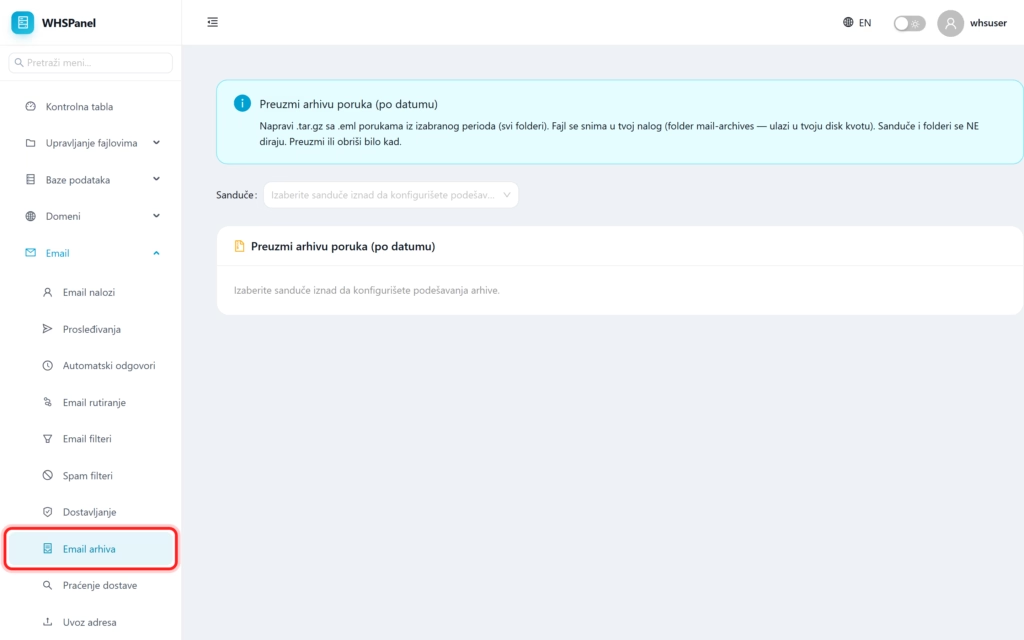
2. How to create an archive
- Open in the menu Email well Email archive.
- In the field Mailbox select the account whose mail you are archiving.
- Set the period (from which to which date) and start creating the archive.
- When it's finished, you can download the archive to your computer or delete it from your account.
Note: the archive takes up space on the account, so download it to your computer and delete it from the server when you no longer need it. Create an archive before using the bulk message deletion tool, so you have a safe copy.
