
Contents
Basic SSL is free for every domain in the hosting account. It is enough for 99% sites. SSL is installed on our hosting automatically for every domain on every hosting account every morning at 6 am. Then it is renewed if the previous one has expired. In this case you always have an active SSL. How to install SSL?
How do you know you really have an ssl problem?
Sometimes people think it's SSL and sometimes it's mixed content or just the site doesn't open with HTTPS. How do you check if you have SSL on a domain at all? Visit this site: https://www.sslshopper.com/ssl-checker.html enter domain without http and www only clean domain. If it shows that you have SSL then there is some other problem but not SSL.
How to install SSL?
cPanel has an automatic SSL installation that is done every morning at 6 and at that time it is also renewed if the SSL expires, because SSL has an expiration date. This one is free for 90 days. In 99% cases, you don't have to do anything, but as soon as you got here, it means that there is a problem, or it was, and SSL was not installed automatically, but don't worry, it's just a few clicks.
The first step is to find an option SSL/TLS Certificates or SSL/TLS Certificates
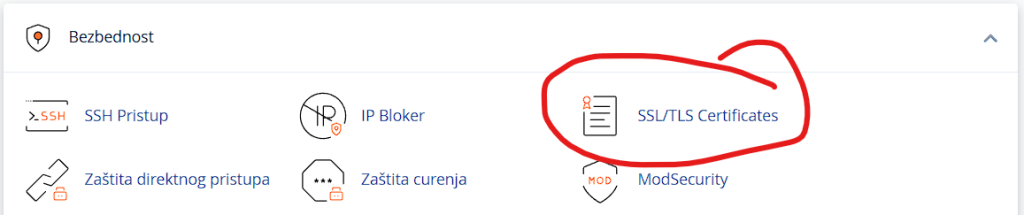
When you open it you will see a page like in the following picture and we choose Wizard and type in the search field our domain.
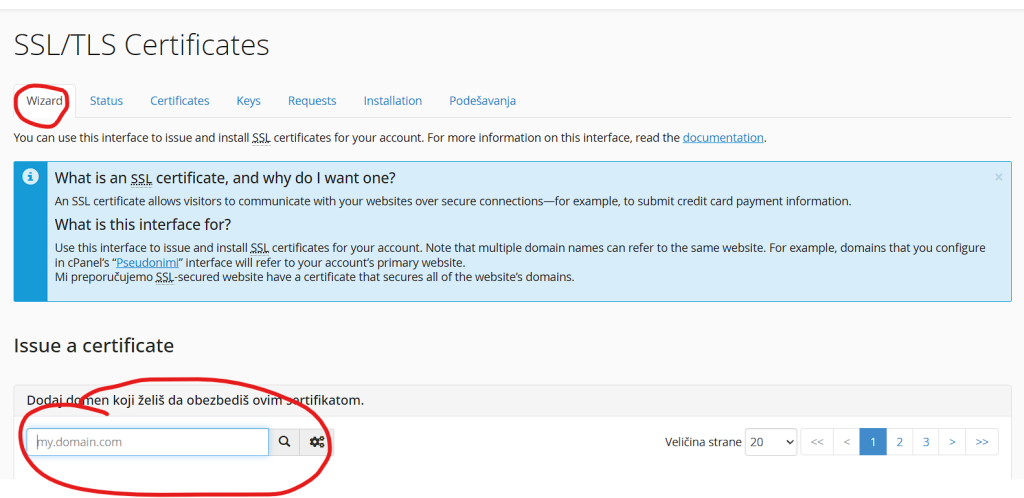
Now that we have solved the most difficult part of the job, which is finding the options, now it takes 3 clicks and we got SSL. We tick the first two and leave the rest unticked because they will certainly be obtained by SSL autotask as in the picture below.
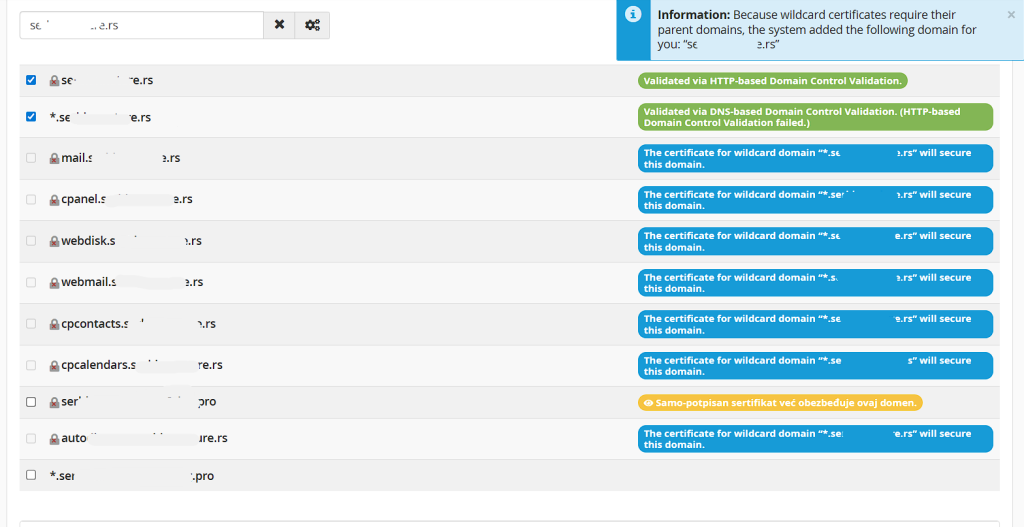
When we click the continue button below which is not visible (sorry for the omission) but it is the only blue button, we get the next image on which we click on a single button.

After we click, a POPUP window will appear where we tick that we agree to the terms and confirm again on the blue button that can be clicked after confirming the terms.
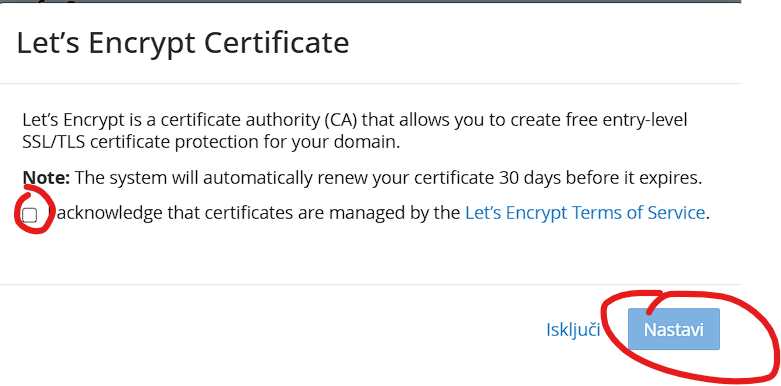
Now that we have done that it will take us back to the second image in this tutorial and it will show us installing SSL on the domain as in the image below:
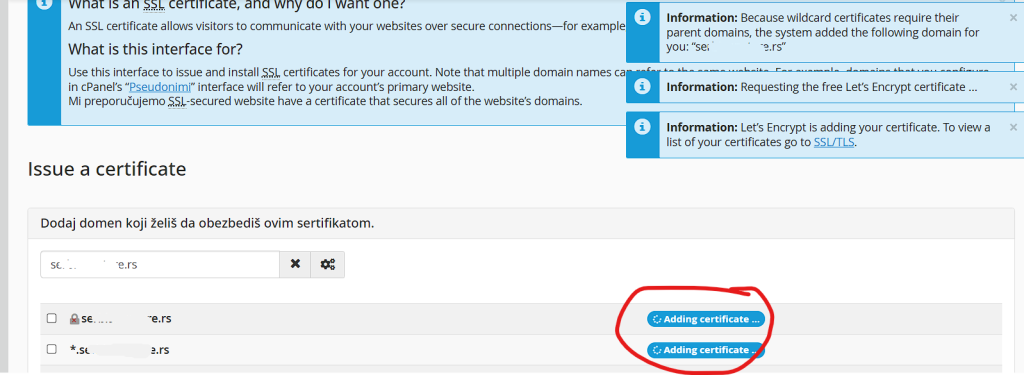
We wait a few seconds or a few minutes, it depends on a lot of things, but we wait and we get everything almost as in the picture below.
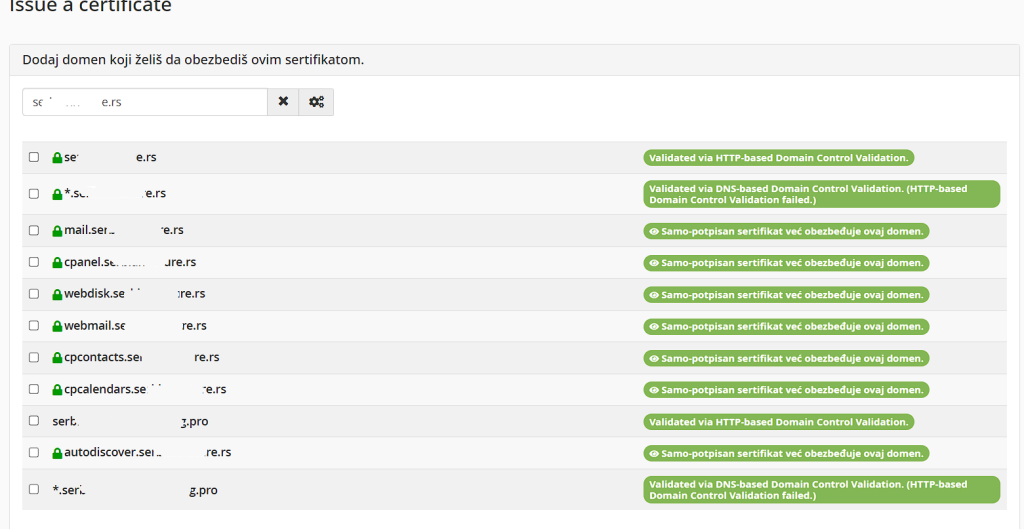
Didn't get the one in the picture above? In that case, either the domain has expired or the nameservers are not set to ours, or something is blocking the upload of a small file of a few kilobytes to your account (perhaps the space is exceeded or some redirection if you changed .httaccess.

