
Backups in WHSPanel are incremental and encrypted. In a few clicks, you can make a copy of the entire account or restore individual files, databases, email or DNS zones from an earlier copy.
1. How it works
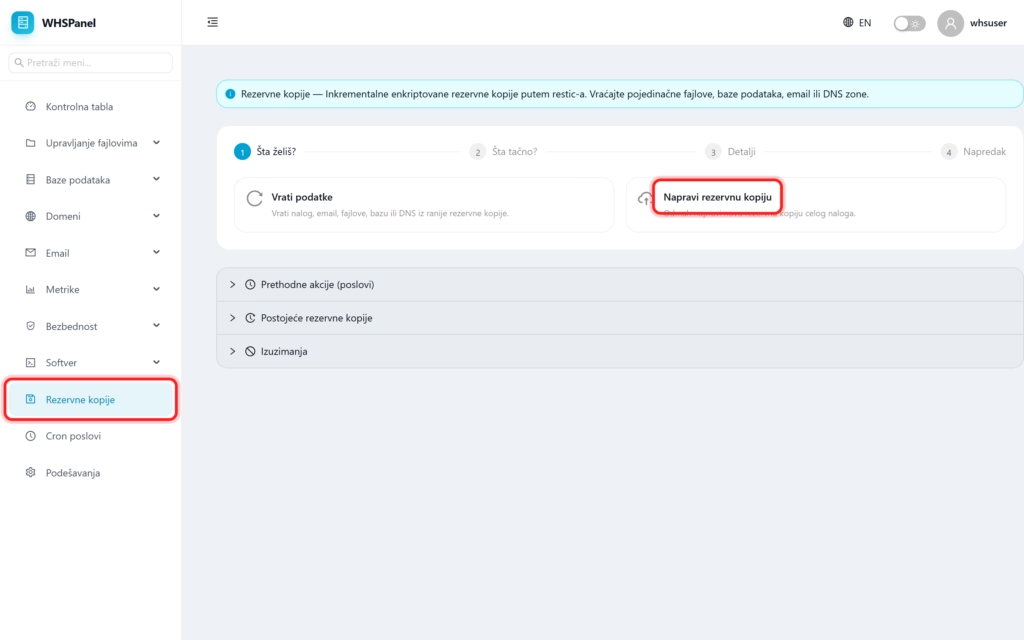
Open in the menu Backups. The work is guided by a simple wizard in four steps: What do you want? (make a copy or restore data), What exactly?, Details and Progress.
2. Make a backup copy
Choose Make a backup copy to immediately make a new copy of the entire account. Since copies are incremental, only what has changed since the previous copy is saved, saving space and time.
3. Restore data
Choose Restore data to restore an account, email, files, database or DNS from an earlier copy. You can restore everything, or go to an individual file, if it was accidentally deleted or modified.
4. Additional sections
| Section | What is it for? |
|---|---|
| Previous actions | Job history (copies made and returned). |
| Existing backups | List of available copies from which you can restore. |
| Exclusions | Files and folders that should not be included in copies (for example cache). |
Note: for the most important data, in addition to the copies on the server, keep your own copy outside the server (download it to your computer). Try a restore periodically to make sure the copy works when you need it.
