
Autoresponders send a pre-prepared response whenever a message arrives at a specific email address. They are most often used for absence notifications, vacation messages or automatic receipts.
1. Overview
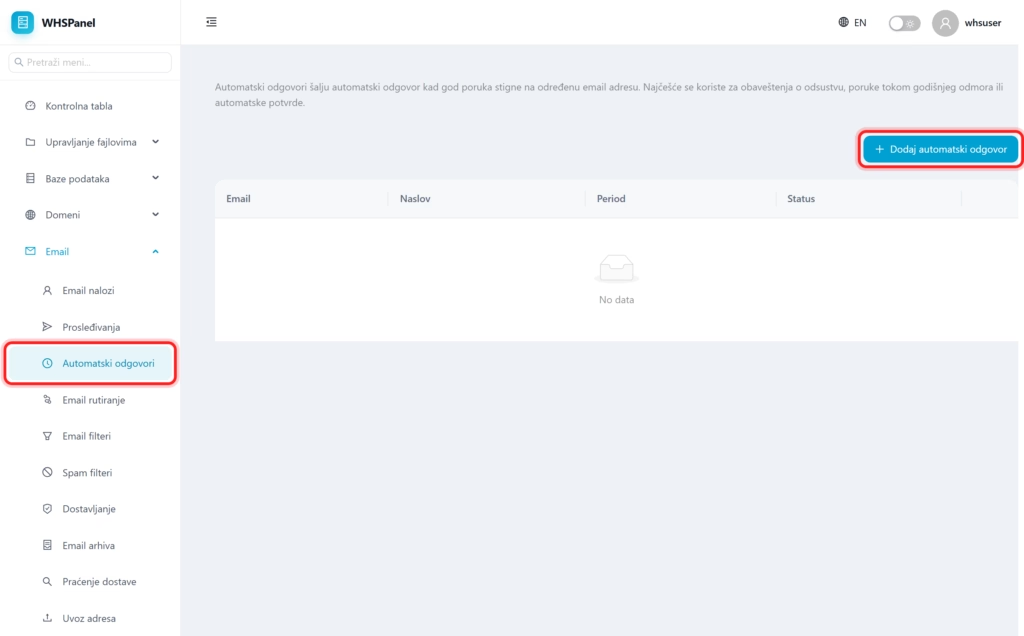
Open in the menu Email well Automatic replies. In the table you can see for which address the answer is set, title, validity period and status.
2. How to set up an automatic reply
- Click Add an automatic reply.
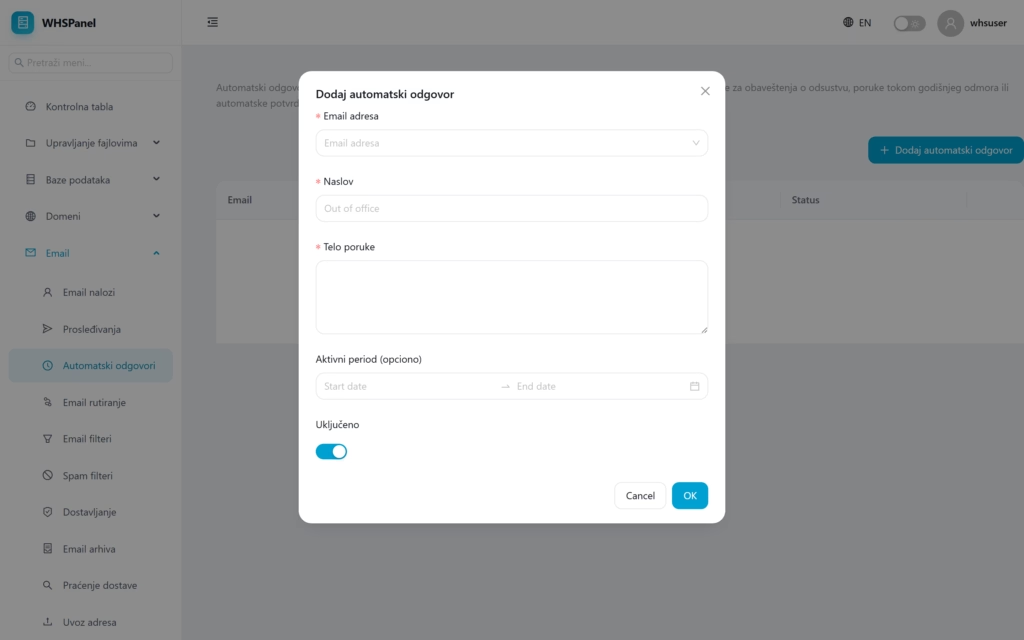
- Email address: select the address that will send the reply.
- Title: message title (for example
Out of the office). - Message body: text that is sent automatically.
- Active period (optional): set a start and end date for the response to start and stop by itself (ideal for vacation).
- Leave it On and click OK.
Note: if you set a period, you don't have to remember to turn off the answer when you return, it turns itself off. For a permanent automatic response, leave the period blank.
