
Email forwarding automatically copies each incoming message from one address to one or more other addresses. It's handy when you want to address a guy info@ reach more people, or that the address without its own mailbox only forwards mail to your personal email.
1. Overview
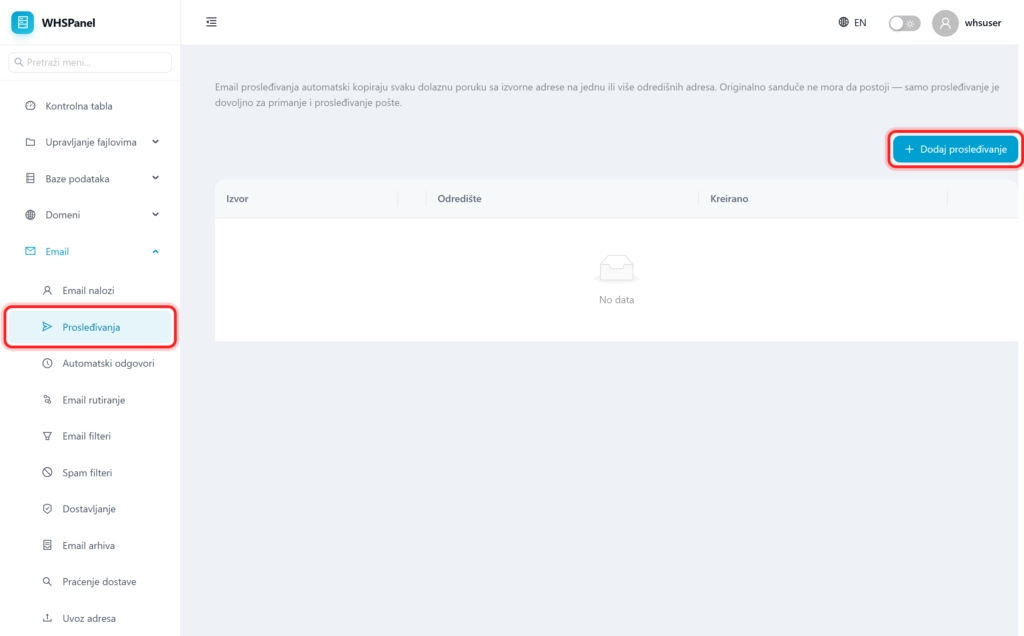
Open in the menu Email well Forwardings. You see a list of existing forwarding (source and destination) and a button Add forwarding. The original mailbox does not need to exist, just forwarding is enough to receive and send mail further.
2. How to make a forwarding
- Click Add forwarding.
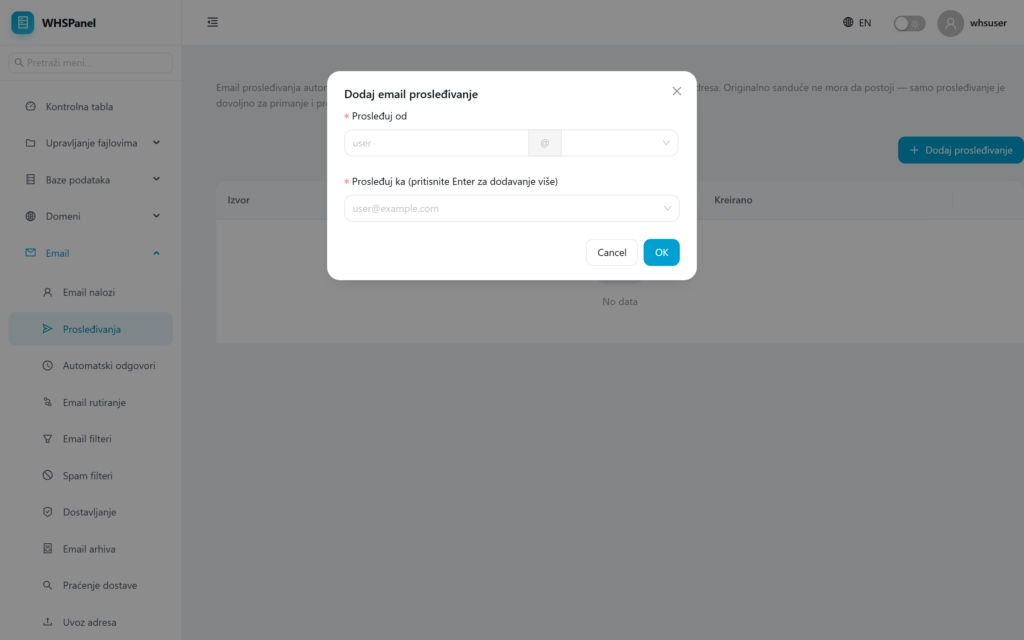
- Forward from: enter the user part and select the domain (forwarding address).
- Forward to: enter the destination address. For multiple addresses, add each one and press Enter.
- Click OK.
Note: if you want the message to remain in the local mailbox and to be forwarded, create an account and forwarding. If you only need forwarding, this is enough, without creating a mailbox.
