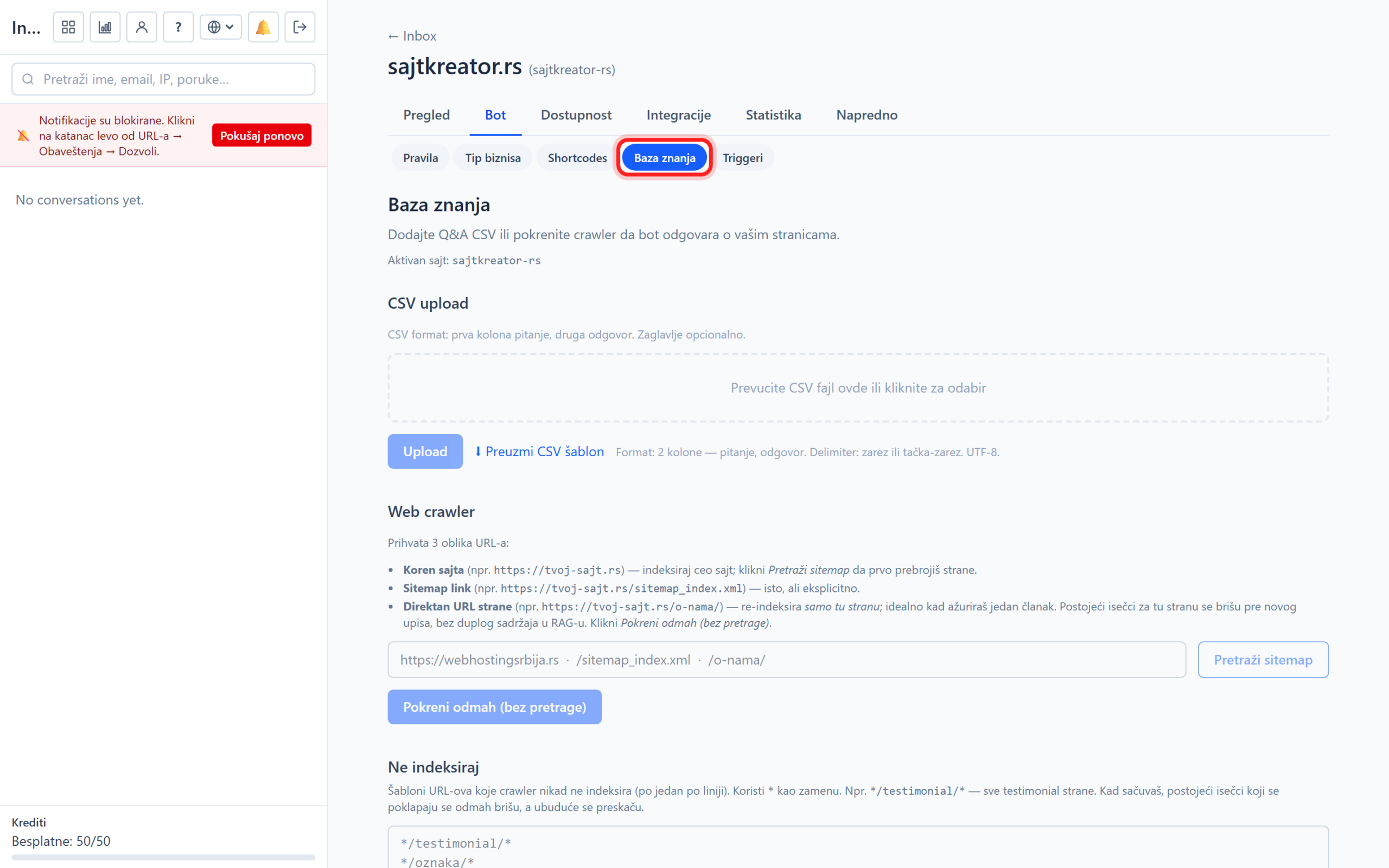
The knowledge base is what the bot learns from to answer about your business. The richer it is, the more accurate the answers. You insert content in three ways: automatically reading your site, importing a question and answer file, and learning from real conversations. Everything is in the website, tab Bot, subsection Knowledge base.
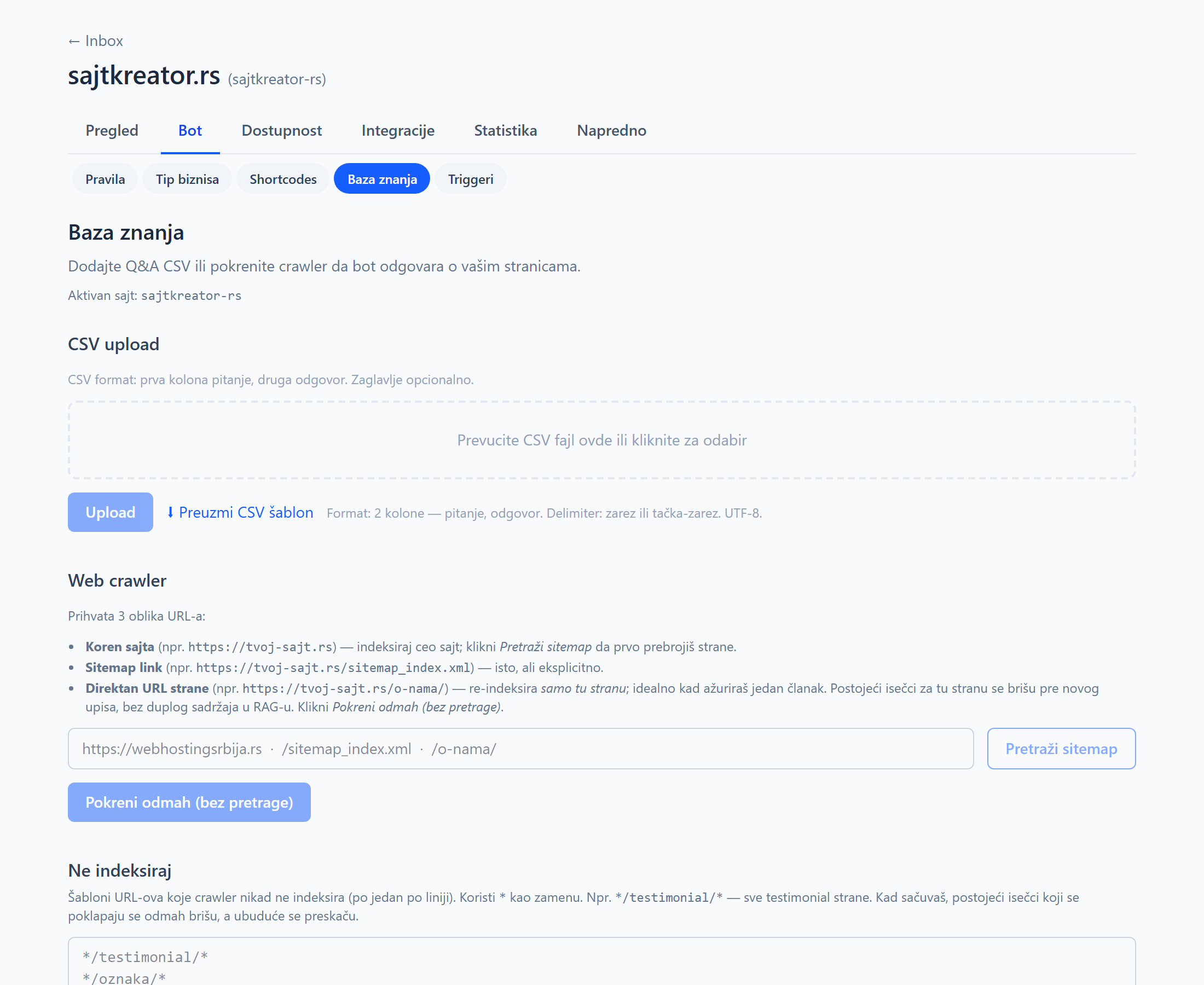
Web crawler: A bot reads your site
You enter the address and the system itself goes through the pages, extracts the text and learns from it. Ideal for sites that already have content, such as price lists, services and FAQs. The field accepts three forms of addresses:
- Site root (for example https://vas-sajt.rs): the bot indexes the entire site. Use the Search sitemap button to count the pages first.
- Sitemap link (for example https://vas-sajt.rs/sitemap_index.xml): same as root, but explicitly via the sitemap.
- Direct page URL (for example https://vas-sajt.rs/o-nama/): rereads only that page, convenient when you have changed an article. The button is then Run now without search.
Reading can take from a few minutes to a few hours, depending on the size of the site. Follow the progress in the list of sources below.
CSV file import (question, answer)
If you have a list of frequently asked questions and answers, import it as a CSV file with two columns: the first is the question, the second is the answer. Header is optional, separator is comma or semicolon, encoding UTF-8. The Download CSV Template button gives you a finished template. This is the fastest way to insert many questions and answers at once.
Learning from conversation
The best way to improve gradually. In the details of the conversation, click Add to knowledge base, select one question from the visitor and one good answer, then save. The bot immediately learns that pair and uses it for future similar questions. Whenever the agent gives a nice answer, that answer becomes part of the database in a few clicks.
Sources, rereading and deletion
Below is a list of all sources with their status (for example, in progress, completed or error) and the number of snippets, i.e. small pieces of text that the bot uses to search. For each feed, you can restart the read to pick up new or changed pages, or delete it along with all snippets, making the bot immediately lose access to that content.
Do not index
If there are pages that the bot should not read, for example testimonials or the shopping cart, write them in the Do not index field, one template per line. The star sign serves as a replacement, for example the form with /testimonial/ includes all testimonial pages. When you save, existing matching clips are deleted immediately, and future ones are skipped.