This guide covers two useful tools from the Bot tab: quick answers (Shortcodes), with which you prepare ready-made answers to frequently asked questions, and triggers, with which the chat itself approaches the visitor at the right moment.
Quick answers (Shortcodes)
They can be accessed through the site, Bot tab, Shortcodes subsection.
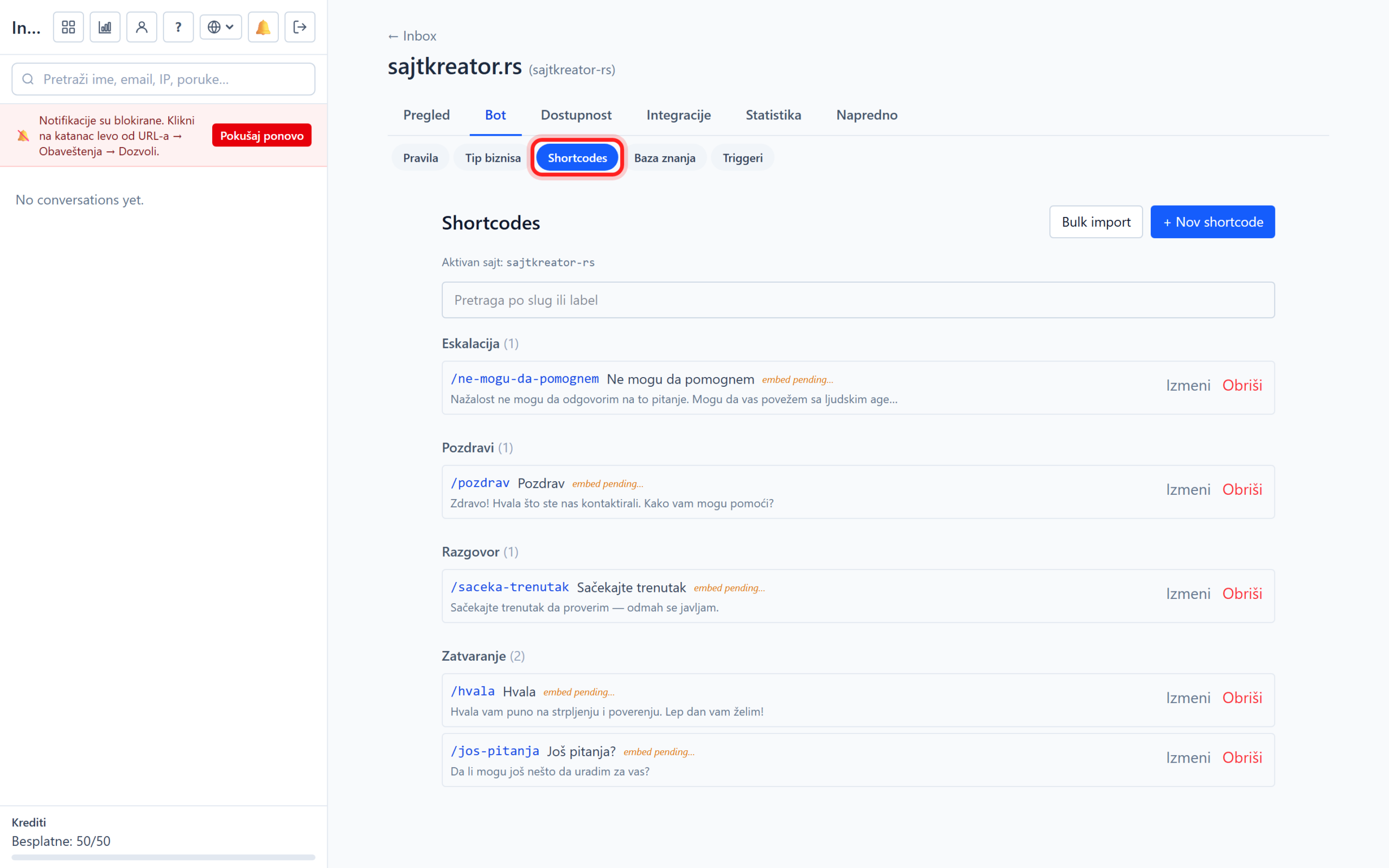
Each quick answer has two parts:
- Servant: a unique tag that starts with a slash, for example /price-hosting or /contact. The agent types it into the chat to insert the entire response.
- Contents: response text. It can be long, for example the entire price list or contact details. The bot uses it as a source of information.
When a visitor asks something that is covered by a quick answer, the bot provides the correct answer from it. You can also import answers at once from a CSV file with two columns (service, content).
Additionally, while the live agent is writing a message, typing a slash opens a list of quick replies, and selecting one inserts the entire text. So the most common responses are sent without manual typing. Tip: create a quick answer for each frequently asked question, such as prices, opening hours, contact, payment method and delivery.
Proactive triggers
Triggers automatically open the chat and invite the visitor to the conversation when the conditions you set are met. They are located in the site, Bot tab, Triggers subsection.
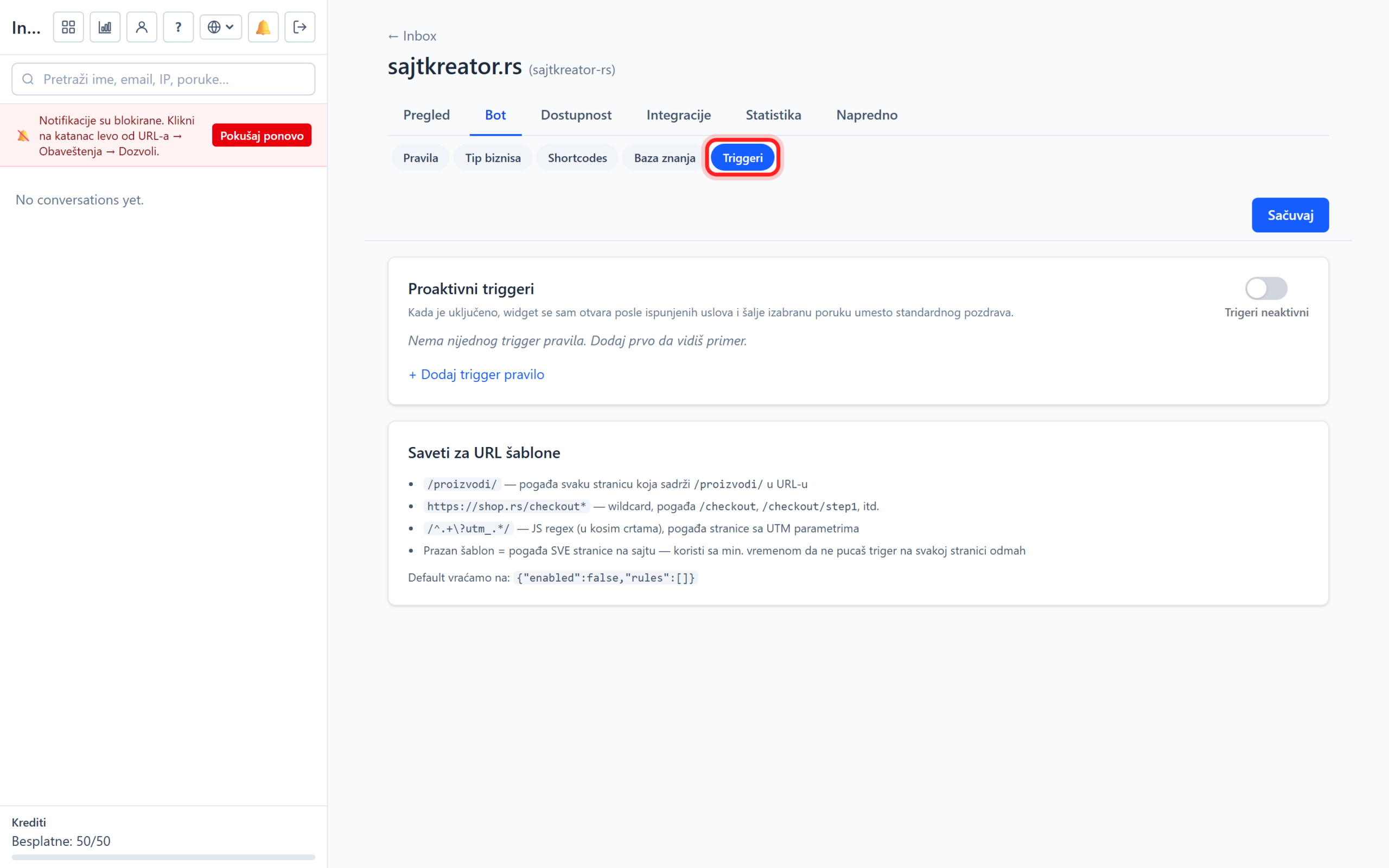
The master switch turns all trigger rules on or off at once. For each rule you set:

- URL template: on which pages the rule is activated. Supports asterisk as a replacement (for example form with /pricelist) or advanced form. Blank means all pages.
- Minimum time on page: how many seconds the visitor has to spend before the rule is triggered, for example 30.
- Minimum number of visits per session: how many pages the visitor has to visit, for example 3.
- First come first served: the rule is activated only for new visitors, returning visitors do not see it.
- Message: text that replaces the default greeting message when the trigger fires. The chat then opens itself with that message.