
Dynamic DNS (DDNS) keeps the hostname pointed to your current IP address even when it changes, which is often the case with home and mobile Internet connections. It is convenient when you want a permanent name from a variable IP address (for example to access a home server, camera or NAS device).
1. Overview
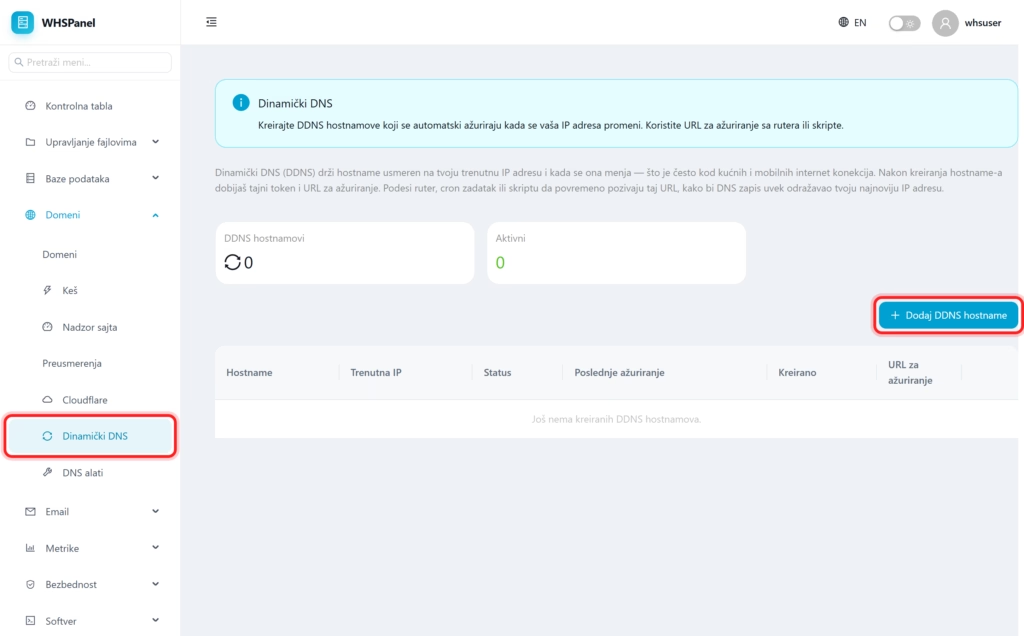
Open in the menu Domains well Dynamic DNS. The tabs show how many DDNS hostnames you have and how many are active. In the table for each hostname you can see the current IP, status, last update and update URL.
2. How to create a DDNS hostname
- Click Add DDNS hostname.
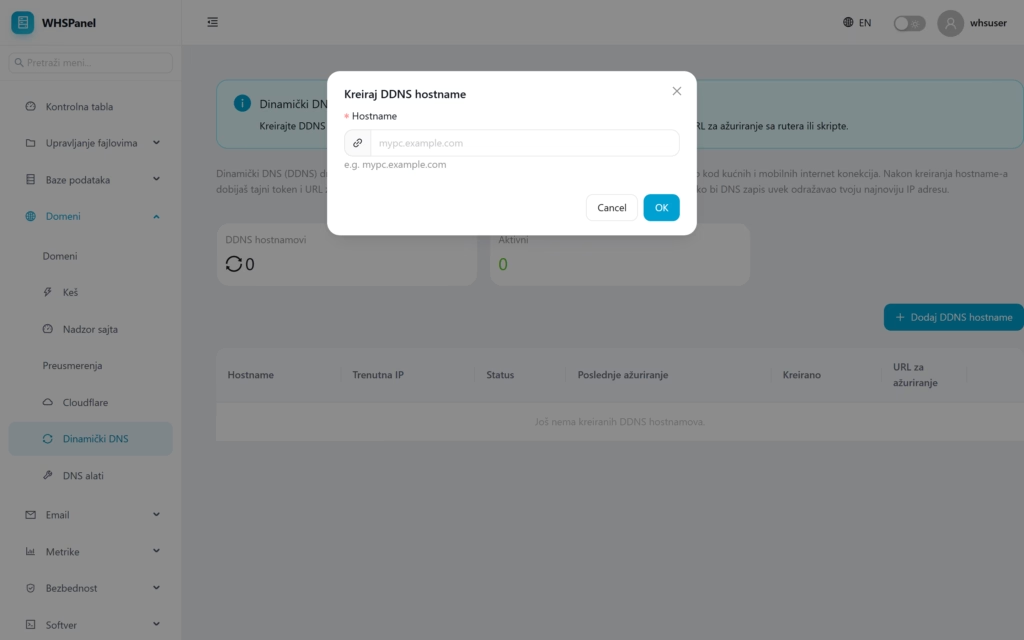
- Hostname: enter the desired name (eg
home-server.mydomain.rs). - Click OK. The panel gives you a secret token and Update URL.
3. How to automatically update the IP
Set up your router, a cron task, or a small script to call periodically Update URL. Each call writes your latest IP address into the DNS record, so the hostname always points to you. Column Update URL you can find it in the table next to hostname.
Security: The update URL contains a secret token. Keep it private, because whoever has that URL can change where the hostname points.
