
Hotlink protection prevents other sites from directly embedding your images and files and thus consuming your bandwidth. Hotlinking is when someone else's site links directly to your image, so your server serves that file every time, and you get no visitors or credit.
1. How it works
When protection is turned on, requests for your protected file types coming from other domains are either blocked (with a 403 error) or redirected to an address of your choice. Requests from your own site work normally.
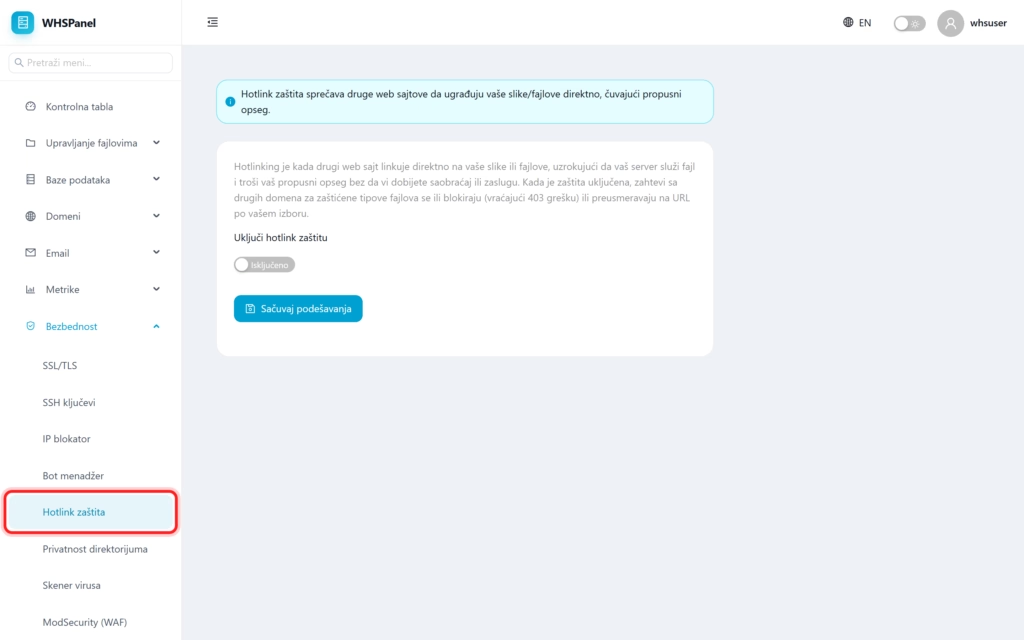
2. How to turn on
- Open in the menu Security well Hotlink protection.
- Turn on the switch. Enable hotlink protection.
- Click Save settings.
Note: your images still appear normally on your site and in search results. Only attempts by other sites to embed them and thus consume your bandwidth are blocked. Turn on protection if you notice that someone else's site is pulling your images directly from your server.
