
An IP blocker prevents access to your sites from specific addresses or entire ranges. You use it to stop attackers, spammers or annoying traffic sources. Blocked visitors get a 403 Forbidden response.
1. Overview
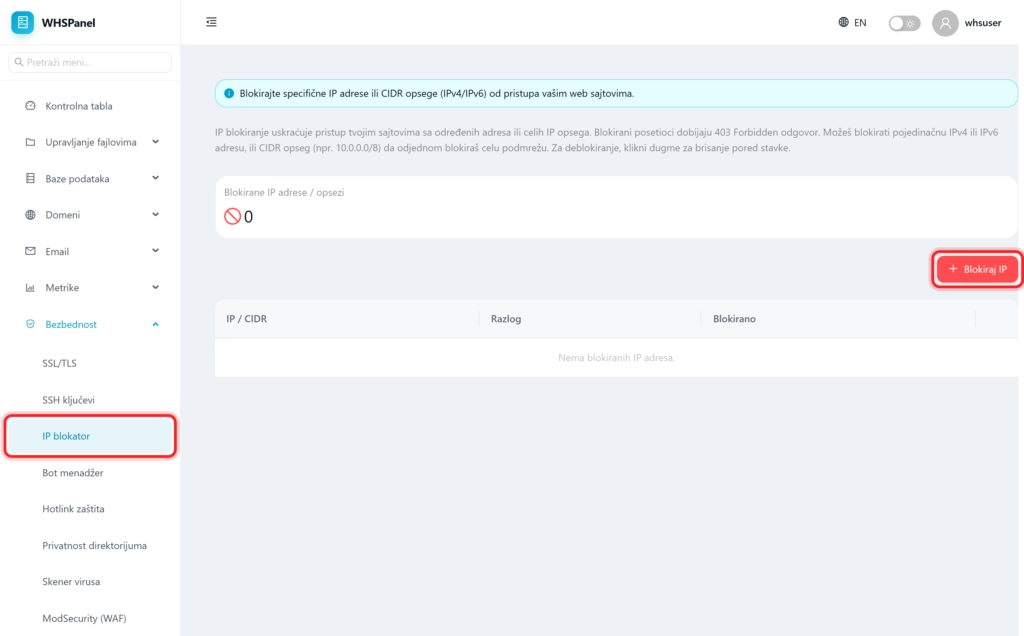
Open in the menu Security well IP blocker. The tab shows how many addresses are blocked, and the table shows each item with the reason and date.
2. How to block an IP address
- Click Block IP.
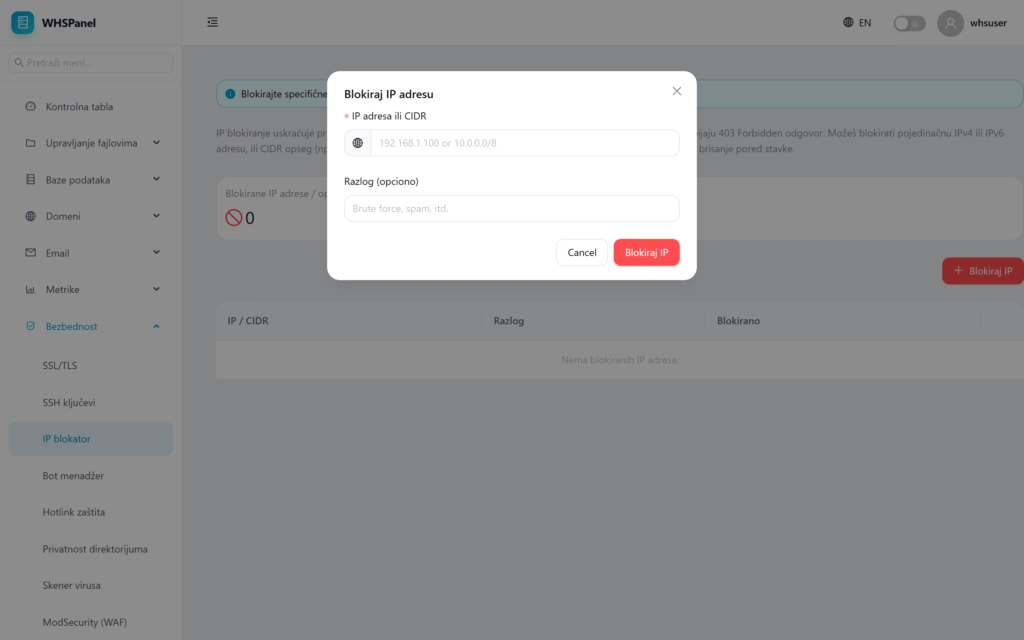
- IP address or CIDR: enter an individual address (eg
192.168.1.100) or the entire range in CIDR notation (for example10.0.0.0/8) to block the entire subnet at once. It works for both IPv4 and IPv6. - Reason (optional): a note for you (for example Brute force or spam).
- Click Block IP.
To unblock, click the delete button next to the item in the table.
Watch out: The CIDR range blocks many addresses at once, so be careful not to block legitimate visitors as well. If you do not know the exact range of attackers, it is safer to block individual addresses.
