
SSH keys allow you to log into your hosting account via the command line without a password, which is both safer and more convenient. You generate a pair of keys on your computer: the private key stays with you and is never shared, and you paste the public key here.
1. How to generate a key pair
On your computer, run the command:
ssh-keygen -t ed25519 -C 'vas@email.com''
You get two files: private (~/.ssh/id_ed25519) and public (~/.ssh/id_ed25519.pub). Only public goes here.
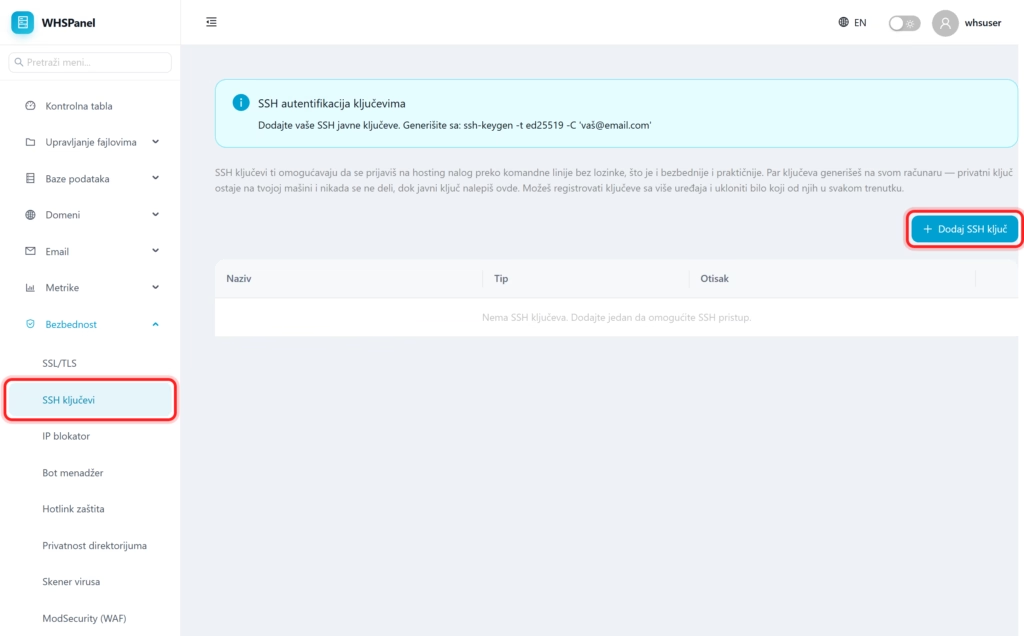
2. How to add a key to the panel
- Click Add SSH key.
- Key name: a recognizable name (for example
My laptop). - Public key: paste the entire content
.pubfile. - Click OK.
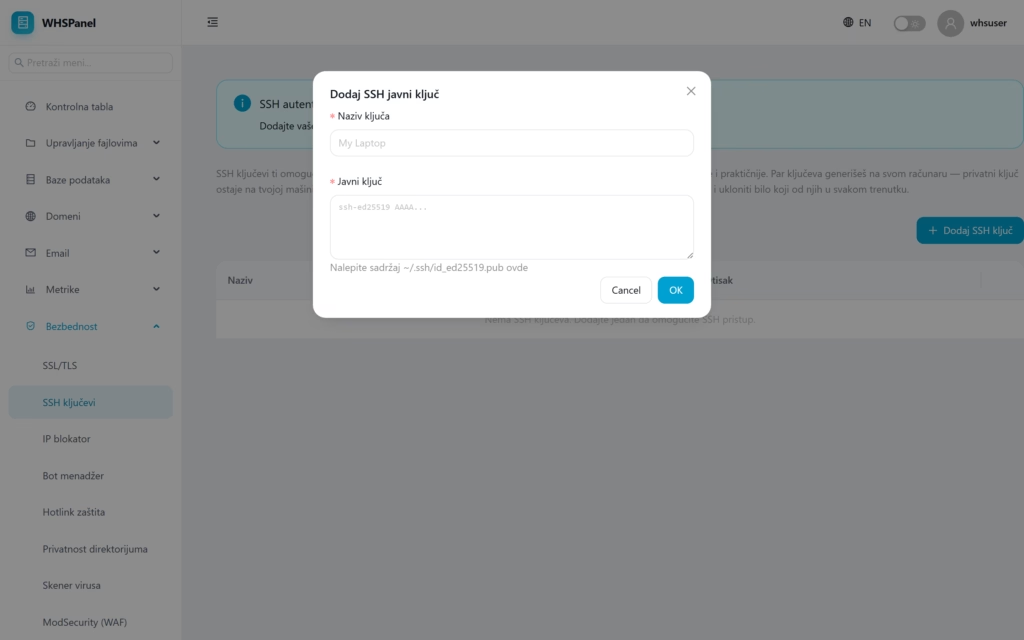
In the table you can see the name, type and print of each key. You can register keys from multiple devices and remove any at any time.
Security: never paste the private key or share it with anyone. It goes exclusively to the panel public the key. If you lose a device, just remove its key from the table.
