
The Visitors section shows who is visiting your site and where they are coming from. Data is extracted from access logs, so you can see the real traffic picture without the need for additional tools.
1. What does it show?
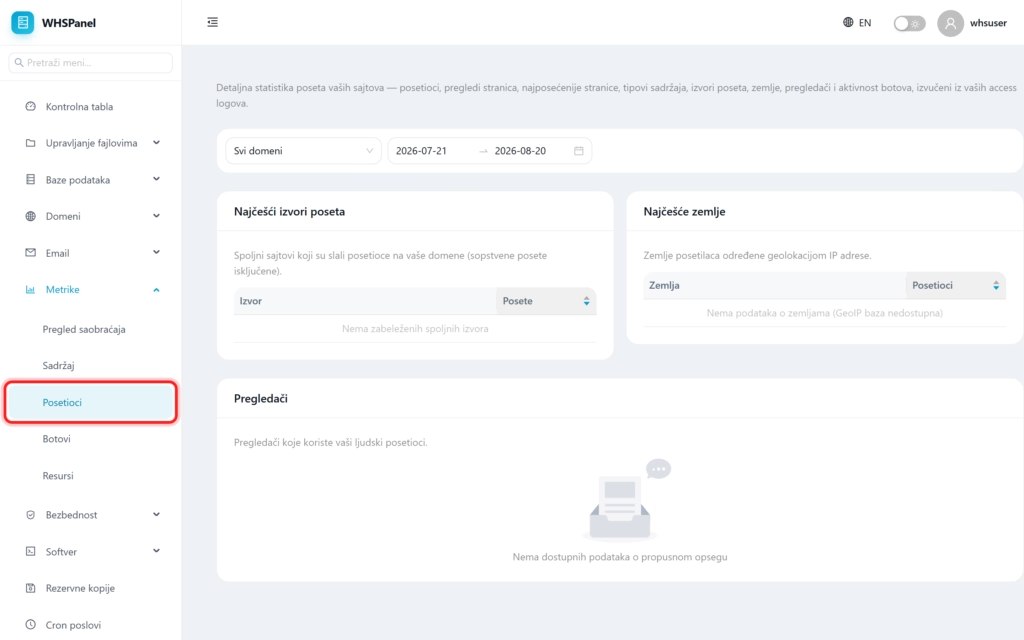
Open in the menu Metrics well Visitors. Above, you choose the domain and the period, and the page shows three units.
| Display | What is he saying? |
|---|---|
| Most common sources of visits | External sites that sent visitors to your domains (your own visits are excluded). That way you can see who is linking to you and where your traffic is coming from. |
| Most common countries | Visitor countries determined by IP address geolocation. |
| Browsers | Programs (Chrome, Firefox, Safari and others) used by your human visitors. |
Note: traffic sources are great for marketing because they show which sites and campaigns are actually bringing you people. Countries and browsers help you better understand your audience and customize your site.
