
MySQL databases store the structured data of your applications (WordPress, Magento, stores, custom applications). In this part of the panel, you create databases, database users and manage their permissions. Database and user names are automatically prefixed with your account name (for example whsuser_) so that there are no collisions with other users on the server.
1. Overview
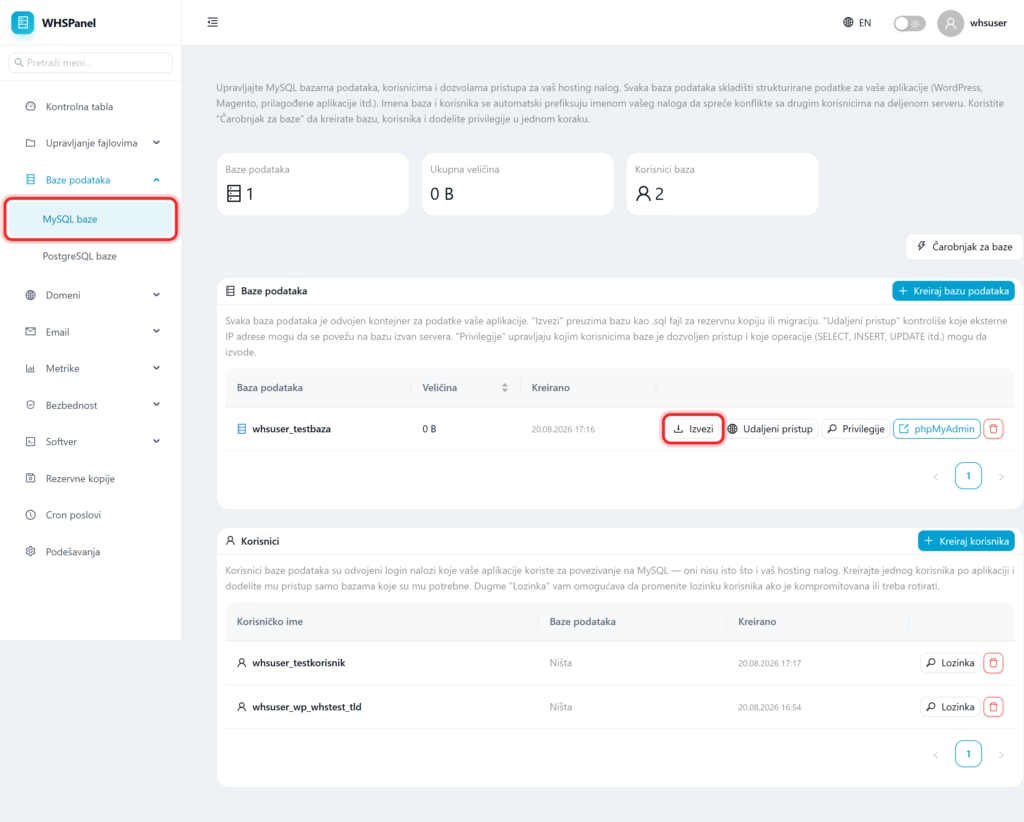
Open in the menu Databases well MySQL databases. There are three tabs at the top: Databases (how many do you have), Total size and Database users. Below are two tables: a list of databases (each with its own actions) and a list of users.
2. The easiest way: Base wizard
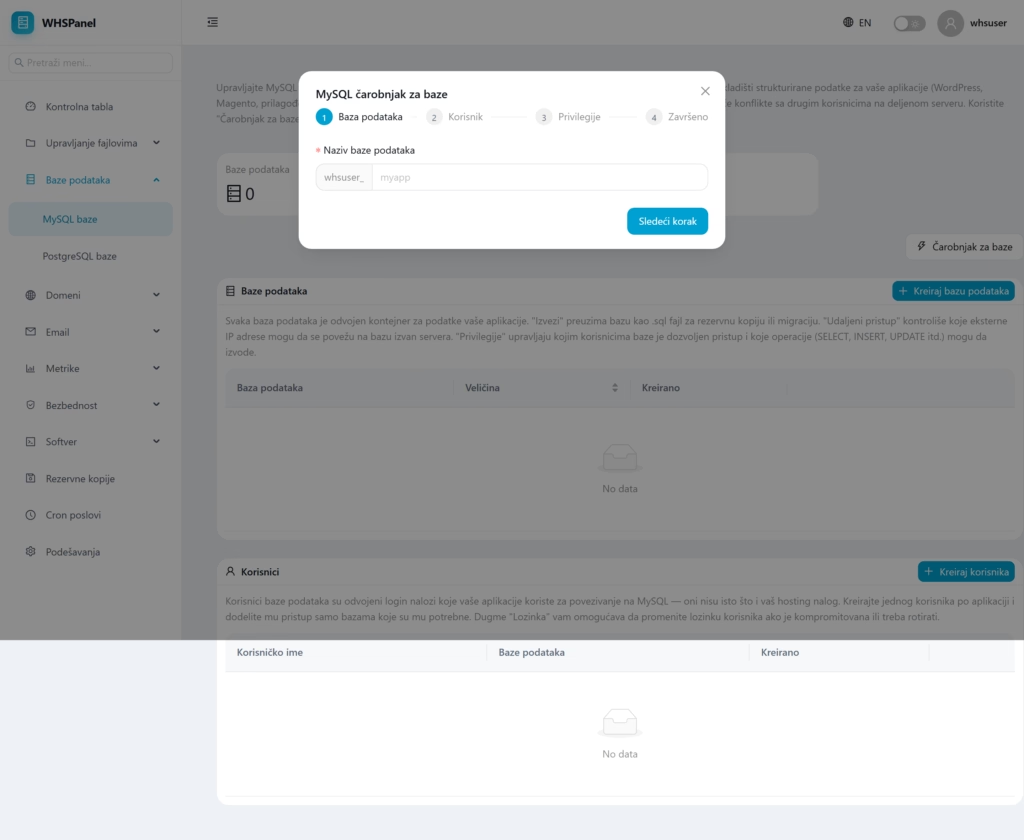
Click Database Wizard to create a database, a user and assign privileges at once in four steps (Database, User, Privileges, Done).
3. Handcrafted
- Create database: enter the name (only letters, numbers and underscores are allowed). The database appears in the table.
- Create user: create a separate database user account with a password.
4. Actions on the database
At each base in the table there are buttons:
| Action | What does it do? |
|---|---|
| Export | Downloads the entire database as .sql file, for backup or migration to another server. |
| Remote access | Controls which external IP addresses are allowed to connect to the base from outside the server (for connecting from another server or from a desktop tool). |
| Privileges | It determines which users have access to the database and which operations they are allowed (explained below). |
| phpMyAdmin | Opens phpMyAdmin, a web tool for viewing and editing tables and running SQL queries directly in the browser. |
| Delete | Permanently deletes the base. Before deleting it, you must export it. |
5. Granting privileges
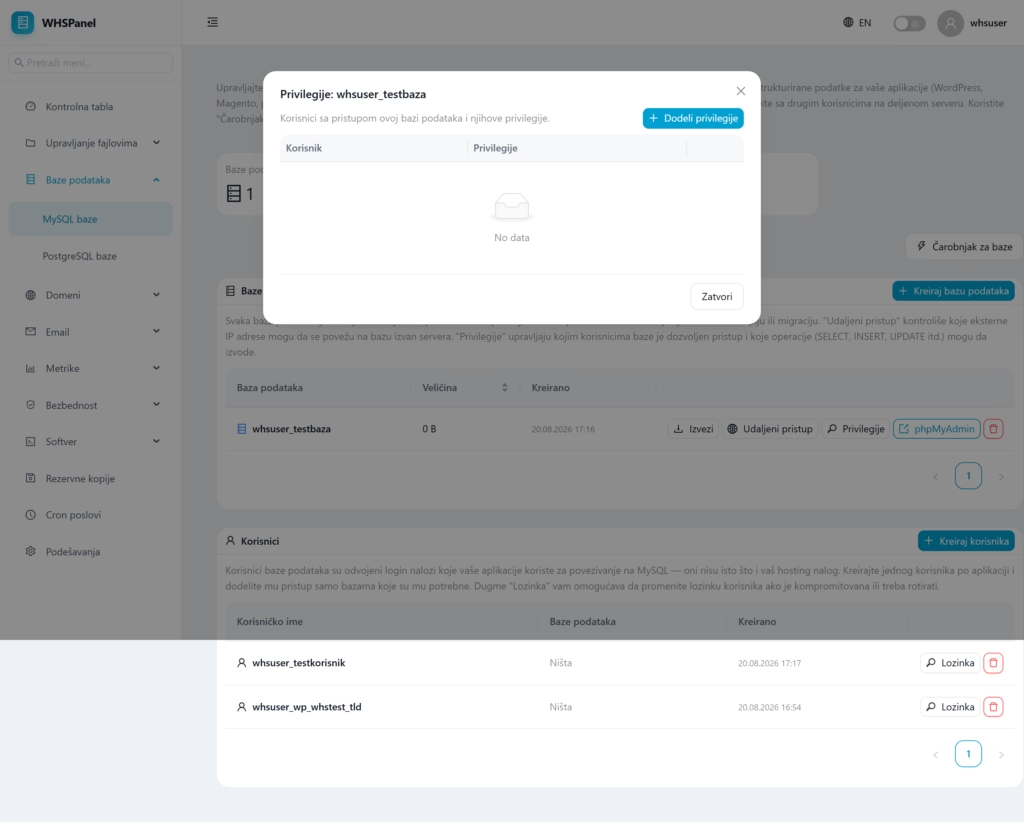
By clicking on Privileges a list of users who have access to that database opens. With a button Grant privileges you connect the user to the database and choose which operations he is allowed to perform (SELECT, INSERT, UPDATE, DELETE and others). For a typical application, grant its user all privileges over its base.
6. Database users
Database users are separate login accounts that your applications use to connect to MySQL. They are not the same as your hosting account. Each user has buttons:
- Password: changes the user's password (if leaked or needs to be rotated).
- Delete: removes the user.
It is recommended that you create one user per application and grant him access only to the databases he needs.
7. How to connect WordPress or another application
- Database name: full name with a prefix (eg
whsuser_mysite). - Database user: the user you created (same with the prefix), to whom you assigned privileges over that database.
- Password: that user's password.
- Host:
localhost(the database is on the same server as the site).
Note: always use full database and user name with account prefix; without a prefix the connection does not work. Do not forget to the user grant privileges over the database, otherwise the application cannot access it.
Security: create a separate user per application with only necessary privileges and regularly export the database as a backup.
