
PostgreSQL is an advanced relational database, ideal for applications that need complex queries, JSON data storage, full-text search, or strict data integrity. In this part of the panel, you create PostgreSQL databases and users, and view the data through the built-in Adminer tool. Names are prefixed with your account name.
1. Overview
Open in the menu Databases well PostgreSQL databases. At the top are cards with the number of bases, total size and number of users, and below are tables of bases (each with its own actions) and users.
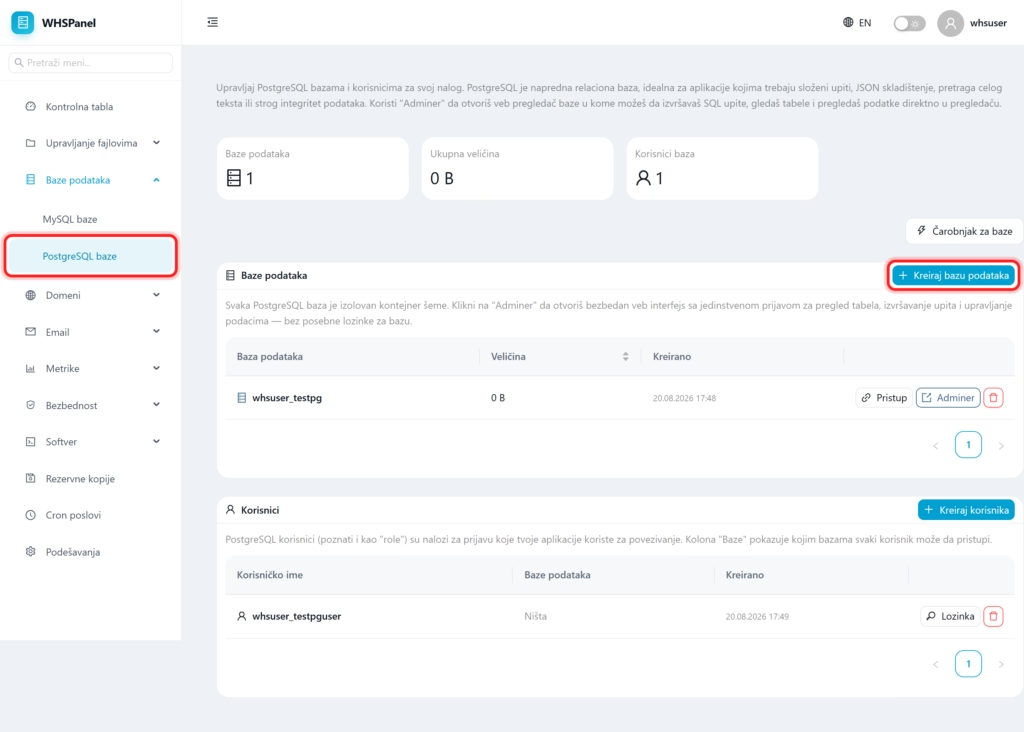
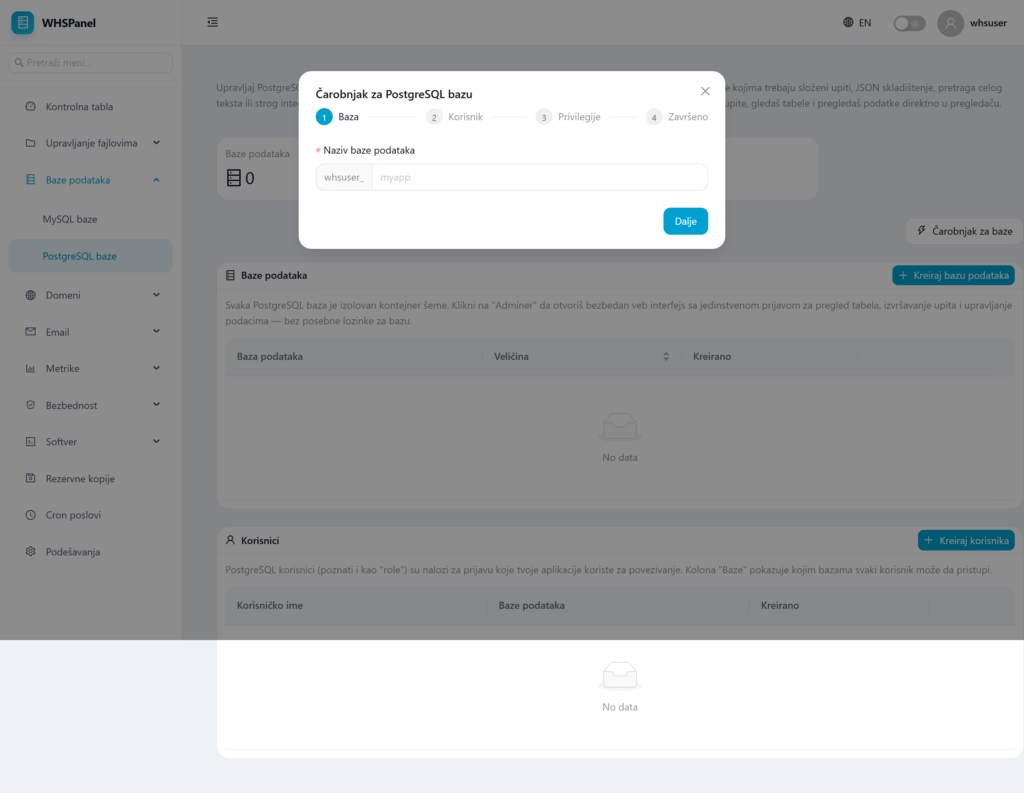
2. Database Wizard
The fastest way is Database Wizard: in a few steps, you create a database, a user and assign access at once.
3. Handcrafted
- Create database: Enter the name of the new database.
- Create user: create a user (also known as a "role" in the PostgreSQL world) with a password.
4. Actions on the database
| Action | What does it do? |
|---|---|
| Access | Determines which users the database is available to (connect user to database). |
| Admin | Opens a secure database web interface with single sign-on, where you execute SQL queries, view tables, and view data. You don't need a separate database password for Adminer. |
| Delete | Permanently deletes the database. |
5. Users (roles)
PostgreSQL users (also known as "roles") are login accounts that your applications use to connect. Column Bases in the user table it shows which bases each user can access. With a button Password you change the user's password, and Delete removes it.
When to choose PostgreSQL: if the application works with complex queries, geo data, large JSON documents or requires strict integrity, PostgreSQL is an excellent choice. For a typical WordPress or store, MySQL is usually sufficient.
Note: when connecting the application, it uses the full name of the database and the user with the account prefix, and as the host
localhost. Don't forget to give the user Access base.
