
Redirects automatically send visitors from one address to another. You use them when the page has moved, when you change the domain or when you want the old address to lead to the new one. In WHSPanel you create both permanent (301) and temporary (302) redirects.
1. Overview
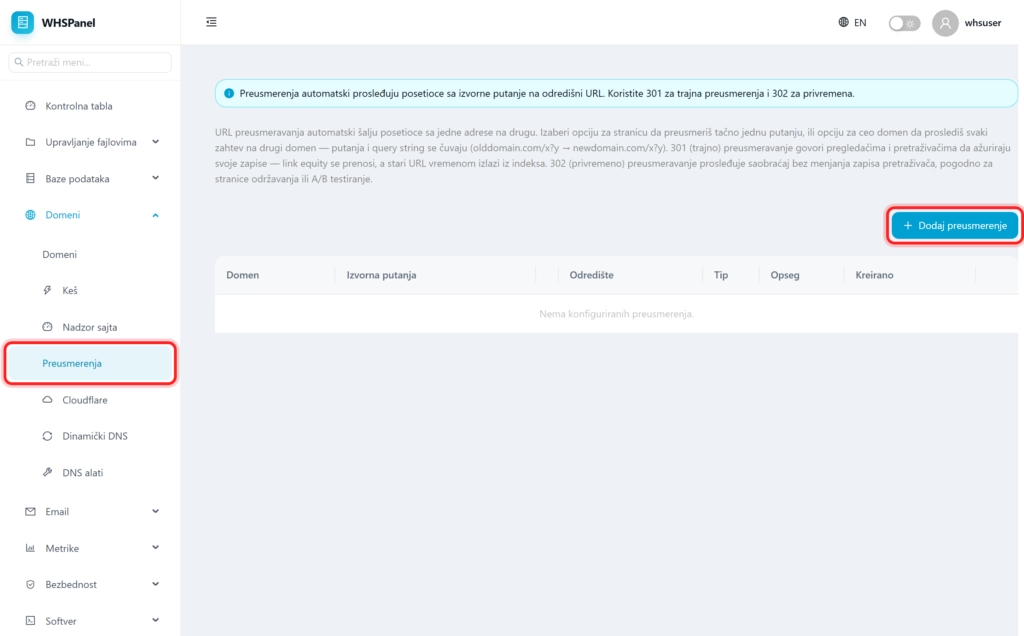
Open in the menu Domains well Redirections. You see a list of existing redirects and a button Add redirect.
2. How to make a redirect
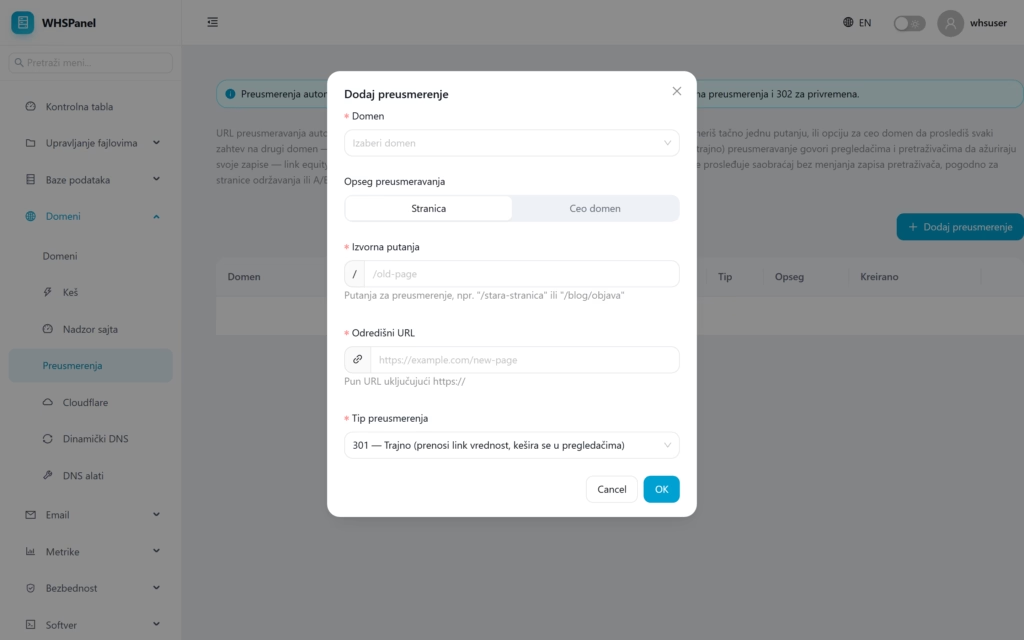
- Click Add redirect.
- Domain: select the domain on which the rule applies.
- Scope: Page redirects exactly one path, a Entire domain forwards each request to another domain (while saving the path and query string).
- Original path: where it redirects from (eg
/old-page). - Destination URL: the full URL where it leads, along with
https://. - Type: 301 (permanent) or 302 (temporarily).
- Click OK.
3. When to use 301 and when to use 302
| Type | When |
|---|---|
| 301 (permanent) | When change is permanent. It conveys SEO value (link equity), search engines update records, and the old address is removed from the index over time. It is cached in browsers. |
| 302 (temporary) | When the change is temporary (site under maintenance, A/B testing). It forwards traffic without changing records in search engines. |
Note: to permanently move a site or page, almost always use 301, to save positions in the search. 302 leaves for situations that are really temporary.
