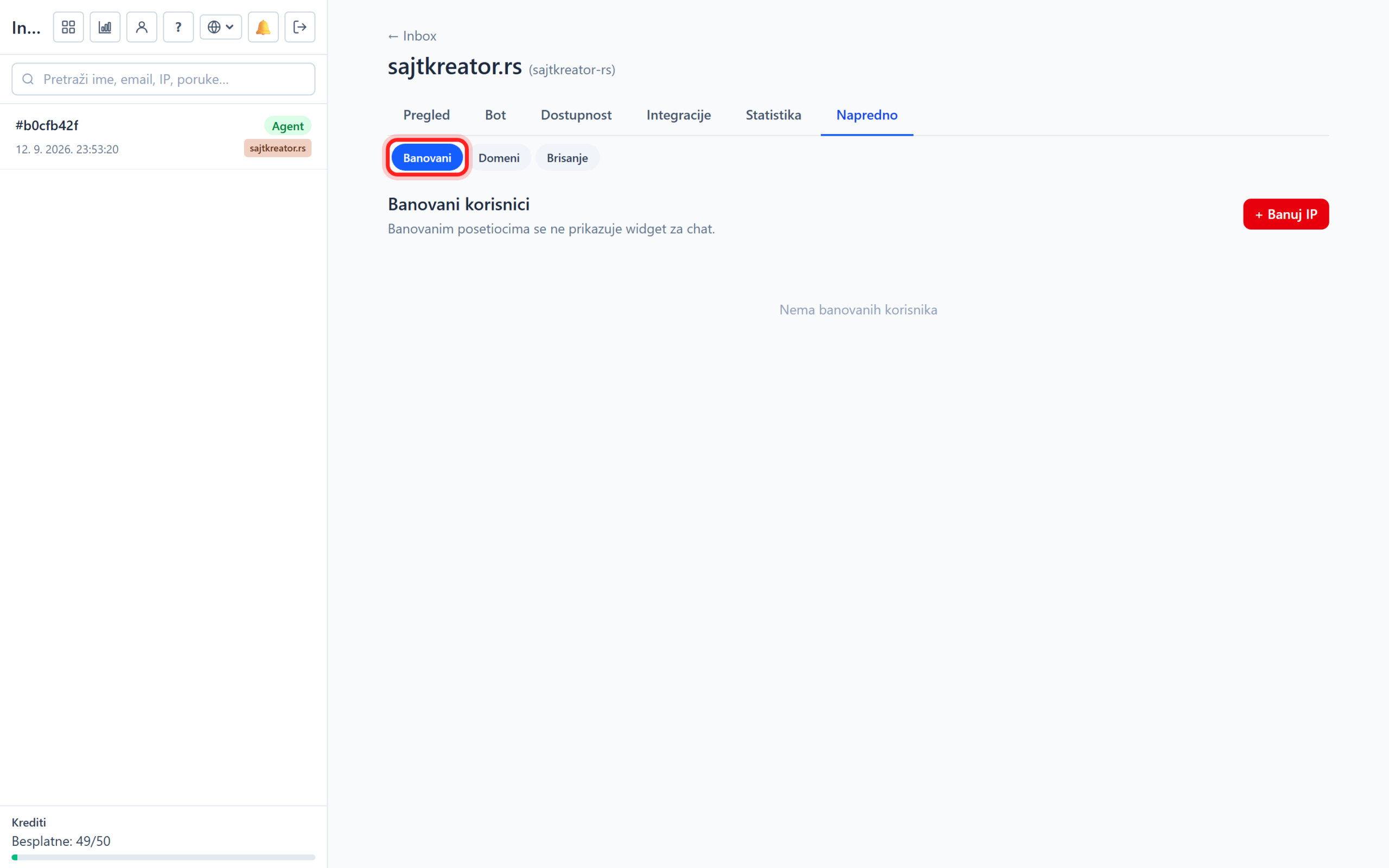
The chatbot has built-in abuse protection that saves your AI quota and prevents chats from getting stuck. It is located in the site, Accessibility tab, Protection subsection, while blocked visitors are taken to the Advanced tab, under Banned.
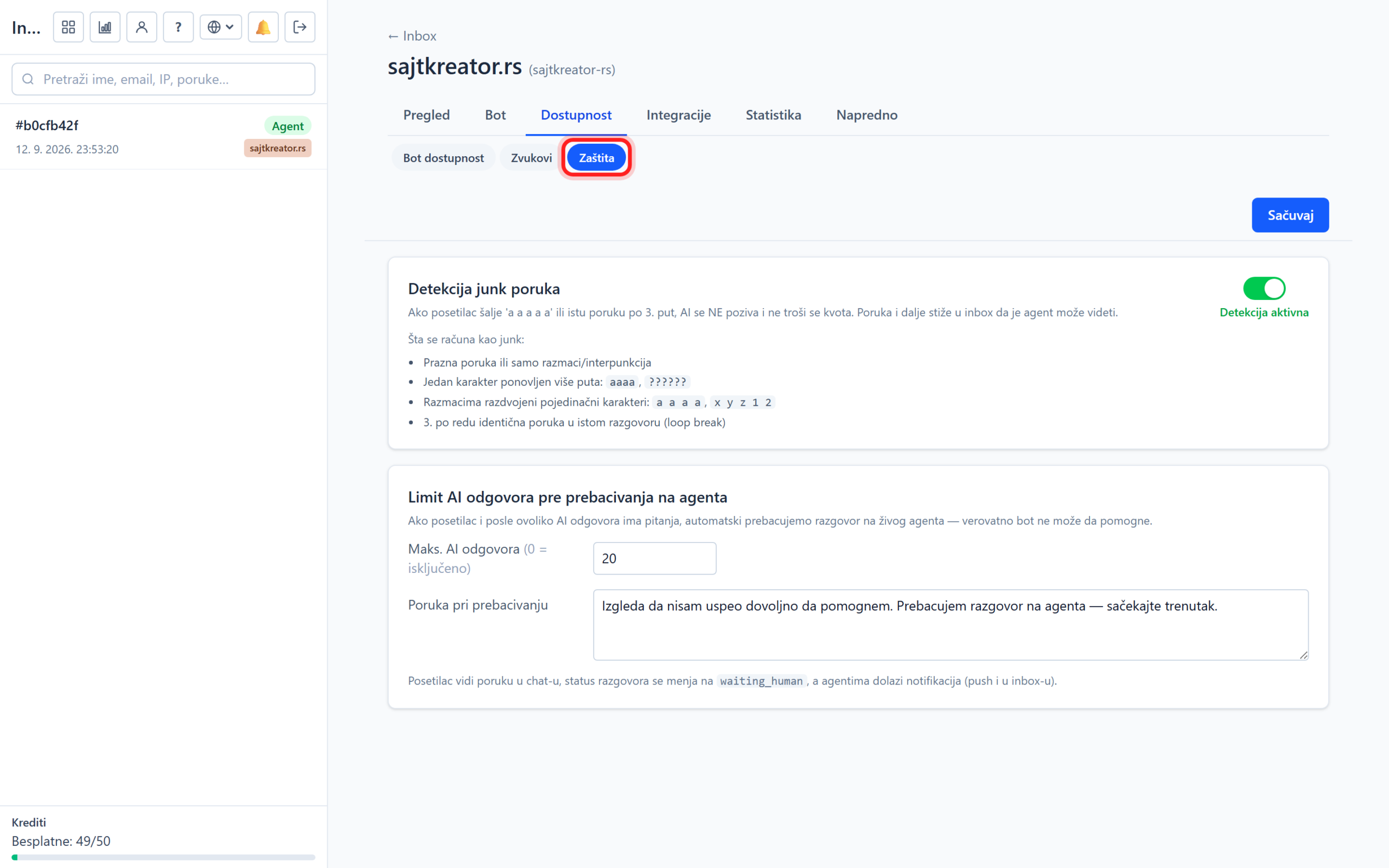
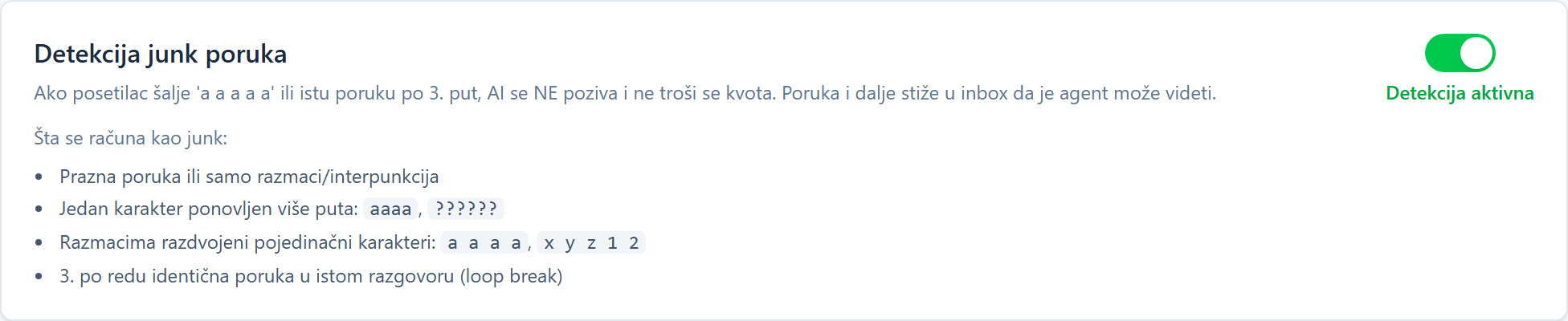
Junk message detection
When it is turned on, the system automatically recognizes meaningless messages: empty, only punctuation marks, repeated characters or three times the same message. Such messages are ignored and do not consume AI quota.
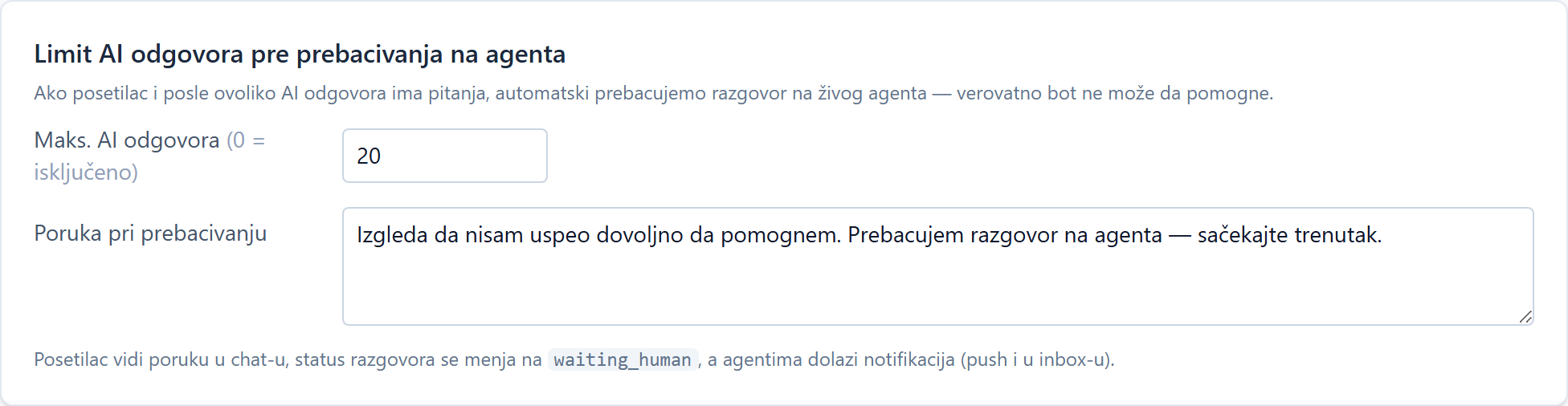
Automatic transfer to the operator
Here you specify after how many consecutive bot responses the conversation is automatically transferred to the operator, for example after five. Zero means the option is off. You can also enter a message that the visitor then sees. Longer conversations like this go to a human instead of a bot spinning in circles.
Banned visitors
In the Advanced tab, under Banned, there is a list of blocked visitors. You can ban a visitor directly from the conversation or add them here manually by IP address, with an optional reason. A banned visitor can no longer see the widget on any of your sites, and the ban can be removed at any time with a button.