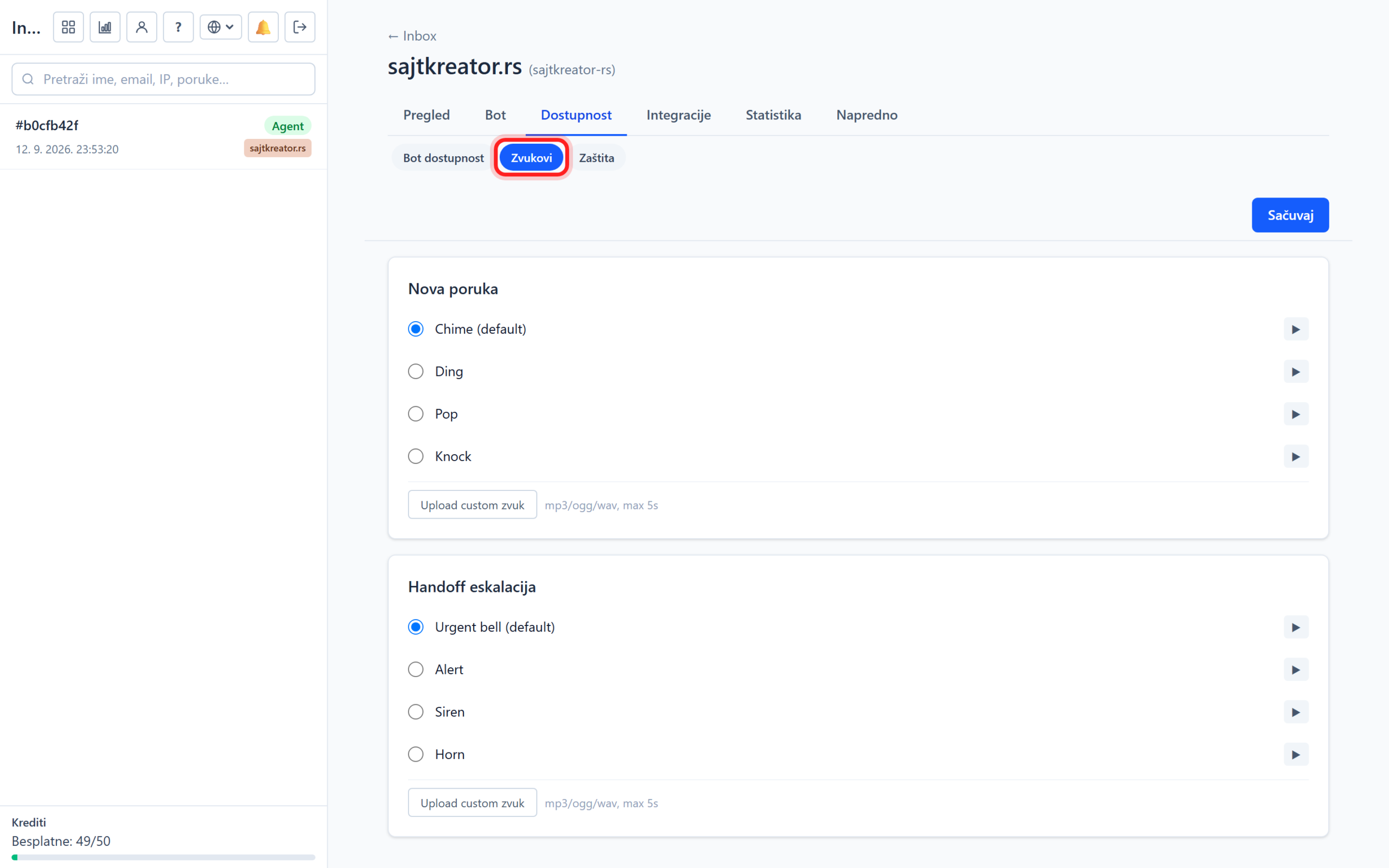
A chatbot does not need to be active 24 hours a day. In the Availability group, you set when the bot works and how it behaves outside of working hours, as well as sound notifications for operators.
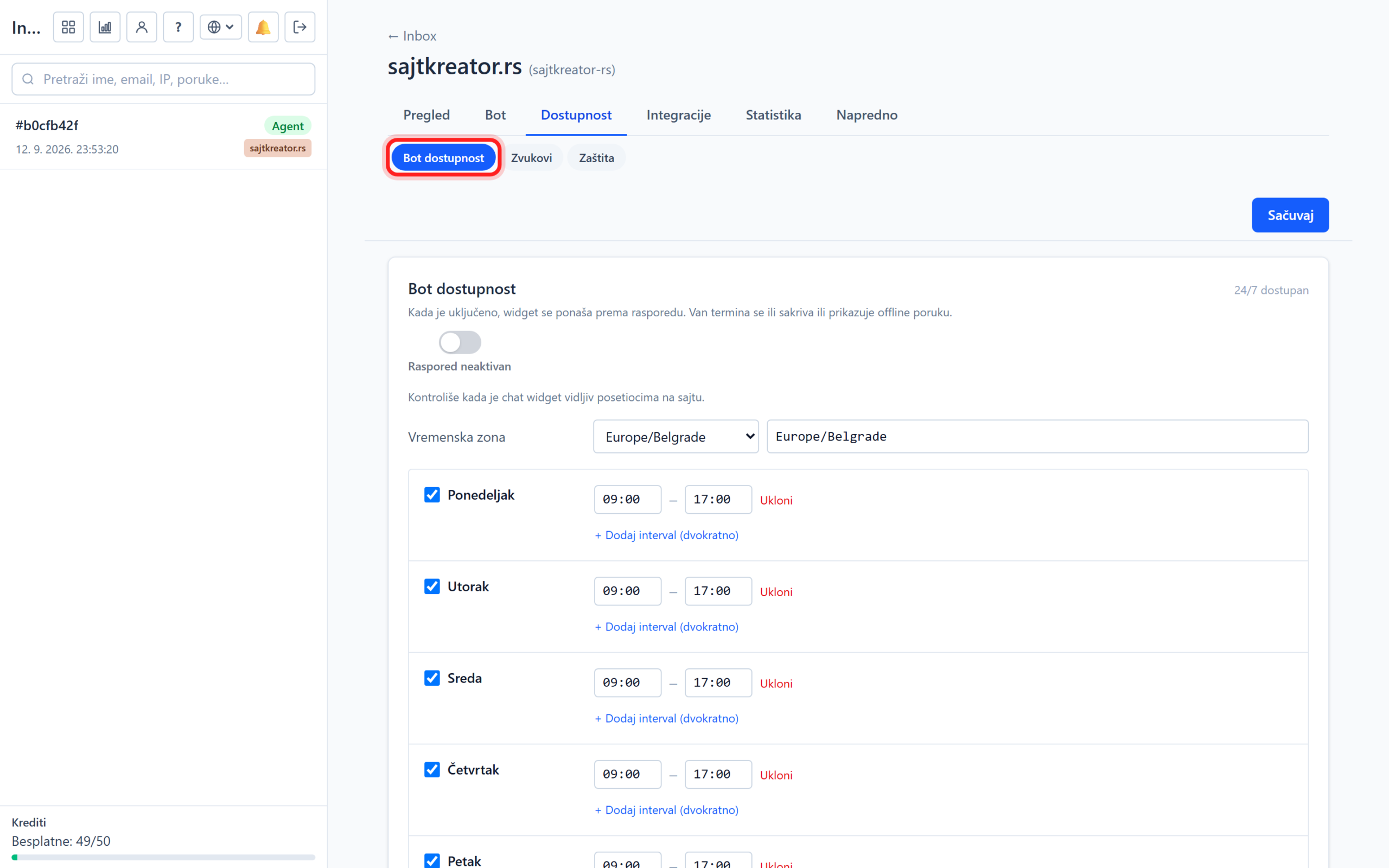
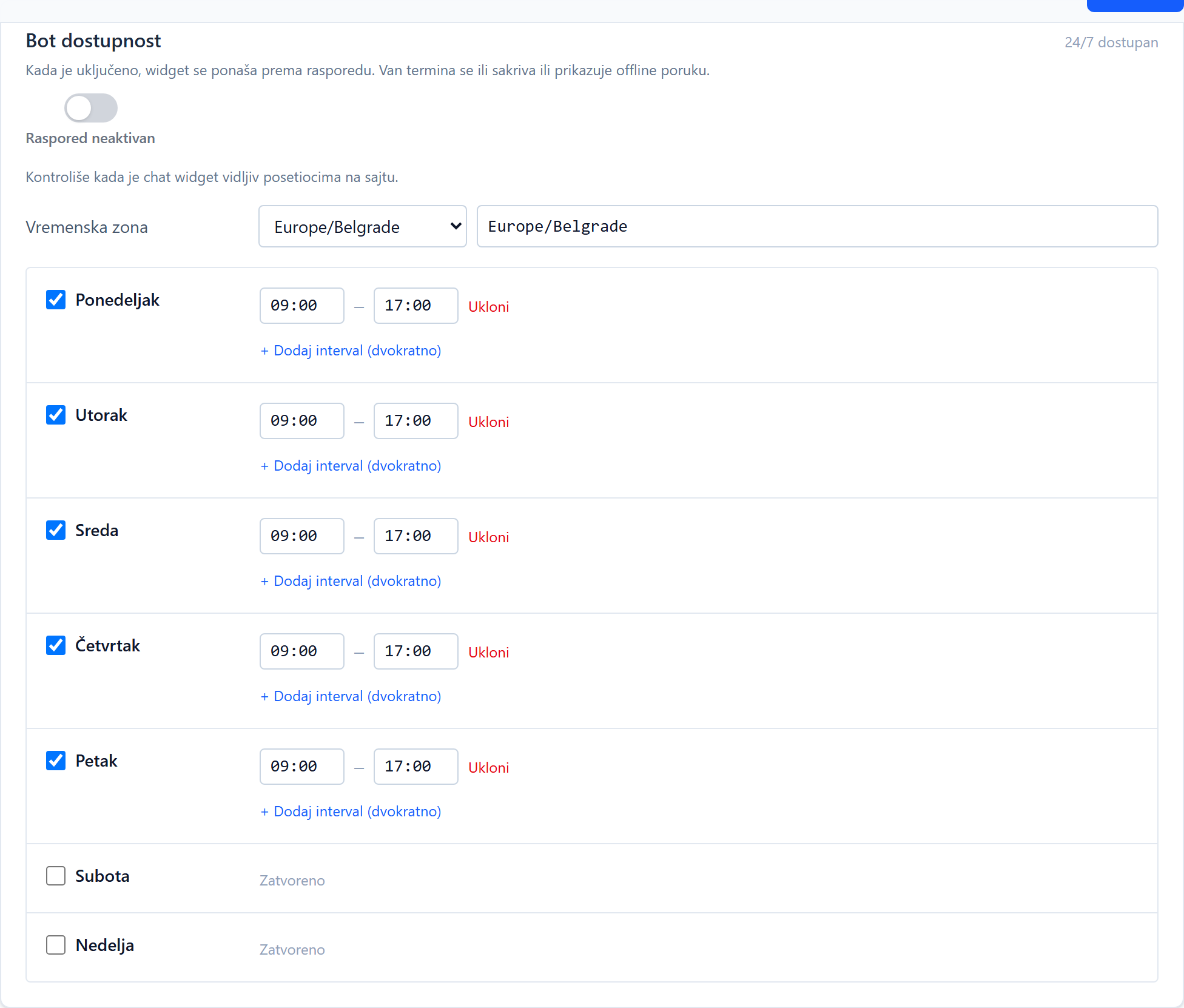
Bot availability (working hours)
It can be accessed through the site, tab Availability, subsection Bot availability. You turn on the schedule with the main switch, so you set the working hours by day. Split shifts are also supported, for example morning and afternoon, as well as different hours for different days. If the schedule is off, the widget runs continuously.
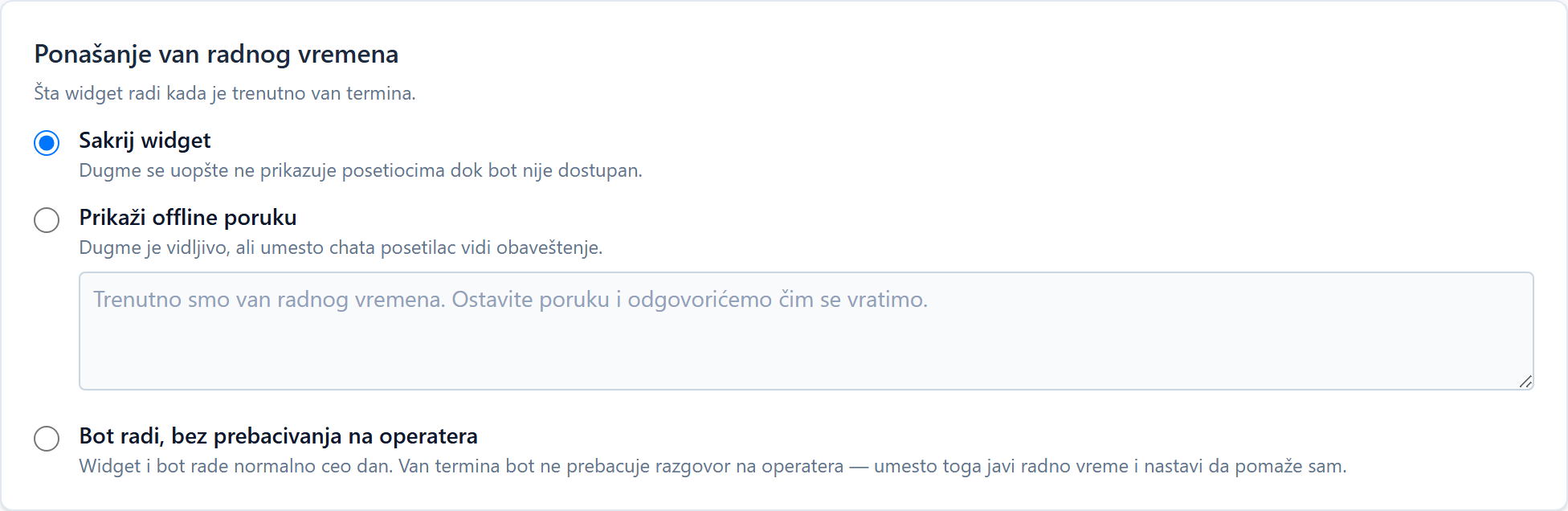
Behavior outside of working hours
Here you choose what the visitor sees when you are out of business hours:
- Hide widget: the visitor does not see the chat button at all.
- Show offline message: the button is visible, but when the visitor opens the chat, he receives your message, for example that you will call during business hours.
Sounds
In the Sounds subsection, the sound signals that the operator hears when a new message arrives or when the conversation switches to a person are selected. So the operator hears that something is happening even when he is not looking at the board.